
Popsicle Clicker
Similar Games

Description
Introduction
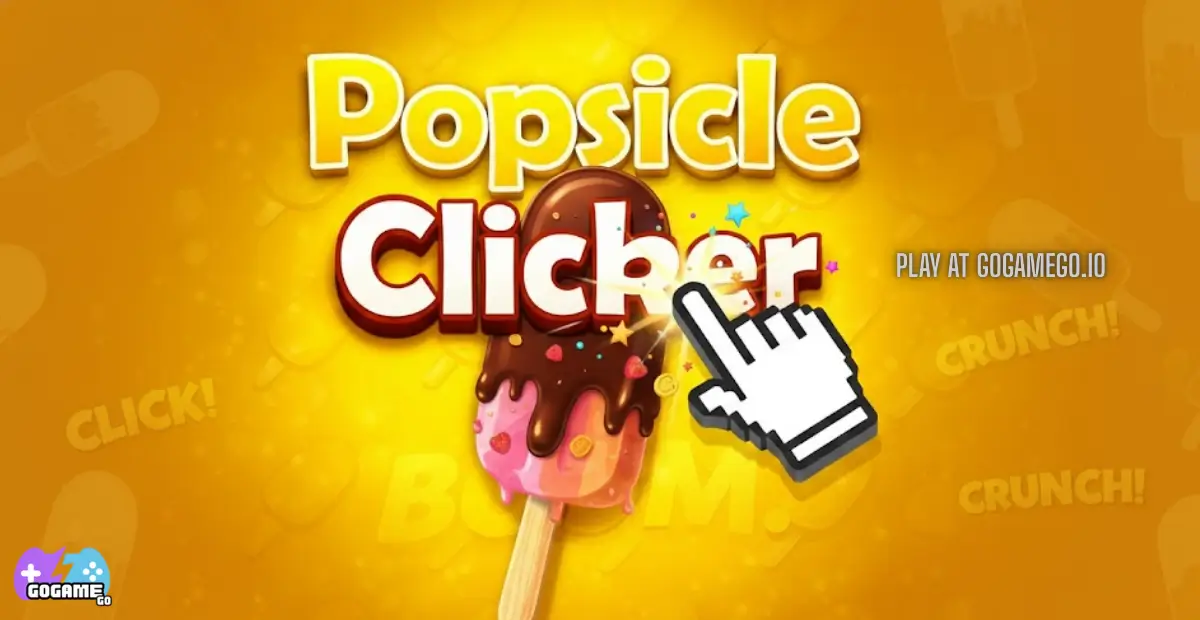
Popsicle Clicker brings the taste of summer straight to your screen with a fun click-to-build adventure that kids can play for free. The game opens instantly and runs unblocked on gogamego.io, so you can start creating colorful frozen treats without downloads or logins.
Each tap fills your factory with popsicles, coins, and silly surprises as your tiny snack shop grows into a booming dessert empire. The loop is simple, satisfying, and perfect for young players who love candy, sweets, and idle clicker games.
Jump in now and see how fast you can turn cold popsicles into warm profits!
🎮 “Popsicle Clicker” – Game Snapshot
- Genre: Idle Clicker / Incremental / Tycoon
- Release Date: 2023
- Developer: MooCow Games
- Platforms: Web Browser (PC • Chromebook • Tablet)
- Modes: Single-Player, Idle
What Is Popsicle Clicker?
Popsicle Clicker is a colorful idle game where players tap and upgrade their way into becoming a frozen dessert tycoon. The goal is simple: create popsicles, earn coins, and grow your factory until it becomes the biggest sweet empire on the block. Kids love how every tap turns into something tasty, and older players enjoy the steady strategy of scaling production and choosing smart upgrades.
The game was developed by MooCow Games, a small indie studio known for lighthearted browser experiences that focus on creativity and progression rather than paywalls or complicated mechanics. Their approach makes Popsicle Clicker accessible to both young kids discovering idle games for the first time and seasoned players who love incremental titles.
Popsicle Clicker released in 2023 and has continued to receive small optimizations and browser support updates that keep it running smoothly. Its ongoing presence on gaming platforms and school-friendly sites helped it gain new players even months after launch.
What makes Popsicle Clicker stand out is its sweet theme and cozy game loop. Instead of managing factories with robots or machines, players build a dessert shop dripping with flavor, upgrades, and frozen rewards. Popsicle Clicker trends well because it’s unblocked, free to play, and works instantly in browser — making it perfect for Chromebooks, school breaks, and quick gaming sessions.
Gameplay Overview
Popsicle Clicker turns a simple dessert stand into a fast-growing frozen empire. Players create popsicles, collect coins, unlock upgrades, and keep boosting production to reach higher dessert tiers. The gameplay is designed around progress, reward, and discovery, making it addictive in a wholesome way for kids who enjoy idle factory and tycoon-style games.
The main objective is to tap or click to generate popsicles and convert them into profit. As the factory expands, production becomes faster and more automatic, letting players earn even when they’re not actively clicking. The sense of growth is steady and satisfying, especially once machines start doing most of the work.
How to Play
When starting out, players tap to produce a single popsicle at a time. Coins earned from sales let you purchase upgrades such as faster machines, stronger boosters, new flavors, and automated production helpers. Later levels reward players with multipliers and bigger treats that generate higher income per click.
The progression system keeps adding goals — unlock quicker production, reach dessert milestones, upgrade storage, and scale output into the hundreds, thousands, and beyond. The more the factory expands, the more impressive the popsicle empire becomes.
Controls
1-Player: Mouse click or keyboard tap to generate popsicles, plus menu buttons for upgrades and boosts.
Touch / Mobile: Tap the screen to produce popsicles, swipe through menus, and press upgrade buttons with simple touch UI.
Popsicle Clicker supports browser play, so no controller setup or installation is needed.
Pro Tips
- Prioritize auto-production: Machines earn even while you're idle, multiplying growth over time.
- Buy boosts early: Small multipliers add up fast during the mid-game.
- Stack flavor upgrades: Higher-value treats produce bigger payouts per click.
- Don’t hoard coins: Reinvesting leads to faster scaling and bigger popsicle batches.
- Watch for milestone bonuses: Certain production numbers trigger bonus rewards.
- Balance click power & automation: Clicking is strong early, machines dominate later.
- Check upgrade paths: Some upgrades generate long-term passive income, making them worth more than short bursts.
- Keep storage expanded: Running out of room slows production and profits.
- Play during idle windows: Let the shop earn passively while doing homework or breaks.
- Return often: Idle earnings pile up, making each session more rewarding than the last.
Key Features
Popsicle Clicker packs a surprising amount of depth into a simple tap-to-build dessert factory. Each feature adds a new layer of discovery, rewards, and strategy that keeps kids coming back for one more upgrade.
- Instant Click Production: Every tap creates popsicles and coins, giving players fast feedback and a quick dopamine boost that feels exciting.
- Automated Machines: Once unlocked, machines take over the hard work by producing treats while players explore menus or take breaks — perfect for idle growth.
- Flavor Upgrades: New popsicle flavors increase value per tap, helping players grow profits without extra effort.
- Factory Expansion: Additional stations and tools add layers of strategy, turning a tiny shop into a full dessert empire.
- Reward Milestones: Hitting production goals triggers bonus earnings, encouraging kids to keep pushing their numbers higher.
- Progression System: The steady unlocks make players feel stronger over time, giving the game a satisfying sense of progression.
- Browser-Based Play: With no download or account needed, Popsicle Clicker runs smoothly on school Chromebooks, tablets, and desktop browsers.
- Friendly Theme: Bright colors, cheerful desserts, and playful pacing make the game safe and appealing for younger audiences.
Game Modes
Popsicle Clicker focuses on a polished single-player experience built around growth, upgrades, and idle income. Since the game is all about watching your frozen dessert factory expand over time, the solo mode is where the gameplay truly shines.
Solo Mode
In solo mode, players tap and upgrade their popsicle machines to build a dessert empire at their own pace. There’s no pressure, no timers, and no failure screen — just steady progress and satisfying rewards. Difficulty increases naturally as higher production levels require smarter upgrades and better resource management. The big reward comes from watching numbers skyrocket as machines automate the process and profits soar even without active clicking.
Multiplayer & Co-Op Support
Popsicle Clicker does not currently include online multiplayer, matchmaking, or local co-op. However, many kids enjoy an unofficial competitive element by comparing production totals and upgrade speeds with friends during school breaks or classroom Chromebook sessions. Because the game is unblocked, browser-friendly, and free, it spreads easily through social play environments even without built-in multiplayer features.
Tournament & Events
There are no formal tournaments or seasonal modes yet, but fans enjoy setting personal challenges such as fastest upgrade route or highest idle earnings achieved overnight.
Characters & Customization
Popsicle Clicker keeps things simple and sweet by giving personality to the frozen treats and factory units players unlock along their dessert journey. Instead of human characters, the game presents different popsicle types and machines that behave like little helpers in your growing factory. Each one adds a unique flavor to gameplay and opens new upgrade paths.
Characters
- Classic Popsicle: The first treat players produce. Simple, fast, and reliable with quick sales and low cost.
- Fruit Swirl: A colorful upgrade that sells for more coins and introduces bonus income for flavor combos.
- Ice Cream Bar: Slower to produce but higher profit per tap, ideal for mid-game scaling.
- Chocolate Freezer Machine: A semi-automated helper that produces premium treats without constant tapping.
- Flavor Mixer: Adds multiplier rewards by combining ingredients for higher-tier popsicles.
- Packaging Bot: End-game unit that boosts output and helps push production milestones faster.
Customization
Customization in Popsicle Clicker focuses on factory performance rather than cosmetic skins. Players upgrade colors, flavors, production stats, ingredient quality, and automated gear to enhance their dessert empire. Increasing popsicle value, speeding up machines, and unlocking premium flavors are key strategies for scaling toward late-game earnings.
Instead of outfits or emotes, upgrades change how the factory runs, giving kids a fun way to tune their dessert factory for maximum profits and faster idle income.
Special Moves & Combos
Even though Popsicle Clicker is a peaceful tapping and idle game, it still offers several powerful boosts and production combos that act like “special moves” during dessert factory growth. These effects give players bursts of income, faster upgrades, and strategic control over how their frozen empire scales.
- Speed Burst: Temporarily doubles popsicle production speed. Best used during active tapping sessions to maximize click value.
- Flavor Multiplier: Increases coin payouts based on flavor tier. Smart players activate this right before selling high-value treats.
- Auto-Tap Assist: Adds free taps for a limited time, perfect for kids who want to earn big without constant clicking.
- Bulk Packaging Bonus: Converts stacked popsicles into massive lump-sum profits. Ideal for clearing storage before upgrades.
- Ingredient Quality Boost: Raises base value of popsicles for the rest of the round. Best used early to snowball future earnings.
- Combo Chain Sale: Selling multiple treat types in sequence triggers a combo bonus, rewarding players for mixing production instead of sticking to one flavor.
- Idle Profit Surge: Idle machines gain extra currency while the player is away—turning breaks into big payouts.
Players who chain these boosts together can create powerful income spikes, especially during mid-game scaling. A strong strategy is activating Speed Burst + Flavor Multiplier + Packaging Bonus in that exact order for explosive profit growth.
Tips & Tricks
Popsicle Clicker may look simple, but smart planning and good upgrade timing can turn a tiny dessert stand into a booming frozen empire. Kids who learn how to manage boosts, flavors, and idle income will scale much faster and hit milestone rewards sooner.
- Tap Hard Early: Early-game income comes mostly from tapping, so build a strong base before relying on machines.
- Buy Automation Fast: Auto-production is the secret to big factories, especially when leaving the game running.
- Flavor First, Speed Second: Flavor upgrades boost value while speed upgrades boost quantity — combining both is the key to steady growth.
- Don’t Let Storage Fill: Full storage stops profit, so upgrade capacity as soon as you hit bottlenecks.
- Use Combo Bonuses: Producing different treat types unlocks combo rewards that spike earnings.
- Boost During Active Play: Timed boosts are most effective when you're tapping and upgrading at the same time.
- Idle Overnight Gains: Leaving the factory running overnight or during school breaks can triple progress.
- Reinvest Constantly: Coins sitting idle lose value — upgrades multiply your long-term output.
- Push Milestones: Milestone goals give huge rewards, so don’t ignore them while expanding.
- Balance Cost vs. Payoff: Late-game upgrades become expensive, so choose options that raise both speed and value.
- Check Boost Synergy: Combining Speed Burst + Flavor Multiplier + Packaging Bonus produces massive end-game profits.
- Stay Active for Bonuses: Some perks only trigger while interacting with the game, rewarding players who tap often.
Platforms & Technology
Popsicle Clicker runs directly in the browser using lightweight HTML5 technology, making it easy for kids to jump in without downloads, accounts, or installation. The game loads fast and works smoothly on Chrome, Firefox, Safari, and Chromium-based school browsers, including Chromebook devices.
On desktop, players get the full clicking experience with a mouse or keyboard input. On mobile and tablets, tapping and swiping controls make production feel intuitive and responsive, especially for younger players who enjoy touchscreen play. Progress and upgrades feel identical across both platforms, so switching devices doesn’t hurt gameplay.
Because Popsicle Clicker uses HTML5 instead of outdated plugins, the game performs well even on older hardware. WebGL rendering keeps the visuals crisp while ensuring the factory animations don’t lag or drop frames.
For best performance, we recommend keeping multiple browser tabs closed during long idle sessions, and making sure hardware acceleration is turned on for smoother animations and faster production cycles.
Can I Play Popsicle Clicker Unblocked?
Yes! Popsicle Clicker is fully unblocked and can be played right in the browser without restrictions. Because the game runs on HTML5 and doesn’t require installs or external launchers, kids can enjoy building their frozen dessert factory at school, at home, or even during breaks at work on a Chromebook or office computer.
There are no downloads, no forced logins, and no shady extensions to install — just click and play instantly. Many players love it for exactly that reason, especially in classrooms where gaming time is short and unblocked games need to load fast.
Popsicle Clicker also avoids intrusive ads and heavy pop-ups, making the experience smoother for younger gamers and safer for shared devices. Whether you’re tapping for quick profits during lunch or letting idle machines work while studying, the game stays accessible, simple, and unblocked on gogamego.io.
Similar Games
If you enjoy building a sweet popsicle empire in Popsicle Clicker, you’ll love these other kid-friendly clicker and idle games on gogamego.io. Tap, upgrade, and grow your way through more fun factories, worlds, and silly characters.
- Click Click Clicker – Pure clicking fun where every tap earns coins, unlocks upgrades, and boosts your score.
- Slime Clicker – Grow goofy blobs of slime, upgrade their size and power, and watch your gooey empire explode.
- Plinko Clicker – Drop balls onto a peg board, hit big multipliers, and collect tons of shiny coins.
- Idle Mining Empire – Build a mining company, hire managers, unlock shafts, and dig deeper for bigger profits.
- Idle Tree City – Grow magical trees, turn them into a busy little city, and upgrade your forest kingdom.
- Labubu Clicker – Help a tiny Labubu grow stronger with each click, unlock upgrades, and discover funny surprises.
- Lizard Lizard Clicker – Tap to evolve cute lizards, upgrade habitats, and build a full reptile kingdom.
- Astro Robot Clicker – Run a robot workshop in space, tap to earn coins, and upgrade your futuristic factory.
- Candy Clicker 2 – Create a candy empire, unlock sweet upgrades, and enjoy one of the juiciest clicker games.
Game History & Updates
Popsicle Clicker first appeared online in **August 2022**, when it was published as a free browser idle clicker built with Construct 3. The title quickly became a favorite among kids and casual gamers because of its cheerful theme and simple progression mechanics where players tap or click to make popsicles and earn coins.
Since launch, the game has seen a handful of updates on platform aggregators and arcade portals that tweak performance, refine upgrade balancing, and improve support for modern browsers. Early versions released multiple incremental builds over the course of its first week, improving stability and controls across desktop and mobile devices.
Community interest has grown steadily thanks to strong unblocked playability and smooth idle progression loops that keep players coming back. Players share strategies, idle growth goals, and upgrade paths across forums and browser gaming communities, helping Popsicle Clicker stay relevant among other idle titles.
Although there’s no official roadmap released by the original creator or Construct 3 publisher, fans anticipate future enhancements such as additional popsicle types, visual effects for advanced upgrades, and seasonal-themed events — all of which would add new layers of engagement while keeping that easy-to-play, browser-friendly experience kids love.
FAQ
What is Popsicle Clicker?
Popsicle Clicker is a free idle clicker game where you tap to make popsicles, earn coins, and upgrade your dessert factory to grow a frozen empire.
Is Popsicle Clicker free to play?
Yes! Popsicle Clicker is 100% free to play on browser with no downloads, no account, and no paywalls.
Can I play Popsicle Clicker unblocked at school?
Absolutely. Popsicle Clicker runs unblocked in browser, making it perfect for Chromebooks and school computers with restricted access.
Does Popsicle Clicker work on phones or tablets?
Yes. The game supports touch controls, so you can tap, swipe, and upgrade smoothly on both mobile and desktop devices.
How do you earn coins faster in Popsicle Clicker?
Upgrading flavor value, production speed, and automated machines increases income. Combo bonuses and timed boosts also help maximize profits.
Does Popsicle Clicker save progress?
Your progress is saved automatically in browser, allowing you to return later and collect idle earnings.
Are there any ads or pop-ups?
No intrusive ads or pop-ups interrupt gameplay, making it safe and friendly for younger players.
Is Popsicle Clicker safe for kids?
Yes. Popsicle Clicker contains no violence, no chat systems, and no inappropriate content — making it a suitable choice for kids.
How long does it take to progress?
Early progress is fast due to tapping, while late-game growth relies on idle machines and upgrades that scale over time.
Are there similar games to Popsicle Clicker?
Yes! Kids who enjoy Popsicle Clicker also like Candy Clicker 2, Lizard Lizard Clicker, Astro Robot Clicker, and other idle clicker games on gogamego.io.
Conclusion
Popsicle Clicker proves that sometimes the simplest ideas make the most satisfying games. With every tap you create colorful popsicles, earn coins, and expand a frozen dessert factory filled with fun upgrades and quirky production units. The combination of idle income, flavor boosts, and milestone rewards keeps kids engaged while offering plenty of reasons to come back and check on progress.
Because the game runs unblocked in browser, there’s no waiting, no downloading, and no complicated setup — just instant fun on any device. Touch controls make it great for phones and tablets, while mouse play feels crisp and fast on desktop. It’s a perfect match for young gamers who enjoy clicker, tycoon, and incremental games with cheerful themes.
If you’re ready to build a popsicle empire and see how far your frozen factory can grow, jump into Popsicle Clicker now and start tapping your way to sweet profits!