Astro Robot Clicker
Similar Games




Description
Introduction
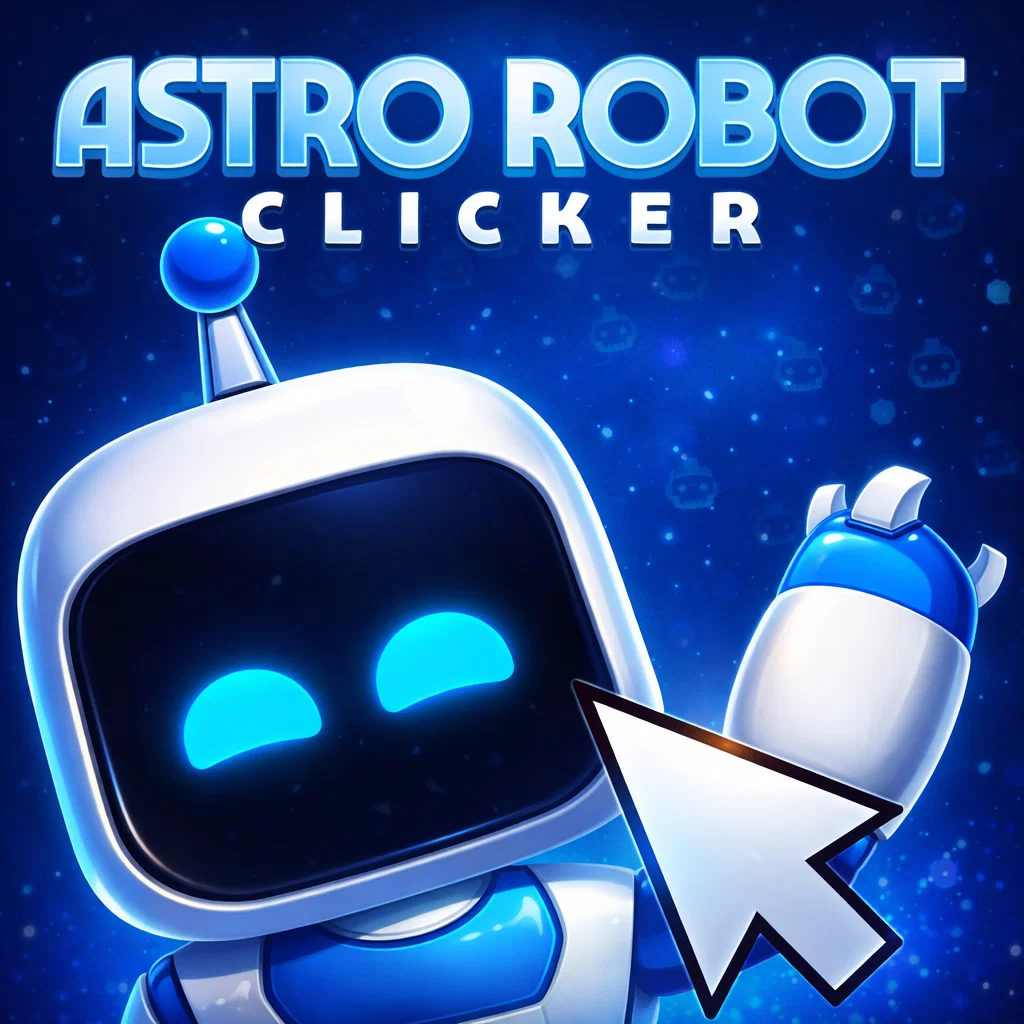
Sparkling starlight, friendly machines, and a big cosmic button to tap! That’s the playful universe of Astro Robot Clicker on gogamego.io, where every click powers up adorable space robots.
This kid-friendly robot clicker game is fast, silly, and perfect for players who love building upgrades and watching numbers skyrocket. Click to earn space coins, unlock new robot parts, and boost your futuristic factory.
Astro Robot Clicker is free, fully unblocked, and runs right in your browser — no installs, downloads, or accounts needed. Just tap Play and start your space adventure instantly on PC, tablet, or mobile.
- Free & unblocked robot clicker for kids
- Idle upgrades keep progress going while you relax
- Simple one-button controls for instant fun
With colorful robots, satisfying clicks, and endless upgrades, this cheerful space clicker keeps kids exploring and improving their robot crew for hours.
Launch your mission now and see how far your robots can go in Astro Robot Clicker on gogamego.io!
🎮 “Astro Robot Clicker” – Game Snapshot
- Genre: Clicker • Idle • Robot • Space
- Release Date: 2024
- Developer: CrazyGames Studio
- Platforms: Browser (PC • Tablet • Mobile)
- Modes: Single Player • Idle Progression

What Is Astro Robot Clicker?
Astro Robot Clicker is a colorful space-themed clicker and idle game where players tap a cheerful robot to generate energy, earn coins, and unlock futuristic upgrades. The concept is simple, but the satisfying clicking, cute animations, and endless progress loop make it surprisingly hard to put down — especially for kids who love robots and space adventures.
The game was developed by CrazyGames Studio, a well-known online game creator with a growing catalog of browser-friendly titles for all ages. Released in 2024, Astro Robot Clicker has continued to receive balancing tweaks and visual updates, helping it stay smooth and polished across devices including PC, tablet, and mobile browsers.
What makes this game stand out from other idle robot games is its playful pacing and reward feedback. Every click triggers fun sounds, animations, and increasing numbers, giving kids an exciting sense of progress without overwhelming difficulty. The idle system also keeps your robot generating resources even when you're taking a break, making upgrades feel constant and rewarding.
The game is trending across free browser gaming platforms thanks to its simple one-button controls, unblocked accessibility, and kid-friendly design. With no downloads required and instant play on gogamego.io, it’s quickly becoming a favorite for young gamers who enjoy click-to-build challenges set in outer space.
Gameplay Overview
Astro Robot Clicker drops players into a tiny space workshop powered by a cheerful robot. The main objective is to click or tap the robot to generate energy and coins, then use those resources to unlock upgrades, new robot parts, and stronger boosts that increase your production speed.
The progression system follows classic idle and clicker mechanics. Early on, players rely on quick tapping for currency, but as upgrades stack, the robot begins producing resources automatically. This creates a satisfying loop where every new upgrade leads to bigger numbers, faster animations, and more cosmic rewards. Kids love watching their robot workshop evolve from a small starter bot into a futuristic space factory humming with idle energy.
How to Play
Your goal is to earn as many coins and energy units as possible. Coins upgrade new robot features, while energy activates boosters that multiply clicks or idle production. Players chase milestones like reaching certain production speeds, unlocking cosmetic robot skins, and building unique robot parts.
There are no harsh failures, timers, or penalties — making the game stress-free and ideal for young players who enjoy improving and experimenting at their own pace.
Controls
- PC / Laptop: Click with the left mouse button to generate energy and open menus.
- 1-Player Mode: Standard clicking + upgrade menu control.
- Touch (Mobile & Tablet): Tap the robot with your finger to produce energy; swipe to navigate menus; tap icons to purchase upgrades.
No keyboard controls are required, making the game extremely easy to learn and suitable for kids of all skill levels.
Pro Tips for Faster Progress
- Tap Early, Idle Later: Use rapid tapping at the start to boost early currency before idle upgrades take over.
- Buy Multipliers First: Boosts that multiply clicks are more impactful than flat upgrades.
- Stack Idle Production: Idle resources keep growing even when you’re not clicking — perfect for long sessions.
- Save for Big Upgrades: Don’t waste coins on tiny boosts; large upgrades create huge power jumps.
- Use Energy Wisely: Trigger temporary speed boosts when you’re actively clicking for maximum value.
- Unlock New Robot Parts: Cosmetic upgrades often include hidden performance bonuses.
- Don’t Neglect Auto-Clickers: Auto-click upgrades let your robot work harder while you relax.
- Check Menu Icons: Some upgrades unlock only after reaching certain milestones — don’t miss them!
Key Features
Astro Robot Clicker shines because it mixes simple click-to-earn gameplay with a satisfying upgrade system that rewards curiosity and steady progress. Each feature adds a new layer of fun for kids, keeping the experience fresh as their robot factory grows.
- One-Click Gameplay: Players tap or click the robot to generate energy and coins. Easy to learn and ideal for younger players.
- Idle Production: The robot keeps working even when you’re not clicking, making upgrades feel valuable and progress constant.
- Upgradeable Robot Parts: Kids unlock new robot pieces and power modules that boost production and give their robot a cooler look.
- Boost & Multipliers: Temporary boosts increase energy gain and coin output, perfect for burst clicking sessions.
- Cosmetic Customization: Fun skins and space themes personalize the robot and keep players excited to unlock more.
- Milestone Rewards: Hitting production goals pays out bonus currency, giving kids clear motivators to keep growing.
- No Time Pressure: No timers or punishment systems, making the game relaxed, friendly, and accessible for all ages.
- Mobile & Browser Support: Plays instantly on PC, tablet, and mobile with no downloads, sign-ups, or installs.
Game Modes
Astro Robot Clicker focuses on relaxed and friendly gameplay designed for solo players, but several optional play styles help kids enjoy the experience in different ways depending on how they like to play and learn.
Solo Mode
This is the core experience of the game. Players click or tap the robot to produce coins, purchase upgrades, and grow their space workshop. There are no fail states, so children can explore the game at their own pace without pressure. Rewards come from hitting production milestones and unlocking new robot parts, boosts, and cosmetic skins. Difficulty scales gently as upgrades grow more expensive, encouraging smart saving and planning.
Multiplayer Challenges (Informal)
While there is no direct online matchmaking, many kids enjoy setting personal score challenges with friends, such as “highest coins in 10 minutes” or “fastest to unlock auto-click boosters.” This creates a fun social layer without requiring online lobbies or accounts.
Local Co-Op Play
On tablets and touch devices, siblings or friends can share the screen and tap together to generate faster production. This makes the game feel like a mini-cooperative builder where teamwork boosts earnings and unlocks upgrades quicker than solo tapping.
Seasonal Events & Mini Goals
From time to time, developers introduce seasonal themes or bonus objectives, such as robot-themed holidays or temporary reward boosts. These light events give returning players something extra to look forward to and encourage long-term engagement.
Characters & Customization
Even though Astro Robot Clicker focuses on tapping and upgrading, part of the fun comes from collecting different robot characters and tailoring them into your own space-powered creation. Each robot brings a unique twist to production, encouraging kids to experiment and discover new upgrade paths.
Characters
- Starter Bot: The basic robot that teaches players how to generate coins and energy. Slow at first, but easy to upgrade and perfect for beginners.
- Turbo Droid: A fast-clicking robot with high output speed. Great for players who love tapping quickly to burst through milestones.
- Idle Unit MK-II: Specializes in generating resources without tapping. This robot is loved by kids who enjoy watching numbers rise while they relax.
- Cosmic Tank: A bulky robot with massive production power but pricey upgrades. Designed for long-term players chasing big goals.
- Neon Alloy Bot: A flashy character covered in bright colors and lights, perfect for players who enjoy customization and style.
Customization
Customization plays a big role in shaping your robot crew. Kids can unlock different skins, colors, and cosmetic themes that change how their robots look during production. Gear upgrades improve performance, giving boosts to clicking speed, idle generation, and multiplier power.
As robots evolve, players can mix cosmetic upgrades with functional add-ons, creating unique combinations that feel personal. This blend of “style + power” keeps the game exciting and encourages experimentation, rewarding players for both creativity and strategy.
Special Moves & Combos
Astro Robot Clicker introduces a playful set of special moves that enhance production and create exciting bursts of energy for players who love pushing numbers higher. These moves activate temporary boosts, increase coins, or upgrade robot efficiency, giving kids a fun layer of strategy on top of simple tapping.
- Circuit Surge: Temporarily doubles click value for fast hands. Best used at the start of a big upgrade push.
- Turbo Taps: Speeds up robot response and animation, allowing more energy per second. Perfect for players who like rapid clicking sessions.
- Quantum Idle Boost: Multiplies idle production for a limited time, making it great for players who step away and come back to a pile of rewards.
- Coin Magnet: Automatically collects bonus coins that appear during production. Helps beginners avoid missing drops while navigating menus.
- Cosmic Multiplier: Stacks with other boosts and increases overall earning rate. Most effective when paired with Circuit Surge for giant bursts.
- Energy Overclock: Converts temporary energy into long-term upgrade efficiency, making late-game progress more steady.
- Auto-Click Drone: Deploys a drone that rapidly clicks for you for a short duration. Works great during long idle phases.
Combining these moves intelligently makes progress much faster. For example, stacking Circuit Surge + Cosmic Multiplier during a tapping burst delivers massive energy gains, while Quantum Idle Boost + Auto-Click Drone turns downtime into progress for relaxed players. These light strategy layers help kids feel clever as they discover which combos fit their playstyle best.
Tips & Tricks
Mastering Astro Robot Clicker is all about smart upgrades, well-timed boosts, and clever use of idle production. These tips will help new players grow their robot workshop faster and make every click count.
- Tap Hard at the Start: Early tapping gives you the currency needed to unlock your first auto-click and idle upgrades.
- Prioritize Multipliers: Boosts that multiply earnings always outperform flat bonuses over time.
- Use Idle Boosts Overnight: If you’re playing on mobile, activate idle production before bedtime for surprise coins in the morning.
- Combine Boosts for Big Bursts: Stack Circuit Surge + Cosmic Multiplier to skyrocket output during tapping phases.
- Don’t Upgrade Everything: Focus on upgrades that support your preferred playstyle — tapping, idle, or hybrid.
- Save Before Buying Skins: Cosmetic upgrades are fun, but save for performance upgrades first to scale faster.
- Check Milestones Often: Milestone rewards give free currency that helps you skip expensive upgrade walls.
- Unlock Auto-Click Drones Early: Drones produce steady energy without player input, perfect for multitasking.
- Plan Burst Sessions: Tap the robot rapidly while boosts are active to maximize limited-time buffs.
- Use Coins Before Resetting: If you reset or prestige later, always spend remaining currency to avoid waste.
- Play With Friends: Tablet players can share tapping duty in informal co-op for crazy fast progress.
- Keep Production Balanced: Too much idle without burst support slows down late-game upgrades, so mix the two when possible.
Platforms & Technology
Astro Robot Clicker runs smoothly on modern web browsers thanks to lightweight HTML5 technology. That means kids can jump in and start tapping without downloads, plug-ins, or app stores. The game loads directly in Chrome, Firefox, Safari, and Edge on both desktop and mobile.
On PC and laptops, the experience focuses on fast mouse clicks and easy screen navigation. On tablets and phones, the touchscreen controls make tapping feel extra satisfying and natural for younger players. Mobile users also benefit from idle production when the screen sleeps, letting progress continue throughout the day.
HTML5 and WebGL support ensures steady performance even on older devices, keeping animations smooth and responsive. For best results, players should keep one browser tab open, close unnecessary apps, and make sure their internet connection is stable—small adjustments that make the robot workshop click and glow at full power.
Can I Play Astro Robot Clicker Unblocked?
Yes! Astro Robot Clicker is fully unblocked and can be played instantly at school, work, or at home through your web browser. There are no firewalls to bypass and no extra software to install, making it a great choice for kids who want something fun and safe to play during breaks or study time.
Because the game runs on HTML5, it requires no downloads, plug-ins, or app store installs. Just tap Play and start building your space robot factory right away. The game also runs clean without disruptive ads or pop-ups, so kids can focus on tapping, upgrading, and discovering new robot boosts.
Whether you’re using a school Chromebook, a tablet at home, or a work laptop during your lunch break, Astro Robot Clicker unblocked works smoothly across devices—making it one of the most accessible idle clicker games on gogamego.io.
Similar Games
If you enjoy the tapping and upgrading fun in Astro Robot Clicker, you’ll love these other free clicker and idle games on gogamego.io. They all feature simple controls, colorful graphics, and satisfying progress that kids can enjoy at home, school, or anywhere with a browser.
- Click Click Clicker – A classic clicker game where every tap boosts your score and unlocks powerful upgrades.
- Labubu Clicker – Help a tiny Labubu grow stronger with each click, unlocking cute surprises and new boosts.
- Slime Clicker – Tap to grow your funny slime, earn coins, and evolve it with fun idle upgrades.
- Plinko Clicker – Drop balls onto a peg board, watch them bounce, and collect coins from lucky slots.
- Candy Clicker 2 – Build a sweet candy factory, buy boosters, and turn every click into sugary profit.
- Capybara Clicker – Grow a cozy capybara world where each tap adds more adorable animals to your colony.
- Duck Duck Clicker 3D – Hatch and grow a 3D duck flock with fast taps, silly animations, and steady rewards.
- Tiny Tycoon – A kid-friendly idle tycoon where you manage businesses, invest smartly, and watch profits grow.
- Spacebar Clicker – Press the spacebar as fast as you can, chase high scores, and test your click speed.
Game History & Updates
Astro Robot Clicker made its browser debut in early 2024, joining the growing wave of kid-friendly clicker and idle games that run directly in HTML5 without downloads. Its bright visuals, satisfying tapping mechanics, and simple progression loop helped the game gain attention quickly across online gaming platforms.
During its first months, the developers focused on improving balancing, reward pacing, and idle production so players wouldn’t get stuck during the mid-game. Minor patches refined coin gains, reduced upgrade inflation, and made milestone rewards more exciting for new players. Visual polish updates were also introduced to improve animations, UI icons, and button feedback on touch screens.
As the community grew, players began sharing tapping challenges, idle strategies, and creative upgrade paths, especially among kids playing at school on Chromebooks or tablets. This helped the game gain visibility without traditional marketing or social features.
In late 2024, seasonal mini-events started appearing, including themed robot skins and temporary production boosts that encouraged returning players to log in more frequently. These events were lightweight and family-friendly, requiring no sign-up or external accounts.
While no official long-term roadmap has been published, browser updates indicate continued support with new cosmetic skins, balance tweaks, and idle optimization on mobile devices. With clicker and idle games continuing to trend, Astro Robot Clicker is positioned to remain a popular pick for young players who love tapping, upgrading, and watching their robot workshop grow.
FAQ
What is Astro Robot Clicker?
It’s a free browser-based clicker and idle game where you tap a robot to earn coins, unlock upgrades, and grow a futuristic space workshop.
Can I play Astro Robot Clicker for free?
Yes! The game is completely free to play with no downloads, sign-ups, or paywalls required.
Is Astro Robot Clicker unblocked at school?
Yes. Because it runs in HTML5, it is generally available on school Chromebooks and classroom networks as an unblocked clicker game kids can play during breaks.
Does Astro Robot Clicker work on mobile devices?
Absolutely. The touchscreen controls make tapping feel very comfortable on tablets and phones, and idle production continues while you switch apps.
Do I need to install or download anything?
No. The game runs in your browser without downloads, plug-ins, or app store installations.
Is there multiplayer or co-op gameplay?
The game focuses on solo play, but kids can create informal challenges with friends or tap together on touch screens for co-op fun.
What’s the goal of the game?
Your goal is to earn as many coins as possible, buy boosts, unlock robot parts, and build the most efficient space workshop you can.
Is Astro Robot Clicker safe for kids?
Yes. The game contains no violence, no chat systems, and no inappropriate content, making it kid-friendly and parent-approved.
Does progress save between sessions?
Most idle progress carries over as long as you return using the same device and browser.
Why is the game so popular?
Kids love the satisfying tapping, cute robots, and endless upgrades that make every session feel rewarding without pressure.
Conclusion
Astro Robot Clicker delivers the perfect mix of tapping fun, idle upgrades, and colorful robot customization that keeps kids smiling as their cosmic workshop grows bigger and faster. With no timers, no frustration, and no complicated controls, young players can enjoy steady progress at their own pace while discovering new robot parts, boosters, and surprise rewards along the way.
Because the game runs directly in the browser and requires no downloads or accounts, kids can jump in and play instantly at home, school, or on the go. The gentle learning curve also makes it friendly for beginner clicker fans, while the upgrade layers give more experienced players something to optimize and experiment with.
If you’re looking for a free, unblocked, and safe clicker experience with plenty of charm, Astro Robot Clicker is ready to launch on gogamego.io. Tap, boost, and upgrade your way through space and see just how powerful your robot factory can become.
Hit the Play button now and start building your robot empire!