Grindcraft
Similar Games






Description
Introduction
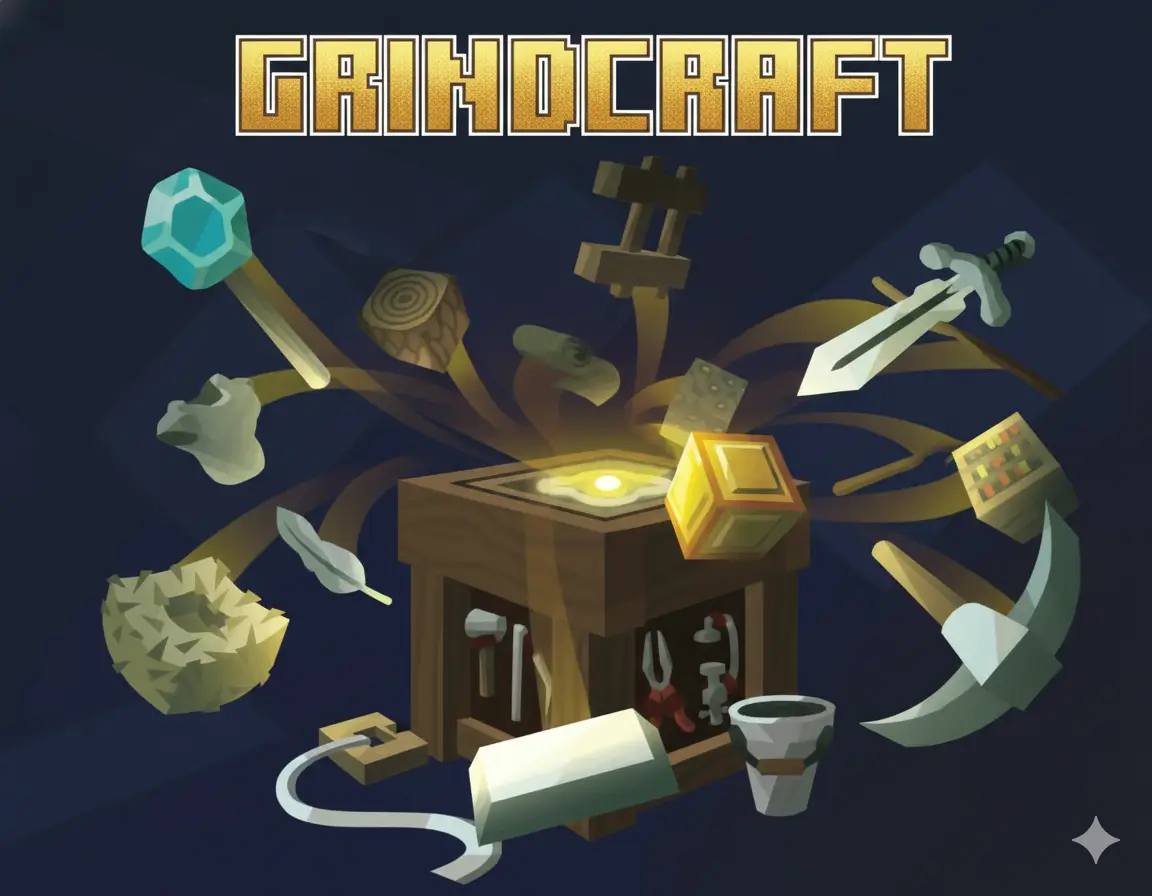
Grindcraft drops you into a colorful click-and-craft world where every tap creates something new, and the fun starts the moment you load the page on gogamego.io. It’s completely free, fully unblocked, and perfect for kids who love fast crafting, simple controls, and endless upgrades.
Players jump right into gathering wood, stone, food, and rare materials, turning them into tools, buildings, and powerful items. That’s why Grindcraft has become a favorite crafting game—easy to start, exciting to master, and full of surprises that keep you coming back. Whether you're exploring new recipes or speeding through upgrades, every click feels rewarding.
On gogamego.io, Grindcraft runs smoothly on school devices and home computers with no downloads or logins. Just press play and watch your crafting world grow. If you’re ready to collect, craft, and build faster than ever, your next adventure begins the second you start Grindcraft.
🎮 “Grindcraft” – Game Snapshot
- Genre: Crafting • Clicker • Idle • Resource Management
- Release Date: 2016
- Developer: Jetspice Games
- Platforms: Browser (PC & Chromebook)
- Modes: Single-Player

What Is Grindcraft?
Grindcraft is a kid-friendly crafting and clicker game that turns quick taps into a full building adventure. Inspired by the charm of block-style worlds, the game lets players gather resources, unlock new items, and build bigger creations step by step. Everything starts with simple materials like wood and stone, but each upgrade opens new recipes, tools, and crafting paths that feel exciting to discover.
The game was created by Jetspice Games, a small studio known for making fun, accessible browser games that anyone can jump into. Grindcraft first launched in 2016 and has stayed popular thanks to updates, new crafting chains, and remastered versions that polished the graphics and gameplay. Even years later, the core idea remains the same: start small, craft smart, and watch your world grow.
What makes Grindcraft special is how easy it is for kids to understand while still offering tons of depth for older players. The loop is simple but addictive—collect, craft, upgrade, repeat. That satisfying rhythm is paired with colorful icons, smooth progression, and a huge variety of items to discover, giving players a sense of achievement every few seconds.
Grindcraft is trending again because it fits perfectly with today’s fast-paced, browser-friendly gaming style. It loads instantly, works on school Chromebooks, and doesn’t require downloads or accounts. Players love that they can jump in for a quick break, build something cool, and come back later to keep expanding. On platforms like gogamego.io, Grindcraft continues to shine as one of the most popular crafting clickers online.
Gameplay Overview
How to Play
Grindcraft invites players to turn simple clicks into an entire crafting empire. Your main goal is to gather basic materials—wood, stone, crops, ore—and transform them into stronger tools, buildings, and advanced items. Each resource unlocks new crafting recipes, letting you move from simple hand tools all the way to farms, workshops, villages, and even powerful machines.
The progression system works like a branching tech tree. As you craft new items, you unlock more tabs filled with resources, upgrades, and rare materials. Every milestone expands your world, offering fresh goals to chase and rewards that speed up your building journey. Players build faster over time as they unlock automated tools and high-value resources, creating a satisfying sense of growth.
There are no traditional levels, but progression happens through crafting tiers. Once you complete an entire region’s crafting chain, you move to the next stage, gaining access to new biomes and crafting options.
Controls
1-Player Controls:
• Mouse Left-Click – Gather resources, open crafting menus, and create items.
• Mouse Hover – View item details, requirements, and crafting paths.
• Scroll – Move through long crafting lists quickly.
2-Player Mode:
The base Grindcraft does not include a 2-player mode, but some versions allow turn-based switching. Players simply take turns clicking, crafting, and trying to build faster than the other.
Mobile / Touch Controls:
• Tap – Collect materials, craft items, and open menus.
• Hold – Speed-tap resources on some devices.
• Swipe – Navigate large crafting tabs.
Pro Tips
- Start with wood and stone: These unlock the earliest tools that speed up all future crafting.
- Always check recipe chains: Crafting one item often unlocks several new options—follow the chain for fast progress.
- Focus on automation upgrades: Tools like villagers or miners collect materials for you over time.
- Don’t waste resources early: Save rare items like iron or gold until you unlock higher-tier recipes.
- Use crafting tabs efficiently: Move left to right to understand which upgrades come next.
- Complete one area before moving on: Fully finishing a region gives you stronger boosts for the next one.
- Plan for big recipes: Large buildings require lots of smaller components, so stack materials early.
- Tap quickly on mobile: Fast tapping builds bonuses and speeds up your resource farming.
- Check item info pop-ups: They show exactly what you need next, preventing wasted clicks.
- Keep crafting nonstop: Idle time slows progress—always have a recipe building or resource collecting.
Key Features
Grindcraft is packed with fun crafting mechanics that make every click feel rewarding. Each feature adds depth without making the game complicated, which is why kids and casual players enjoy it so much. Here are the standout elements that make Grindcraft a top crafting clicker on gogamego.io.
- Massive Crafting Tree: Players can unlock dozens of items, tools, and buildings. This gives a strong sense of progression, letting you grow from basic materials to full villages.
- Fast Resource Collection: Clicking generates instant resources, making the gameplay feel quick and exciting. Kids love the fast pace and satisfying tapping rhythm.
- Automation Upgrades: Villagers, miners, and farms can gather materials for you. This helps players progress even faster without constantly tapping.
- Simple & Kid-Friendly Interface: Icons are colorful and easy to understand, making it perfect for younger players learning strategy and planning.
- Region-Based Progression: Each biome introduces new items and challenges. This keeps the game fresh and makes players excited to unlock the next area.
- Crafting Chains with Rewards: Completing full chains gives players bonus speed and access to powerful recipes, encouraging smart decisions.
- No Downloads or Accounts: Grindcraft runs instantly in your browser, making it great for school Chromebooks and quick gaming sessions.
- Replay-Friendly: With different crafting paths and strategies, players can restart and try faster or more efficient builds each time.
Game Modes
Grindcraft is designed mainly as a single-player crafting adventure, but different versions and community variations offer multiple ways to enjoy the game. Each mode focuses on a unique style of progression, letting players choose how they want to build, craft, and explore. Here’s a breakdown of the modes players will most often find when playing Grindcraft on gogamego.io.
Solo Mode
The main experience of Grindcraft is its Solo Mode, where you gather resources, craft tools, and unlock new crafting chains at your own pace. The challenge comes from managing materials wisely—some recipes require planning, while others reward fast, smart clicking. Progress feels smooth and satisfying as you move from simple wood tools to advanced machines, farms, and villages. Completing crafting chains gives rewards such as speed boosts and access to new regions, making Solo Mode both relaxing and strategic.
Multiplayer Mode
The original Grindcraft does not include real-time multiplayer or matchmaking, but some unofficial community versions online let players compare progress or race to complete crafting chains. These competitive setups focus on luck, speed, and strategy as each player tries to craft faster than the other.
Local Co-op
While Grindcraft doesn't offer a built-in co-op option, kids often enjoy a fun “pass-and-play” setup. Two players take turns clicking, crafting, and upgrading to see who builds the fastest village or completes a biome first. This simple local co-op style encourages teamwork, planning, and playful competition.
Tournament or Seasonal Modes
Grindcraft does not have official tournament or seasonal modes, but many gaming websites—including fan communities—create challenge events like speed-runs, timed crafting races, and “one-biome challenges.” These unofficial modes keep the game fresh and exciting for players who love pushing their skills.
Characters & Customization
Characters
Grindcraft doesn’t use traditional story characters, but it features a fun cast of workers and helpers that bring your crafting world to life. Each one plays a special role in gathering materials, producing items, or speeding up your progress. Kids love unlocking new helpers because every character adds a fresh way to grow your village.
- Villager: A friendly helper who gathers basic resources like wood and crops. Villagers work slowly at first but become incredibly useful once your world gets bigger.
- Miner: One of the most important characters in the game. Miners dig up stone, coal, and ores, helping you craft advanced tools and machines.
- Farmer: A steady food producer who supplies crops needed for recipes and population growth. Farmers make long crafting chains much easier.
- Blacksmith: A specialized character who helps unlock powerful metal items and armor upgrades. They open the path to high-level crafting.
- Guard: A protector character that represents progress into more advanced settlements. Guards require many resources but unlock valuable crafting tiers.
- Hunter: A rare helper who provides food, leather, and special materials used in later-game recipes.
Customization
While Grindcraft doesn’t offer cosmetic character customization like outfits or colors, it shines through its deep upgrade system. Players can “customize” their world by choosing which workers to unlock first, which production chains to build, and how fast they want to grow their village.
Upgrades act as the game’s version of gear. You can craft stronger tools, unlock automated helpers, boost production speed, and build specialized buildings that fit your playstyle. Some players focus on mining upgrades, others rush farming tools, and some try to automate everything as soon as possible. This flexibility makes every playthrough feel different and encourages kids to experiment with new crafting paths.
Special Moves & Combos
Grindcraft isn’t a fighting game, but it still includes powerful “moves” and crafting combos that help players build faster and reach high-tier items quickly. These are strategic actions that, when used at the right time, can massively boost your progress. Kids love discovering these combos because each one feels like a clever shortcut that speeds up their entire crafting journey.
- Rapid Click Burst: A fast tapping technique that quickly gathers early resources like wood and stone. This move is perfect at the start of the game to unlock your first tools and recipes quickly.
- Chain-Crafting Combo: Craft items in the exact order of their recipe chain (resource → tool → building → worker). This removes bottlenecks and helps you unlock new biomes much faster.
- Auto-Worker Boost: Unlocking villagers, miners, or farmers early creates a long-term combo effect. They gather resources while you focus on crafting bigger items, doubling your efficiency.
- Resource Funnel Strategy: Funnel all early materials into one key upgrade—such as a mine or farm—to speed up your mid-game growth. This turns slow production lines into high-speed resource machines.
- Biotope Blast: Complete all crafting items in a biome back-to-back. Doing this unlocks new areas faster and gives you powerful rewards for the next region.
- Smart Storage Build: Stack large amounts of essential resources like wood, wheat, and stone before crafting advanced items. This prevents running out during long recipe chains.
- Upgrade Jump Combo: Skip crafting small tools repeatedly by saving for a big upgrade. This leapfrogs early tasks and speeds up your crafting tree progression.
- Multi-Tab Monitoring: Keep an eye on several crafting tabs at once. Switching tabs quickly lets you catch production timers and click them at the perfect moment for maximum efficiency.
By mastering these combos, players can turn Grindcraft into a fast, smooth, and highly strategic adventure—perfect for building the strongest world on gogamego.io.
Tips & Tricks
If you want to climb through the Grindcraft crafting tree faster and build an efficient world, these expert tips can help you play smarter and avoid slowdowns. These strategies mix timing, resource planning, and advanced crafting techniques to help kids and beginners progress like pros on gogamego.io.
- Prioritize Starter Resources: Wood, stone, and crops are the backbone of almost every recipe. Stock up early to avoid running out during bigger builds.
- Craft Tools Before Buildings: Tools speed up resource production and unlock advanced items, so focus on them before large structures.
- Unlock Automated Workers ASAP: Villagers, miners, and farmers gather materials nonstop, letting you focus on crafting chains instead of tapping endlessly.
- Save Rare Materials: Iron, gold, and leather should only be used for high-level recipes. Wasting them early slows your mid-game progress.
- Use the Left-to-Right Strategy: Tabs are arranged by crafting difficulty. Moving left to right helps you understand which upgrades come next.
- Finish One Crafting Chain at a Time: Completing a full chain gives huge rewards and unlocks new crafting paths more quickly.
- Check Item Info Pop-Ups: These show exact requirements so you don’t craft unnecessary items and waste resources.
- Build Storage Before Big Projects: Stockpiling materials prevents interruptions during long crafting sequences.
- Tap Fast on Mobile: Quick tapping boosts early-game resource output, helping younger players progress faster.
- Plan for Region Transitions: Some biomes need specific resources—prepare before you unlock them so you're not stuck waiting.
- Balance Workers: Too many miners or farmers alone creates resource imbalance. Keep your worker team even to maintain smooth crafting.
- Replay for Mastery: Starting fresh helps you learn more efficient patterns, making each new playthrough faster and more strategic.
Platforms & Technology
Grindcraft runs directly in your browser using modern HTML5 technology, which means no downloads, no plugins, and no setup. It works smoothly on Chrome, Firefox, Edge, and most school-friendly browsers, making it easy for kids to jump in and start crafting instantly on gogamego.io.
On desktop, players enjoy faster clicking, easier menu navigation, and a clearer view of large crafting trees. Mobile gameplay is just as fun, with simple tap controls and swipe navigation that make crafting on the go smooth and intuitive. The game automatically adjusts to smaller screens without losing performance.
Grindcraft is powered by lightweight HTML5 and WebGL, allowing quick load times and stable performance even on older devices and Chromebooks. To keep the game running at top speed, close unused tabs, enable hardware acceleration, and make sure your browser is updated. With these small tweaks, Grindcraft stays fast, responsive, and perfect for long crafting sessions.
Can I Play Grindcraft Unblocked?
Yes! You can play Grindcraft unblocked safely and instantly on gogamego.io. Because the game runs directly in your browser with no downloads, it works perfectly at school, work, or home—even on restricted networks. Kids love that they can jump into Grindcraft during free time or study breaks without needing accounts or installs.
The unblocked version loads fast, has smooth performance on Chromebooks, and stays accessible on most school devices. Since Grindcraft on gogamego.io has no downloads, no ads, and no extra software, players enjoy a clean, distraction-free crafting experience from any location.
Whether you're collecting resources between classes, crafting upgrades at home, or building villages on the go, Grindcraft unblocked makes it easy to play anytime and anywhere—just open your browser and start crafting.
Similar Games
Love building, clicking, and upgrading in Grindcraft? These free browser games on gogamego.io offer the same mix of crafting, mining, and idle clicker fun—perfect for kids who enjoy growing a world step by step.
- Mr Mine – A deep idle mining game where you dig for rare ores, upgrade your drill, and grow a giant underground base.
- Idle Mining Empire – Run your own mine, hire managers, and balance elevators and warehouses to build a powerful mining empire.
- MineFun io – Block-building sandbox fun with mining, crafting, and creative structures—great for players who love pixel worlds like Grindcraft.
- Paper Minecraft – A 2D Minecraft-style survival and building game where you mine, craft tools, and design your own blocky world.
- Mergest Kingdom – Merge items, clear land, and rebuild a magical kingdom with the same “collect, upgrade, and grow” feeling as Grindcraft.
- Tiny Tycoon – A kid-friendly idle tycoon where you invest, upgrade, and grow a tiny city into a busy business hub.
- Capybara Clicker – Chill idle clicker fun: tap to grow a capybara colony, unlock upgrades, and watch the numbers explode.
- Duck Duck Clicker – Tap to hatch coins, upgrade nests, and build the cutest duck farm—perfect for fans of simple click-and-upgrade games.
- Candy Clicker 2 – Turn every click into candy, unlock sweet boosters, and build a huge candy factory with idle rewards.
Game History & Updates
Grindcraft made its debut in April 2016 as a browser-based, Minecraft-inspired idle crafting clicker game by Playsaurus. :contentReference[oaicite:2]{index=2} Originally built in Flash, the game was later redeveloped using modern HTML5 so it continues working smoothly in today’s browsers. :contentReference[oaicite:3]{index=3}
Over the years, the developers rolled out major updates and patches — including a full HTML5 conversion and additions to crafting recipes, building automation, and game-world content. The most recent major update noted on a popular game portal happened in May 2022. :contentReference[oaicite:4]{index=4} These updates helped keep Grindcraft relevant, stable, and playable across desktops, mobiles, and tablets.
The community around Grindcraft remains active. Fan‐made guides, wikis, and social groups discuss crafting strategies, resource chains, and secrets — keeping interest alive for both new players and longtime fans. :contentReference[oaicite:5]{index=5}
As for the future, while there’s no official public roadmap, the success of an updated version Grindcraft 2 by the same developer suggests continuous support and fresh content down the line. :contentReference[oaicite:7]{index=7} If the pattern holds, players may expect more crafting depth, new biomes, better performance, and enhanced idle-game features — ideal for adding on sites like gogamego.io.
FAQ
Is Grindcraft free to play?
Yes! Grindcraft is completely free to play on gogamego.io. You don’t need to download anything, create an account, or make purchases. Just open the game and start crafting instantly.
Can I play Grindcraft on a school Chromebook?
Absolutely. Grindcraft runs in any modern browser, making it perfect for school Chromebooks and restricted networks. The game loads fast and stays fully unblocked on gogamego.io.
Does Grindcraft have an ending?
The game doesn’t have a traditional ending, but you can “complete” regions by finishing their crafting chains. Many players keep going to perfect their crafting routes and reach 100% completion.
Why is Grindcraft so popular with kids?
Kids love the simple click-and-craft gameplay, colorful icons, and fast rewards. It feels like a mini-Minecraft world where progress happens quickly with every tap.
Can I save my progress?
Most versions of Grindcraft automatically save your progress in the browser. If you clear your cache or switch devices, your data may reset—so stay on the same device for long-term progress.
Is there a multiplayer mode?
The original Grindcraft is single-player, but kids often enjoy a turn-by-turn “pass and play” challenge with friends to see who can craft faster.
Does Grindcraft work on mobile?
Yes, the game works smoothly on phones and tablets with simple tap controls. It adjusts well to smaller screens and runs without lag on most mobile browsers.
What makes Grindcraft different from Minecraft?
Both games use crafting and resource gathering, but Grindcraft simplifies everything into click-based crafting menus. There’s no 3D movement—just pure crafting progress and strategy.
Is Grindcraft safe for kids?
Yes! It has no violence, no chat, and no risky content. It’s a safe and creative browser game that encourages planning, resource management, and problem-solving.
Where can I play Grindcraft unblocked?
You can play Grindcraft unblocked anytime on gogamego.io with no ads, no downloads, and no restrictions.
Conclusion
Grindcraft is one of the most enjoyable crafting clicker games for kids, offering a simple yet addictive mix of gathering, building, and upgrading. Its easy controls, colorful icons, and satisfying crafting chains make it perfect for players who want a relaxing game that still feels rewarding every step of the way. Whether you love mining resources, unlocking workers, or building an entire village piece by piece, Grindcraft delivers endless creativity and excitement.
With fast performance, no downloads, and full unblocked access, gogamego.io is the best place to enjoy Grindcraft anytime—at school, at home, or on the go. Kids can jump in instantly, explore new biomes, and grow their world at their own pace. Every session offers something new to craft, build, or discover.
If you’re ready to start clicking, gathering, and crafting your way to an amazing world, hit “Play” and begin your Grindcraft adventure now on gogamego.io. Your next crafting journey is just one tap away!