MineFun io
Similar Games





Description
Introduction
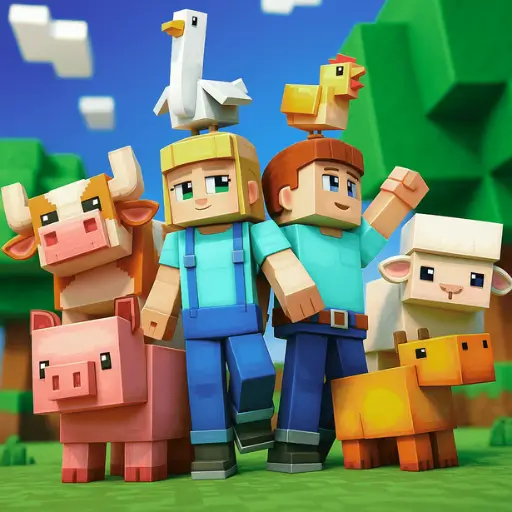
MineFun.io drops you into a bright, blocky world where you can mine, craft, and build anything you imagine—right in your browser.
Play MineFun io online on gogamego.io, totally free and unblocked. No downloads. No sign-ups. Just click and start crafting.
Kids love it because it mixes creative sandbox play with quick multiplayer adventures—team up with friends, explore pixel biomes, and show off your best builds.
The controls are simple, the worlds feel endless, and every session is a fresh story. Perfect for home, school Chromebooks, and quick play on the go.
- Play MineFun io unblocked—safe, school-friendly fun.
- No download block game—fast loads, low lag.
- Creative & Survival—craft tools, gather resources, and build huge bases.
- Multiplayer servers—PVP arenas, parkour maps, and co-op mining runs.
Want a cozy build day or a speedy io game challenge? MineFun.io does both, with HTML5/WebGL performance that runs smoothly on mobile, tablet, and PC.
Jump in now on gogamego.io and play MineFun io for free—craft a shelter, find rare ores, and turn your tiny camp into a mega base.
What is MineFun io?
MineFun io is a creative sandbox-style multiplayer building game that brings the magic of mining, crafting, and exploring into a fast, browser-based format. Inspired by block-building classics, it was developed by indie creators who wanted to make an accessible version of a voxel world that kids could enjoy without downloads or expensive devices. The game first appeared in the late 2010s and has steadily grown thanks to updates that added multiplayer servers, survival challenges, and parkour maps.
Over the years, the developers have continued to polish the experience by improving world generation, expanding crafting recipes, and adding new building blocks. Frequent updates make sure players always have something fresh to explore, whether it’s a new biome, extra skins, or server-hosted minigames. These improvements have made MineFun io a reliable choice for kids who want to join a safe, free Minecraft-style game online.
The unique appeal lies in its balance of creativity and accessibility. Unlike traditional sandbox titles, MineFun io launches instantly in your browser, requires no downloads, and works on both PC and mobile devices. Kids can join servers with friends, build massive bases, or test their skills in PvP battles—all without setup hassles.
It’s trending because it combines the best of classic crafting games with the instant-play convenience of io games. On gogamego.io, kids love it as a quick way to dive into block building, mining adventures, and creative multiplayer fun anytime, anywhere.
Gameplay Overview
How to Play
In MineFun io, your main goal is to mine resources, craft tools, and build structures inside a blocky 3D world. Players start with basic blocks and gradually expand their creations by gathering wood, stone, and ores. Survival elements add an exciting challenge—watch out for other players in PvP arenas or team up in co-op servers to build massive cities together.
The progression system is simple but rewarding. As you collect more resources, you unlock stronger tools, faster mining abilities, and access to rare materials like diamonds or gold. Players set their own goals: some focus on building creative bases, while others dive into competitive battles or parkour maps for rewards. This flexibility keeps the game engaging for both casual and competitive kids.
Controls
Desktop (1-Player): Use WASD to move, mouse click to mine or place blocks, and the number keys to switch items. Press Shift to crouch and Space to jump.
Desktop (2-Player): Some servers allow split keyboard play. Player 1 uses WASD, while Player 2 can use the arrow keys with separate hotkeys for placing and mining.
Mobile/Tablet: Touch controls make it easy—swipe to look around, tap to mine, and use on-screen buttons to jump, crouch, or place blocks. Kids can switch seamlessly between creative and survival play on any device.
Pro Tips
- Build a Shelter Early: It keeps you safe from other players and gives a base for storing resources.
- Mine Down Carefully: Always bring torches and ladders—falling into caves can cost you your progress.
- Use Stone Tools Quickly: Upgrade from wood to stone as soon as possible to speed up mining.
- Watch Other Players: In PvP zones, stay alert—defense is as important as crafting.
- Explore Servers: Try parkour maps or creative hubs for new challenges beyond survival.
- Farm Resources: Replant trees and keep chests organized so you never run out mid-build.
- Play With Friends: Teamwork makes building faster and PvP safer.
- Balance Speed & Defense: Don’t rush into battles—gear up with armor and food first.
- Experiment with Combos: Mix mining, crafting, and building strategies to create unique bases.
Key Features
MineFun io is packed with exciting mechanics that make it one of the best free block-building games for kids. Each feature adds depth while keeping gameplay simple and fun.
- Creative Sandbox Mode: Players can build houses, castles, or entire cities with unlimited imagination. This boosts creativity and problem-solving skills.
- Survival Challenges: Collect food, craft tools, and defend yourself from other players. It teaches resource management and strategic thinking playfully.
- Multiplayer Servers: Join friends or meet new players in real time. Cooperative play makes building faster and more fun, while PvP adds exciting competition.
- Parkour Maps & Mini-Games: Beyond building, kids can test their agility on custom maps filled with jumps, puzzles, and racing challenges.
- Unblocked Browser Play: Runs instantly on gogamego.io without downloads, so it’s safe, secure, and school-friendly.
- Cross-Platform Compatibility: Works smoothly on desktop, tablet, and mobile, making it easy to play anywhere.
- Regular Updates: Developers frequently add new blocks, skins, and event modes, keeping the game fresh and replayable.
- Kid-Friendly Design: No inappropriate ads or unsafe links, making it a trusted choice for parents and teachers.
Together, these features make MineFun io more than just a sandbox—it’s a safe, creative playground for kids who love to build and explore.
Game Modes
MineFun io offers several exciting ways to play, making it fun for both solo adventurers and kids who love multiplayer challenges. Each mode adds its own flavor, so players can choose how they want to enjoy the blocky world.
Solo Mode: In single-player, kids can focus on mining, crafting, and building without distractions. It’s a safe space to learn how to gather resources, upgrade tools, and experiment with creative builds. The difficulty starts light but ramps up as players explore deeper caves or set personal challenges, like building massive castles. Rewards come in the form of rare materials and the satisfaction of watching a world come to life.
Multiplayer Mode: Online servers connect players worldwide, allowing them to explore together, compete in PvP battles, or show off creative builds. Matchmaking helps balance the experience so kids aren’t thrown against much stronger players right away. Teaming up makes mining faster and defending bases more fun.
Local Co-op: On shared devices, players can split controls—one using WASD, the other with arrow keys. This setup encourages teamwork and is perfect for siblings or friends playing side by side. It sparks laughter and helps kids learn cooperation while building or surviving together.
Tournament & Seasonal Events: From time to time, special modes bring parkour races, building contests, or seasonal worlds (like snowy maps in winter). These events provide players with fresh goals, limited-time rewards, and incentives to return frequently.
With its mix of solo creativity and shared adventures, MineFun io keeps every play session exciting and different.
Characters & Customization
Characters
MineFun io doesn’t just let kids build worlds—it also gives them fun avatars to play as. Each character has its own style and small gameplay twists, making the experience more personal.
- Steve Classic: The default miner with balanced abilities—great for beginners who want a simple start.
- Builder Bella: A fast crafter who places blocks quicker than others, perfect for kids who love creating big bases.
- Miner Max: Stronger with tools, Max mines stone and ores slightly faster, making him ideal for survival players.
- Ranger Ruby: Agile and quick, Ruby excels in PvP maps and parkour challenges where speed matters most.
- Guardian Golem: A tanky character with extra defense, often chosen by kids who like to battle in multiplayer servers.
Customization
One of the biggest appeals of MineFun io is how much you can customize your avatar. Kids can change outfits—like miner helmets, farm overalls, or adventure capes—to make their character stand out. Colors and skins range from classic pixel looks to rainbow designs and even rare glowing skins unlocked with special events.
Players can also unlock gear upgrades such as diamond pickaxes, enchanted swords, or golden armor to improve survival skills. Movement styles—like sprint trails or unique emotes—let kids express themselves in fun ways. The ability to mix and match cosmetic items and functional upgrades keeps the game fresh, motivating players to mine more, craft more, and keep exploring servers.
This blend of characters and customization makes MineFun io both personal and endlessly replayable.
Special Moves & Combos
MineFun io may look like a simple building game, but clever players quickly learn that mastering special moves and combos makes all the difference. These tricks help you mine faster, survive longer, and shine in multiplayer battles.
- Quick Mine: Rapidly switch between tools (pickaxe, axe, shovel) to break blocks at top speed. Best used when farming resources like wood and stone in bulk.
- Double Jump Parkour: Tap jump twice while moving forward to scale tricky parkour maps. Timing is key—practice in creative mode before heading into multiplayer races.
- Sprint Dash: Hold Shift while running to move faster across open fields. Use it for escaping PvP chases or covering ground when exploring big maps.
- Block Shield: Place blocks quickly in front of you to stop arrows or enemies. It’s a simple defense trick that saves lives in crowded battles.
- Ladder Climb Boost: Spam jump while climbing to zip up tall builds faster. Great for escaping caves or reaching sky bases.
- Pickaxe Combo: Hit enemies with a pickaxe, then instantly swap to a sword for extra damage. This surprise combo works wonders in PvP
- Torch Trick: Carry torches to light caves while mining. Not only helps visibility, but it also keeps mobs away on certain servers.
- Wall Jump Escape: Bounce between two walls to climb narrow shafts—useful in survival maps where ladders aren’t available.
Strategy Tip: Mix Sprint Dash with Block Shield to chase opponents while staying safe, or combine Quick Mine and Torch Trick to explore caves efficiently. Learning these combos is what separates casual players from true MineFun pros.
Tips & Tricks
To shine in MineFun io, kids need more than just building skills. Here are the best strategies, timing tricks, and advanced techniques to help you mine smarter, survive longer, and impress friends on multiplayer servers.
- Build Shelter First: Always set up a small base early—it protects you from surprise PvP attacks and gives a safe respawn spot.
- Upgrade Tools Quickly: Move from wood to stone to iron as fast as you can. Stronger tools mean faster mining and better rewards.
- Stay Stocked on Food: Keep food in your inventory during survival mode—it restores health and helps in long battles.
- Use Sprint Wisely: Don’t waste your sprint on short paths—save it for escaping danger or chasing rare resources.
- Practice Parkour Maps: These improve your timing and jumping skills, which come in handy in both exploration and PvP fights.
- Always Carry Torches: Light up caves to avoid getting lost and to spot ores faster.
- Organize Your Hotbar: Keep tools, blocks, and food in clear slots so you can switch instantly in tough moments.
- Defend with Blocks: In multiplayer, quickly stacking blocks as shields can turn the tide of a fight.
- Travel with Friends: Team play makes mining safer and battles easier—two players can cover more ground than one.
- Hide Valuable Chests: Store diamonds and rare ores in secret underground bases to protect them from raids.
- Experiment with Combos: Try mixing special moves like Double Jump and Sprint Dash to outplay opponents.
- Keep Exploring: Don’t just stay near spawn—rare resources and hidden maps are often further out.
Master these tricks, and you’ll go from a beginner miner to a MineFun io legend on gogamego.io.io.
Platforms & Technology
MineFun io is built for instant play, running directly in your browser without downloads or installs. It works smoothly on Chrome, Firefox, Edge, and Safari, so kids can jump in whether they’re using a school Chromebook, a home laptop, or a tablet.
On desktop, players enjoy sharper graphics, precise keyboard controls, and bigger building sessions. On mobile and tablets, the responsive touch controls make mining, crafting, and building easy—even for younger players who prefer tapping and swiping.
The game is powered by HTML5 and WebGL, which deliver lightweight but colorful 3D graphics. This means no laggy plug-ins, faster loading times, and compatibility across most modern devices.
Performance tip: For the smoothest play, close extra browser tabs and use a stable internet connection. On mobile, keeping your device charged and adjusting brightness helps you spot blocks and enemies more clearly.
Can I Play MineFun io Unblocked?
Yes! You can enjoy MineFun io unblocked anytime on gogamego.io. Whether you’re at school during a break, at work for a quick brain refresh, or relaxing at home, the game runs instantly in your browser with no restrictions.
Since it’s an HTML5/WebGL browser game, there are no downloads, no plug-ins, and no installs required. Just click and start mining, crafting, and building. Additionally, the game is designed to be ad-free, allowing kids to focus on fun without distractions or unsafe links.
This makes MineFun io the perfect choice for quick gaming sessions on desktops, laptops, tablets, or even Chromebooks. Wherever you are, your blocky world is ready—safe, free, and completely unblocked.
Similar Games
If you enjoy the creative and blocky world of MineFun io, you’ll love these other fun titles on gogamego.io. Each game mixes building, survival, or quick reflex challenges, making them perfect companions for sandbox fans.
- Cube 2048 io: A clever block-merging game where you combine numbered cubes to reach the magic 2048 tile. It blends strategy with arcade action for endless replayability.
- Coreball: A timing-based challenge where you launch balls onto a spinning core. Simple to learn but tricky to master, it’s great for kids who enjoy precision games.
- Narrow One: A multiplayer bow-and-arrow battle set in castle arenas. Perfect for MineFun players who enjoy PvP strategy and teamwork.
- Getaway Shootout: A physics-based racing game where you leap, dodge, and fight your way to the getaway car. Silly, competitive, and full of laughs.
- Bloxorz: A puzzle game that challenges you to roll a block through tricky platforms. It’s a brain-teaser that appeals to kids who like problem-solving alongside creative play.
All of these games are free, unblocked, and safe to play on gogamego.io, making them perfect choices for kids who want variety beyond MineFun io.
Game History & Updates
MineFun io was first released in the late 2010s, created by a small indie developer team that wanted to bring the Minecraft-style sandbox experience to browsers as a free, lightweight alternative. Its original version launched with a simple survival mode, basic building blocks, and local multiplayer support. Despite its simplicity, the game quickly gained traction among kids and schools because it ran smoothly on Chromebooks and didn’t require downloads.
Over the years, the developers introduced several major updates. They expanded crafting recipes, added new biomes, and introduced more skins and characters to keep the game fresh. Multiplayer servers were upgraded to handle more players, PvP arenas became popular, and seasonal parkour maps were added to challenge kids beyond building. These patches ensured that MineFun io stayed competitive with bigger titles like Poki or CrazyGames.
The community growth has been steady, with thousands of kids logging in daily on school breaks or at home. Teachers recommend it as a safe creative outlet, and parents appreciate the absence of ads or unsafe links. Word-of-mouth among players helped build an active fanbase that loves to share builds, survival strategies, and PvP tips.
Looking ahead, the future roadmap includes even more server modes, new block types, and special seasonal events—like Halloween maps and winter challenges—to keep long-time players coming back. With these updates, MineFun io is set to remain one of the most loved free online sandbox games for kids on gogamego.io.
FAQ Section
Is MineFun io free to play?
Yes! MineFun io is completely free on gogamego.io. There are no subscriptions or hidden costs—just pure mining and building fun.
Can I play MineFun io unblocked at school?
Absolutely. The game is available unblocked, making it a safe choice for school computers and Chromebooks during breaks or free periods.
Do I need to download anything?
No. MineFun io runs directly in your browser using HTML5/WebGL. There’s no need for downloads, plug-ins, or installations.
Does MineFun io have multiplayer?
Yes. You can join servers to play with friends or compete against other players worldwide in PvP battles and creative builds.
Is MineFun io safe for kids?
Yes. The game is family-friendly with no inappropriate content or unsafe ads. Parents and teachers can trust it as a safe gaming option.
Can I play on mobile?
Yes. The game is fully optimized for mobile and tablets with simple touch controls, so kids can mine and build on the go.
What can I build in MineFun io?
You can build anything—from small shelters to giant castles and cities. Creative mode gives kids unlimited freedom to design their own worlds.
Does the game save progress?
Progress is usually saved in your browser cache. If you play on the same device, your builds and inventory remain available.
Will there be more updates?
Yes. Developers continue to release updates with new skins, blocks, and seasonal events to keep gameplay fresh and exciting.
Why is MineFun io so popular?
It’s trending because it combines the creativity of sandbox building with the instant access of an io game, making it fun and easy for kids to play anytime.
Conclusion
MineFun io proves that you don’t need downloads or expensive devices to enjoy a full sandbox adventure. With its simple browser-based setup, kids can jump into a world of mining, crafting, and building in seconds. The game blends creativity with survival, giving players the freedom to design castles, explore caves, or battle in multiplayer arenas.
Its biggest benefits are accessibility, safety, and variety. Parents love that it’s ad-free and unblocked, while kids love the endless customization, characters, and multiplayer fun. Whether you’re at school, home, or even sneaking in a quick session at work, MineFun io runs smoothly on desktops, tablets, and mobile devices. Every play session feels fresh, thanks to regular updates and community-driven servers.
For anyone searching for a safe, creative, and endlessly entertaining game, MineFun io is the perfect choice. It gives kids the tools to imagine, build, and explore while staying fun and lighthearted.
Ready to craft your own blocky adventure? Click play now on gogamego.io and start your journey in MineFun io—the free, unblocked sandbox game where creativity never ends.