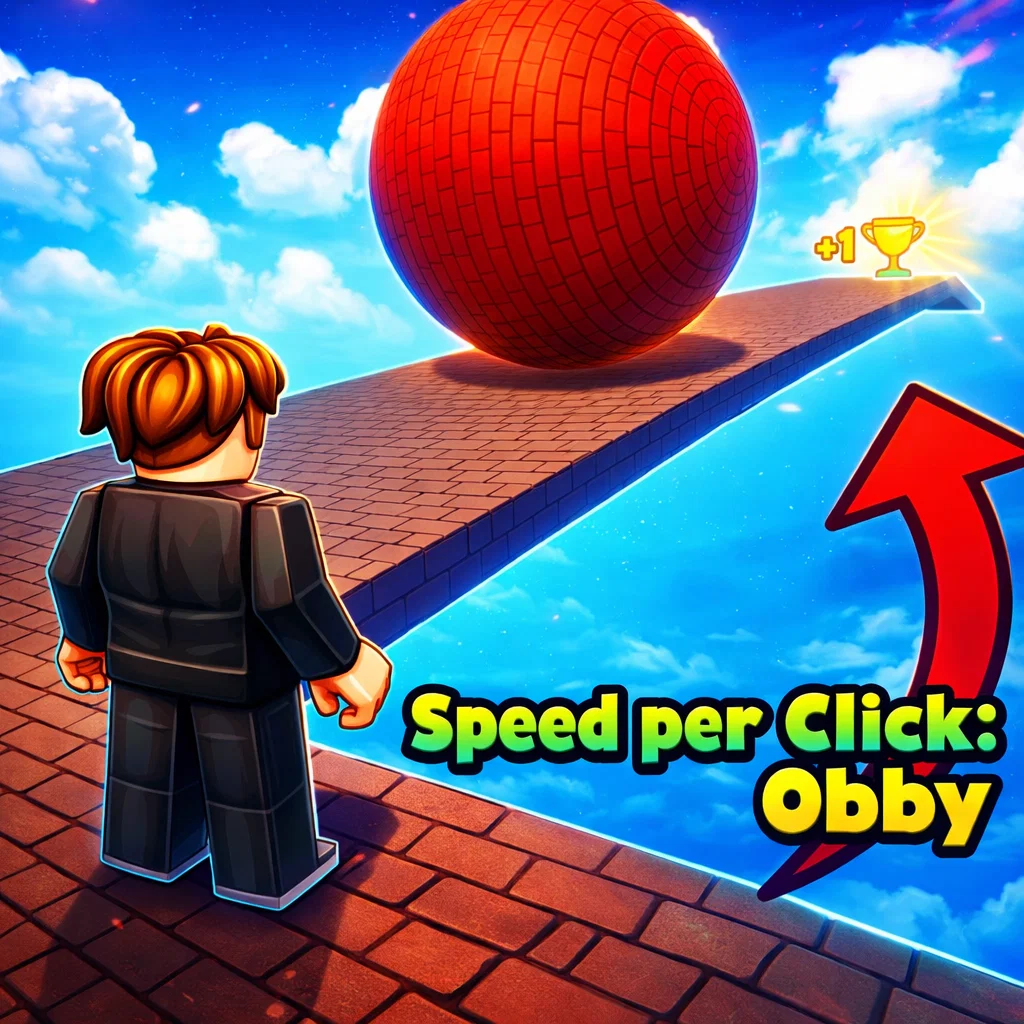
Speed per Click: Obby
Similar Games
Description
Introduction
Speed per Click: Obby is all about one simple idea—click faster, move faster, and fly through crazy obstacles.
Every click gives your character more speed, turning a normal run into a super-fast parkour adventure full of jumps, drops, and funny fails.
This game mixes the excitement of a clicker game with the challenge of a classic obby parkour, making it easy to play but hard to master.
Kids love it because it’s colorful, quick, and super satisfying, while speedrun fans enjoy beating their own best times.
You don’t need to download anything or sign up—just open your browser and start playing.
Speed per Click: Obby is free, online, and unblocked, so you can enjoy it anytime on gogamego.io.
Jump in now, start clicking, and see how fast you can finish the obby before falling off the map!
🎮 Speed per Click: Obby – Game Snapshot
- Genre: Obby, Parkour, Clicker, Casual
- Release Date: 2024
- Developer: Roblox Community Developer
- Platforms: Web Browser (PC, Chromebook)
- Modes: Single Player
What Is Speed per Click: Obby?
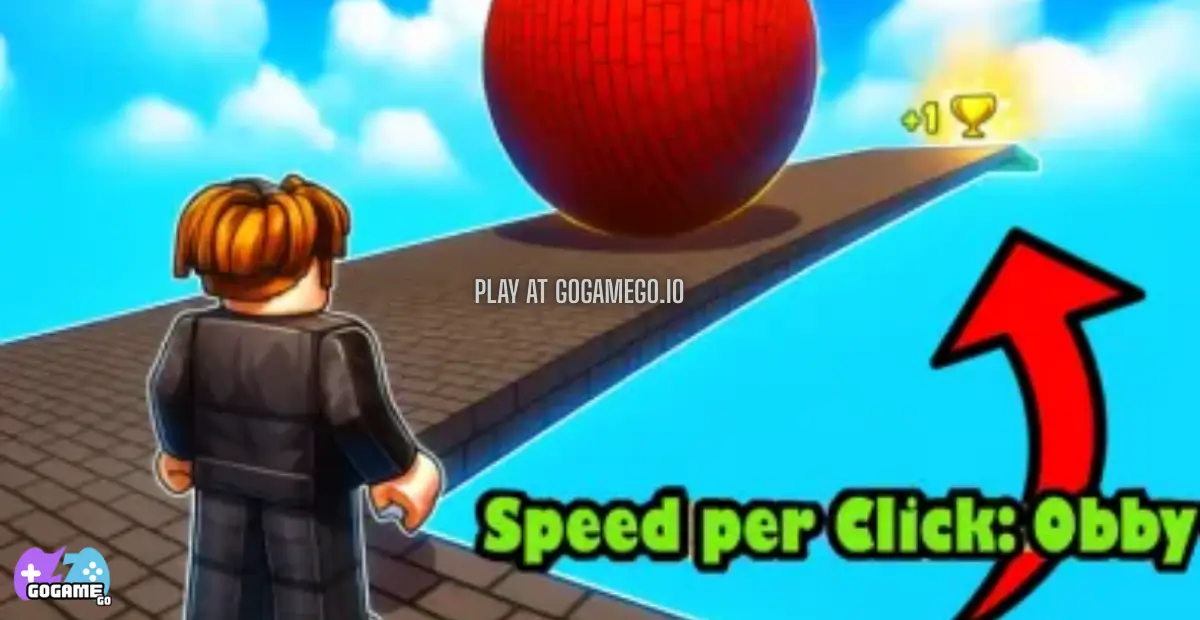
Speed per Click: Obby is a fast-paced obstacle game where every click makes your character move quicker. The more you click, the more speed you gain, turning simple jumps into wild parkour runs full of excitement and surprises.
The game is inspired by classic obby and clicker mechanics that became popular through community-driven platforms. It’s developed by a creative indie-style developer who focuses on simple ideas that are easy for kids to enjoy but still fun to replay over and over.
Originally released in 2024, the game has continued to grow thanks to small improvements, smoother controls, and better obstacle flow. These updates keep the gameplay fresh without making it confusing, which is perfect for younger players.
What makes Speed per Click: Obby special is how instantly rewarding it feels. You don’t need long tutorials or complicated rules—just click, run, jump, and try again. Every round feels different because your speed changes how you move through the course.
The game is trending because it’s quick to play, easy to understand, and very satisfying to watch and share. Kids love racing their own best times, while streamers and casual players enjoy the funny fails and super-fast finishes.
That mix of speed, simplicity, and replay value is why Speed per Click: Obby keeps getting more popular on free online gaming sites.
Gameplay Overview
Speed per Click: Obby is a fast, exciting parkour game where your main goal is simple: click to gain speed and use that speed to finish the obstacle course as fast as possible.
You start slow, but every click boosts your movement. As your character gets faster, jumps become longer, mistakes become riskier, and timing matters more. The obby-style levels are filled with platforms, gaps, ramps, and drop zones that test both your speed and control.
The progression system is based on replay and improvement. Each run helps you understand the level better, move smarter, and finish quicker. Beating your own best time is a big part of the fun, and faster runs feel more rewarding as your skills grow.
There are no complicated menus or upgrades to worry about. The game focuses on pure gameplay, making it perfect for kids and casual players who just want to jump in and play.
How to Play
Your objective is to reach the end of the obby without falling off. Clicking increases your speed, while jumping at the right moment helps you clear obstacles.
- Click repeatedly to build up speed
- Run and jump across platforms
- Avoid falling into gaps or off the map
- Finish the course as fast as you can
Each attempt helps you learn the level layout, making future runs smoother and faster.
Controls
1-Player (Keyboard & Mouse):
- Mouse Click / Spacebar – Increase speed
- Arrow Keys or WASD – Move and jump
2-Player (Shared Keyboard, if available):
- Player 1 – WASD + Space
- Player 2 – Arrow Keys + Enter
Mobile / Touch Controls:
- Tap the screen to gain speed
- On-screen buttons to move and jump
Pro Tips
- Don’t spam clicks too early: too much speed at the start can make jumps harder.
- Learn the level layout: knowing where to slow down helps avoid falls.
- Short jumps are safer: not every obstacle needs full speed.
- Control over speed: balance fast movement with clean landings.
- Retry quickly: fast restarts help you improve faster.
- Watch your edges: high speed makes slipping easier.
- Practice rhythm: steady clicking often works better than random taps.
- Stay calm: rushing too much leads to mistakes.
Master these tips, and you’ll fly through Speed per Click: Obby faster with every run.
Key Features
- Speed-per-Click Mechanics: Every click directly increases your movement speed, making the gameplay feel instant and rewarding. This keeps kids engaged because progress is visible right away.
- Obby-Style Parkour Levels: The game features classic obstacle courses with jumps, platforms, and gaps. These levels improve reaction time and help players learn timing without feeling stressful.
- Fast Restarts: Falling doesn’t mean waiting. You can restart instantly, which encourages practice and helps players improve quickly without frustration.
- Simple Controls: Easy keyboard, mouse, and touch controls make the game accessible for younger players while still allowing skilled movement at higher speeds.
- Short, Replayable Runs: Each level can be finished in minutes, perfect for quick play sessions and repeated attempts to beat personal best times.
- Kid-Friendly Design: Bright visuals and clear level layouts make the game fun to watch and easy to understand, boosting confidence and enjoyment.
- Browser-Based & Unblocked: The game runs smoothly in a web browser with no downloads required, allowing players to jump in anytime on gogamego.io.
These features work together to make Speed per Click: Obby a fun, fast, and replayable experience for kids and casual players.
Game Modes
Speed per Click: Obby offers simple but exciting ways to play, making it easy for kids to jump in while still giving players goals to work toward.
Solo Mode is the main way to play. You race through the obby on your own, clicking to gain speed and carefully timing your jumps. The difficulty increases naturally as your speed grows, making later sections harder to control. The biggest reward in Solo Mode is improvement—beating your best time, completing runs with fewer falls, and mastering tricky sections. This mode is perfect for learning the levels and building confidence.
Multiplayer Mode adds extra excitement by letting you compete against other players online. You run the same course at the same time, trying to finish first. Matchmaking is quick and simple, so you can jump into races without long waiting times. Racing others makes the game more intense and encourages smarter speed control.
Local Co-op allows two players to share one device and play together. Setting it up is easy—each player uses a different set of keys. This mode is great for friends or siblings who want to take turns, compare runs, and help each other improve.
Some versions also feature event-style challenges or limited-time goals. These special modes add variety by encouraging faster times or cleaner runs, giving players a fun reason to come back and play again.
With these modes, Speed per Click: Obby stays fun whether you play alone or with others.
Characters & Customization
Speed per Click: Obby keeps things fun and personal by letting players choose characters and customize how they look and move through the obby.
Characters
- Speed Starter: A balanced character designed for beginners. Smooth movement and easy control make it perfect for learning jumps and timing.
- Click Master: Gains speed faster with each click. This character is great for players who like fast runs and risky jumps.
- Jump Pro: Specializes in higher and longer jumps. Ideal for tricky platforms and wide gaps.
- Balance Runner: Better control at high speed. This character helps reduce slipping and makes landings safer.
- Speed Daredevil: Extremely fast but harder to control. Perfect for experienced players chasing record times.
Customization
Customization lets kids make their character feel unique while also improving gameplay.
- Outfits: fun costumes and skins that change how your character looks
- Colors: choose bright color combinations to stand out
- Gear: shoes, trails, or effects that add style and light bonuses
- Upgrades: small improvements to speed control or jump timing
These options make every run feel personal and encourage players to keep playing, unlocking new styles and abilities as they improve.
Special Moves & Combos
As you get better at Speed per Click: Obby, learning special moves and smart combos can make a huge difference. These moves help you control speed, clear tough obstacles, and finish levels faster.
- Speed Burst: A rapid series of clicks gives you a quick boost forward. Use this on straight paths to gain speed before a big jump, but avoid using it near edges.
- Controlled Jump: Timing your jump right after a click lets you travel farther without losing balance. This is perfect for wide gaps and moving platforms.
- Soft Landing: Slowing your clicks just before landing helps keep control. This move is useful when dropping onto small platforms.
- Edge Save: A quick click and jump combo can pull you back from the edge if you slip. Practice this to reduce falls during fast runs.
- Speed Reset: Pausing clicks for a moment lowers your speed. Use this before tricky sections where control matters more than speed.
- Jump Chain: Linking multiple jumps with steady clicks keeps your rhythm smooth. This works well in areas with many small platforms.
- Final Dash: Saving clicks for the last straight path lets you finish strong. This strategy is great for beating your best time.
The key is knowing when to go fast and when to slow down. Mastering these moves and combining them smoothly will help you clear obbies faster and with fewer mistakes.
Tips & Tricks
Want to finish the obby faster and fall less often? These tips will help you play smarter and get better at Speed per Click: Obby with every run.
- Start slow on new levels: build speed gradually so you can learn where jumps and gaps are.
- Click with rhythm: steady clicking gives better control than fast, random taps.
- Use speed only when needed: save fast bursts for straight paths, not tricky platforms.
- Watch the edges: high speed makes slipping easier, so aim for the center of platforms.
- Short jumps are safer: big jumps look cool but small jumps reduce mistakes.
- Pause before hard sections: slowing down for a second can save your whole run.
- Practice landing control: stop clicking right before you land to keep balance.
- Use fails to learn: every fall shows you what to fix next time.
- Memorize obstacle patterns: knowing what comes next helps with timing.
- Stay calm under speed: panic leads to bad clicks and missed jumps.
- Retry fast: quick restarts help build muscle memory.
- Challenge your best time: racing yourself is the fastest way to improve.
Mixing smart speed control with good timing is the secret. Follow these tricks, and you’ll see smoother runs, faster finishes, and way more fun every time you play.
Platforms & Technology
Speed per Click: Obby is built to run smoothly on modern web browsers, so you can start playing instantly without downloads or installs.
The game works best on popular browsers like Chrome, Edge, Firefox, and Safari, making it easy to play at school or at home. On desktop, keyboard and mouse controls give the most precision, especially at high speeds.
On mobile devices, touch controls make the game simple and accessible. Tapping to gain speed and using on-screen buttons works well for casual play, though desktop offers better control for advanced runs.
Technically, the game uses HTML5 and WebGL for fast loading, smooth animations, and stable performance directly in your browser.
Performance tips: close unused browser tabs, keep your browser updated, and play in full-screen mode for the best experience on gogamego.io.
Can I Play Speed per Click: Obby Unblocked?
Yes! Speed per Click: Obby is fully unblocked and can be played online without any restrictions.
You can enjoy the game at school, work, or home as long as you have access to a web browser. Since it runs directly in your browser, there’s no need to install apps, launchers, or extra files.
The game is designed for quick access and smooth gameplay, making it perfect for short breaks or free time. It loads fast, works on most devices, and doesn’t require an account.
On gogamego.io, you can play Speed per Click: Obby free with no downloads and no annoying ads interrupting your run.
Just click, play instantly, and jump straight into the obby whenever you want—anytime, anywhere.
Similar Games
If you like the fast jumps and “go-go-go” feeling of Speed per Click: Obby, try these kid-friendly picks on gogamego.io. They’re perfect for parkour fans, runners, and clicker lovers who want quick matches, simple controls, and lots of replay fun.
- Parkour Race – Sprint across rooftops, dodge obstacles, and race to the finish.
- Ovo Online – Smooth parkour platforming with flips, jumps, and tricky levels.
- Rooftop Run – Run and leap over city buildings with fast, fun movement.
- Vex X3M – Stickman parkour with traps, timing, and speedrun-style stages.
- Vex 3 – Classic platform challenges with lots of jumps and skill tests.
- Cluster Rush – Jump across speeding trucks in a chaotic parkour challenge.
- Run 3 – Gravity tunnels and nonstop running that gets tougher as you go.
- Electron Dash – A glowing runner in space with lasers, gaps, and quick reactions.
- G Switch 3 – Flip gravity at the perfect moment to survive fast courses.
- Plinko Clicker – A bright clicker game with satisfying taps, upgrades, and rewards.
Game History & Updates
Speed per Click: Obby first appeared online in 2024, quickly gaining attention for its simple but addictive mix of clicker action and parkour challenges. Instead of complicated menus or long tutorials, players could jump right in, click to build speed, and race through colorful obstacle courses from the very first play.
After the initial release, the developer focused on improving the game based on real player feedback. Major updates included smoother animation transitions, better handling when landing at high speed, and more balanced timing for tricky platforms. These patches helped make the game feel fairer for beginners while still rewarding skilled players who mastered the core mechanics.
The community around Speed per Click: Obby has grown steadily thanks to replay challenges and friendly competition. Players share their fastest runs and clever tricks on social platforms and gaming forums, encouraging others to beat personal records and enjoy the obby experience together. Because it’s free and unblocked, more kids and fans discover the game all the time, adding to its online buzz.
Looking ahead, the roadmap hints at new obby layouts, seasonal challenges, and cosmetic unlocks to keep gameplay exciting. While there’s no official release schedule yet, updates are expected to bring fresh content that makes every session feel new. With community voices driving improvements, fans can look forward to evolution — not stagnation — as the game continues to grow on gogamego.io.
FAQ
Is Speed per Click: Obby free to play?
Yes, Speed per Click: Obby is 100% free to play on gogamego.io. You don’t need to pay, sign up, or download anything to start playing.
Can I play Speed per Click: Obby unblocked at school?
Yes. The game is unblocked and browser-based, which means you can play it at school, work, or home as long as gaming sites are allowed.
Do I need to download or install the game?
No downloads or installs are required. The game runs instantly in your web browser using HTML5 technology.
Is Speed per Click: Obby safe for kids?
Yes. The game is kid-friendly, with simple controls, no violent content, and easy-to-understand gameplay suitable for younger players.
What devices can I play on?
You can play on PC, Chromebook, laptop, tablet, and mobile devices. Desktop offers the best control, while mobile is great for casual play.
Why does my character move too fast sometimes?
Clicking too quickly builds a lot of speed. Slowing down your clicks before tricky jumps helps keep control and avoid falling.
Is there multiplayer or co-op mode?
Some versions include multiplayer or local co-op features, letting players race or take turns using the same device.
Does Speed per Click: Obby save progress?
The game focuses on instant play and replaying for better times. Progress is based on skill improvement rather than long-term saves.
Why won’t the game load?
Try refreshing the page, closing extra browser tabs, or switching to a modern browser like Chrome or Edge for the best performance.
Conclusion
Speed per Click: Obby is the kind of game that’s easy to start and hard to stop playing. With its simple click-to-speed mechanic, fun obby parkour levels, and fast restarts, it delivers instant excitement for kids and casual players.
The game rewards smart timing, good control, and practice rather than complicated upgrades. Whether you’re trying to beat your own best time, learn tricky jumps, or just enjoy a quick run during a break, every session feels fresh and satisfying.
Because it’s free, unblocked, and playable directly in your browser, you can jump in anytime without downloads, installs, or annoying interruptions. It works smoothly on desktop and mobile, making it perfect for school, home, or anywhere you want to play.
If you love speed, parkour, and games that feel fun from the first click, this obby is a great choice.
Start playing Speed per Click: Obby now on gogamego.io and see how fast your clicks—and your skills—can really go.