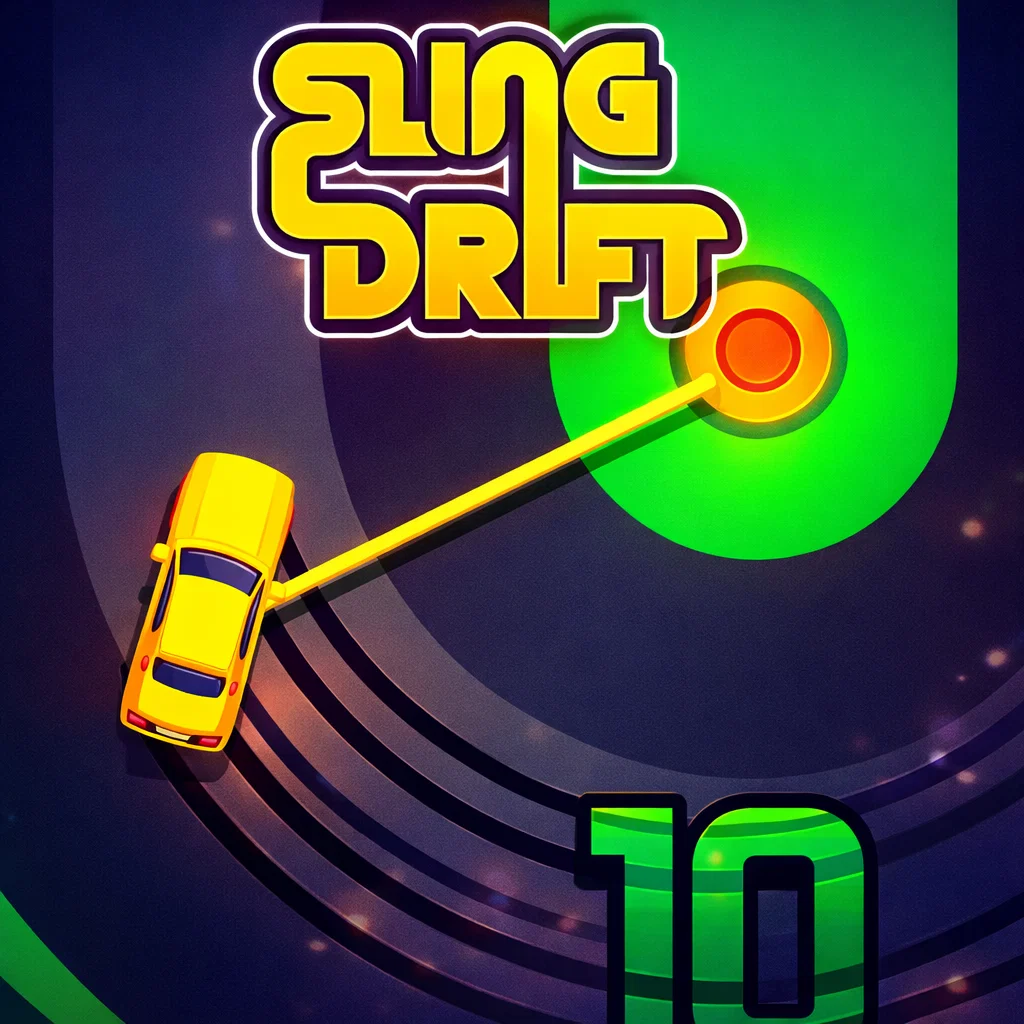
SlingDrift
Similar Games


Description
Introduction
Fast turns, cool drifts, and endless fun—that’s what makes SlingDrift such an exciting game for kids and casual players. With bright visuals and super-easy controls, this drifting game feels playful from the very first second.
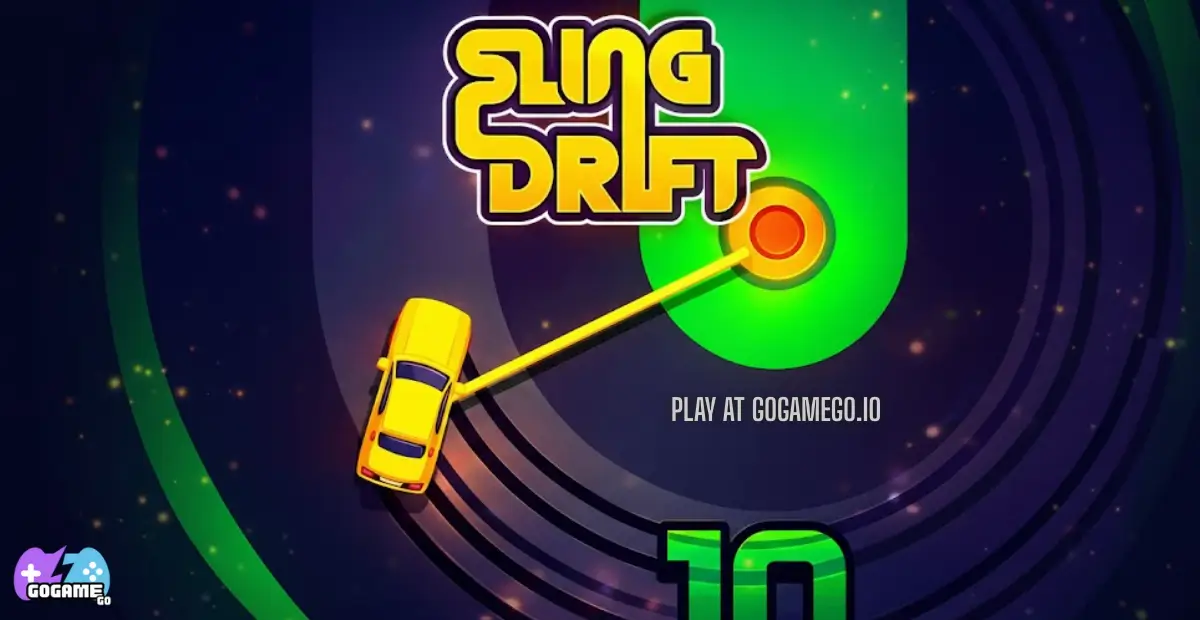
In Sling Drift, your car doesn’t just drive—it swings! Every corner is a mini challenge where timing matters more than speed. Just tap or click to sling your car around sharp turns and keep moving forward. It’s simple to learn, but staying on the road takes real focus.
Best of all, SlingDrift is free and unblocked on gogamego.io. You can play it instantly in your browser at school or at home, with no downloads and no waiting. Each run is endless, so every game feels fresh and exciting.
Jump in now, test your reflexes, unlock new cars, and see how far you can drift without crashing. Hit play and start your SlingDrift adventure today!
🎮 SlingDrift – Game Snapshot
- Genre: Casual, Drifting, Arcade
- Release Date: 2017
- Developer: tastypill
- Platforms: Web Browser, Android, iOS
- Modes: Single Player
What Is SlingDrift?
SlingDrift is a fun and fast-paced drifting game where timing is everything. Instead of steering left or right, you “sling” your car around corners using a simple tap or click. This clever idea makes the game easy for kids to start playing, but exciting enough to keep everyone coming back for more.
The game was created by , a small but creative game studio known for making simple games that feel smooth, colorful, and addictive. They focus on clean design and gameplay that anyone can enjoy, even on their first try.
Sling Drift was first released in 2017 and quickly became popular on mobile devices and online gaming platforms. Over time, small updates added new cars, smoother performance, and better controls, making the game even more enjoyable on both phones and browsers.
What makes SlingDrift special is its one-touch drifting mechanic. Each turn feels like a tiny challenge, and the endless road means no two runs are the same. Players love collecting gems, unlocking cars, and trying to beat their own best distance.
Today, SlingDrift is trending because it’s free, unblocked, and perfect for quick play. You can jump in anytime on gogamego.io, play instantly in your browser, and enjoy a game that’s simple, fun, and surprisingly challenging.
Gameplay Overview
SlingDrift is all about timing, focus, and smooth moves. The goal is simple: keep your car on the road for as long as possible without crashing. There are no laps or finish lines—the road keeps going, and every corner is a new challenge.
The track is full of sharp turns, and your car doesn’t steer like in normal racing games. Instead, you use a “sling” move to swing around corners. Each successful turn earns you points and lets you travel farther. Along the way, you can collect coins or gems that unlock new cars, giving you fresh looks and motivation to beat your best score.
The game gets harder the longer you survive. Turns come faster, curves get tighter, and your reaction time really matters. That’s what makes SlingDrift so exciting—every run feels different, and there’s always a reason to try one more time.
Key Features
SlingDrift stands out because it turns simple ideas into exciting gameplay that works perfectly for kids and casual players. Every feature is designed to be easy to understand while still offering a fun challenge.
- One-Touch Drifting Controls: Just tap, hold, and release to drift. This makes the game easy for beginners and perfect for younger players, while still rewarding good timing.
- Endless Road Gameplay: There’s no finish line, so every run feels new. This keeps players motivated to beat their best distance and improve with each try.
- Instant Play, No Download: Play SlingDrift directly in your browser on gogamego.io. Kids can jump into the game instantly without installing anything.
- Unlockable Cars: Collect coins or gems to unlock different cars. This adds a sense of reward and keeps players excited to continue playing.
- Colorful, Kid-Friendly Design: Bright visuals and smooth animations make the game fun to watch and comfortable to play for long sessions.
- Quick Rounds: Each run is short, making it perfect for quick breaks while still feeling satisfying.
- Works on Multiple Devices: SlingDrift runs smoothly on desktop, tablet, and mobile, so players can enjoy it anywhere.
These features combine to create a simple, fun, and addictive drifting game that kids love coming back to again and again.
Game Modes
SlingDrift focuses on pure, skill-based fun, and its game modes are designed to be simple, fast, and perfect for kids and casual players. While it doesn’t include complex multiplayer systems, each mode-like experience keeps players engaged in its own way.
Solo Mode is the heart of SlingDrift. You drive alone on an endless road filled with sharp corners and tricky turns. The difficulty increases naturally the longer you survive—turns come faster, timing becomes tighter, and focus is key. Rewards come in the form of distance scores and collected gems or coins, which can be used to unlock new cars. This mode is great for building reflexes, improving timing, and chasing personal bests.
Multiplayer Mode is not available in SlingDrift. There is no online play, matchmaking, or real-time competition against other players. This keeps the game safe, simple, and distraction-free for kids.
Local Co-op is also not included. SlingDrift is designed as a single-player experience, meaning one player plays at a time. However, kids often enjoy taking turns with friends or family, competing to see who can drift the farthest, which creates a fun shared experience without complicated setup.
Tournament or Seasonal Modes are not part of the game either. Instead, the endless mode acts as a personal challenge, encouraging players to improve with every run and stay motivated through unlockables and high-score goals.
This focused design makes SlingDrift easy to enjoy anytime, anywhere.
Characters & Customization
SlingDrift keeps things simple and fun by focusing on cars instead of traditional characters. Each car feels like its own personality, giving players variety and motivation to keep playing.
Characters
- Classic Starter Car: Balanced and easy to control, this car is perfect for beginners. It helps kids learn drifting timing without feeling too fast or slippery.
- Speed Racer: Faster acceleration makes the game more exciting, but turns require sharper timing. Great for players who want a bigger challenge.
- Heavy Cruiser: Slightly slower but more stable on corners. This car forgives small mistakes and is ideal for longer runs.
- Mini Compact: Quick and agile, with tight swings around corners. Best for players who enjoy fast reactions and short drifts.
- Luxury Ride: Stylish design with smooth drifting. It doesn’t change gameplay much, but looks cool and feels rewarding to unlock.
Customization
Customization in SlingDrift is all about visual fun and rewards. Players can unlock new cars using collected coins or gems, giving each run a fresh look. While there are no outfits or gear, different car colors and designs help players show off their progress.
There are no upgrades that affect speed or handling, which keeps gameplay fair and skill-based. The real upgrade comes from practice—better timing, smoother drifts, and longer distances. This simple system makes the game perfect for kids while still feeling rewarding.
Special Moves & Combos
SlingDrift doesn’t use traditional combo buttons or complex special attacks, but smart players still develop “moves” through timing, rhythm, and control. These techniques help you drift longer, avoid crashes, and reach higher scores.
- Perfect Sling: Release the drift at the exact center of a corner. This keeps the car perfectly aligned and sets you up smoothly for the next turn. Use it to maintain rhythm on long runs.
- Early Catch: Start the sling slightly before the turn fully appears. This is useful on fast sections where reaction time is limited.
- Late Release Save: Holding the sling a bit longer can save you on sharp corners. This move helps prevent slipping off the road when curves are tight.
- Short Swing: A quick tap-and-release works best for gentle turns. Over-drifting on small curves often leads to mistakes.
- Chain Drifts: Linking multiple clean slings in a row builds a smooth flow. This “combo” style reduces panic and improves consistency.
- Recovery Drift: If the car exits a turn slightly off-center, a controlled short sling on the next corner can fix alignment.
- Focus Reset: After a near miss, slow your reactions for one turn. Staying calm helps avoid back-to-back crashes.
Mastering these moves turns SlingDrift into a game of rhythm and control. The better your timing, the longer your runs—and the more fun you’ll have drifting.
Tips & Tricks
Getting better at SlingDrift takes practice, but a few smart tricks can help you drift longer and crash less. These tips mix timing skills, smart strategy, and calm focus—perfect for kids and casual players who want higher scores.
- Look ahead, not at the car: Watching the next corner gives your brain more time to react and prepare the sling.
- Tap lightly on small turns: Gentle corners need short drifts. Long swings on easy turns often cause crashes.
- Hold longer on sharp bends: Tight corners need patience. Let the car swing fully before releasing.
- Find a steady rhythm: Treat drifting like a beat. Smooth timing works better than fast reactions.
- Stay calm after mistakes: A small slip doesn’t mean the run is over. Panicking causes back-to-back crashes.
- Practice early runs: Use short sessions to learn corner patterns instead of chasing high scores.
- Unlock cars for motivation: New cars keep the game exciting and encourage longer play sessions.
- Play in short breaks: Fresh focus improves timing and reduces errors.
- Don’t over-drift: Most crashes happen from holding too long, not releasing too early.
- Use recovery turns: If you exit a corner off-center, fix your position on the next turn.
- Challenge your own score: Competing against yourself builds skill faster than rushing for distance.
With these tips, SlingDrift becomes smoother, more fun, and far more rewarding every time you play on gogamego.io.
Platforms & Technology
SlingDrift is built to run smoothly on almost any device, making it easy for kids to play anytime. On gogamego.io, the game works directly in modern web browsers like Chrome, Edge, Firefox, and Safari without needing downloads or plugins.
On desktop, players enjoy precise mouse or keyboard input and a larger screen that makes corners easier to read. On mobile devices, touch controls feel natural—just tap and hold to drift—making the game perfect for phones and tablets.
The browser version uses modern web technology such as HTML5 and lightweight graphics rendering (often WebGL-based), which helps the game load fast and stay responsive.
Performance tips: close unused tabs, keep your browser updated, and use a stable internet connection for the smoothest gameplay. On mobile, lowering background apps can also improve performance.
Can I Play SlingDrift Unblocked?
Yes! You can play SlingDrift unblocked anytime on gogamego.io. The game runs directly in your browser, which means it’s easy to access at school, work, or home without worrying about restrictions or complicated setup.
Because Sling Drift is a free online game with simple browser-based technology, it works on most school and office networks where downloads are blocked. There’s no need to install apps, create accounts, or allow special permissions—just open the page and start drifting.
Another big plus is that you get instant play with no downloads and a clean experience with minimal interruptions. This makes SlingDrift perfect for quick breaks or relaxing moments between classes. If you’re looking for a fun, kid-friendly drifting game that’s fast, simple, and easy to access, SlingDrift unblocked on gogamego.io is ready whenever you are.
Similar Games
If SlingDrift makes you smile, try these kid-friendly drifting games and car games on gogamego.io. They’re fast to load, easy to learn, and perfect for quick, unblocked play at school or home.
- Drift Boss – One-tap drifting on a narrow track where timing wins every turn.
- Drift Hunters – A smooth 3D drift simulator with long slides, points, and car progression.
- Polytrack – Colorful low-poly racing with quick runs and “beat your best time” goals.
- Highway Racer 3D – Speed through traffic, dodge cars, and push your reflexes.
- Racing Limits – Fast highway racing where smart lane changes keep you alive.
- Pako Highway – Endless driving fun with quick reactions and unlockable rides.
- Cars Arena – A fun car battle arena with simple controls and big action.
- Tail of the Dragon – Winding roads, sharp corners, and a “don’t crash” challenge vibe.
- Noob Drive – Silly, bouncy driving that’s great for kids who love goofy physics.
Want more like this? Explore the Car Games collection for even more racing and drifting favorites.
Game History & Updates
SlingDrift first zoomed into the gaming world in 2017, launching as a fresh take on drifting games. Instead of traditional steering wheels and pedals, SlingDrift introduced a simple one-touch “sling” mechanic that made drifting feel smooth, satisfying, and easy for players of all ages—especially kids. The game’s clean design and endless track quickly made it a favorite on mobile and browser gaming sites.
Since its original release, SlingDrift has seen a series of updates that refined gameplay and added player value. Early patches improved physics, making drifts feel more natural and responsive. Visual enhancements brought brighter colors and smoother animations, while small additions like new unlockable cars gave players more goals to chase. These changes helped keep the game fresh without complicating its core appeal.
Along the way, the SlingDrift community grew steadily. Fans shared high scores, drifting strategies, and favorite cars on social media and fan pages, turning a simple drift game into a shared experience. Parents appreciated how easy the game was for kids, and competitive players enjoyed chasing new distance records.
While there’s no official public roadmap yet, many players look forward to potential seasonal events, new car packs, or themed drifting tracks. SlingDrift’s steady updates and community enthusiasm show that its endless drifting fun has staying power—especially and playable for free on gogamego.io.
FAQ
Is SlingDrift free to play?
Yes, SlingDrift is completely free to play on gogamego.io. You don’t need to pay, sign up, or download anything. Just open the game in your browser and start drifting right away.
Can I play SlingDrift unblocked at school?
Yes. SlingDrift is a browser-based game, so it usually works on school and library networks where downloads are blocked. This makes it a popular choice for quick breaks.
Do I need to download SlingDrift?
No downloads are required. SlingDrift runs instantly in your web browser, saving space on your device and making it easy to play anywhere.
Is SlingDrift safe for kids?
Yes. The game has no violence, no chat, and simple controls, making it safe and kid-friendly. Parents often choose it for its clean design and easy gameplay.
What devices can I play SlingDrift on?
You can play on desktop computers, laptops, tablets, and smartphones. The game works on modern browsers like Chrome, Safari, Edge, and Firefox.
Does SlingDrift have multiplayer or 2-player mode?
No. SlingDrift is a single-player game. However, kids often take turns and compete for high scores with friends.
How do I unlock new cars?
You unlock new cars by collecting coins or gems during gameplay. The longer you drift, the faster you unlock rewards.
Why do I keep crashing on corners?
Most crashes happen when players release the drift too early or too late. Practicing timing and staying calm helps improve control.
Can I save my progress?
Progress is usually saved in your browser. Clearing cache or switching devices may reset unlocks.
Why should I play SlingDrift on gogamego.io?
gogamego.io offers fast loading, free access, and an easy way to enjoy SlingDrift without downloads or complicated setup.
Conclusion
SlingDrift proves that a simple idea can deliver big fun. With its one-touch drifting controls, colorful kid-friendly design, and endless road challenge, the game is easy to start and exciting to master. Every run helps build better timing, focus, and confidence, making it perfect for kids, casual players, and anyone who enjoys quick, skill-based games.
Playing SlingDrift on gogamego.io means instant access with no downloads, no complicated setup, and smooth performance on both desktop and mobile devices. You can jump in at school, at home, or during short breaks and enjoy a clean, distraction-free experience. Unlockable cars, personal high-score goals, and endless replay value keep the game fresh every time you play.
If you’re looking for a free, unblocked drifting game that’s fun, safe, and easy to enjoy, SlingDrift is a perfect choice. Don’t wait—hit play now on gogamego.io, start swinging through corners, and see how far your drifting skills can take you!