Monkey Mart
Similar Games






Description
Monkey Mart
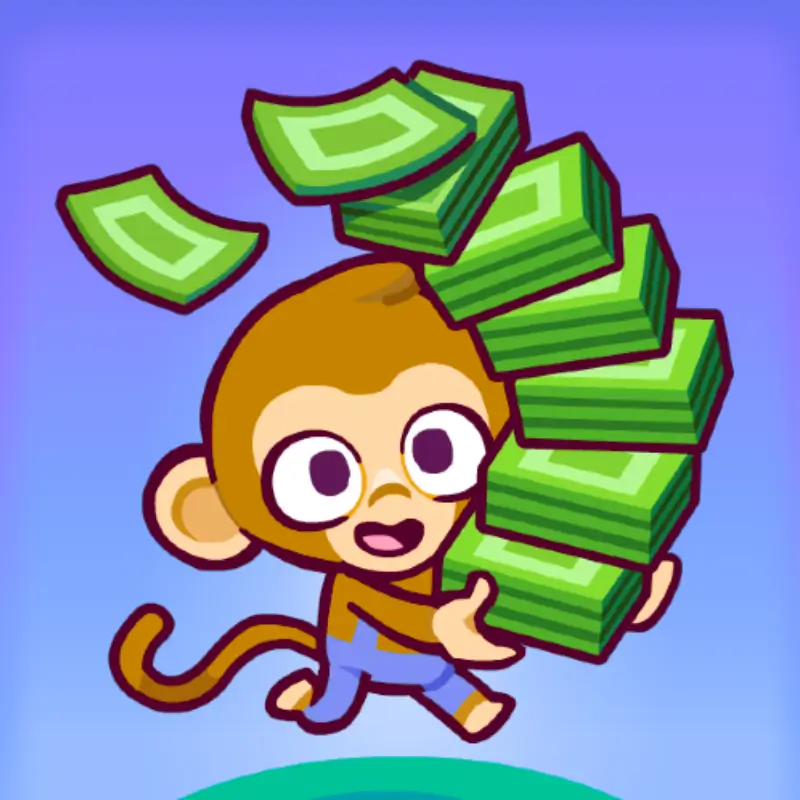
Get ready to run your own grocery store… as a monkey!
Monkey Mart is a silly and super fun game where you collect food, stock shelves, and keep customers happy—all while being the busiest monkey in town.
From bananas to ice cream, you will unlock new items, hire helpers, and upgrade your shop as you go. It is all about fast moves, smart planning, and a lot of fun!
Whether you are playing at home, at school, or anywhere else—Monkey Mart is free to play, unblocked, and needs no download.
Just open it up and start selling!
Play now on GoGameGo.io and become the ultimate monkey manager!

What Is Monkey Mart?
Monkey Mart is a fun and fast-paced idle game developed by TinyDobbins, a studio known for creating cute and addictive games for all ages.
It was first released in 2022 and quickly became a hit with kids, especially because of its colorful design, silly monkey characters, and smooth gameplay.
The developers have continued to update Monkey Mart with new features like more products, extra levels, and upgrades to keep players excited and coming back for more.
In Monkey Mart, you play as a monkey who runs a growing supermarket. You plant crops, stock shelves, serve customers, and unlock cool items like chocolate, milk, or popcorn machines.
What makes this game unique is how simple it is to play—but also how satisfying it feels to keep everything running smoothly.
Plus, you can hire helpers, upgrade your store, and expand into new areas!
Monkey Mart is trending now because it’s easy to play on any device, doesn’t need downloading, and is fully unblocked at school or home.
It’s the perfect mix of action, strategy, and silly fun!
Gameplay Overview
How to Play
In Monkey Mart, your goal is to build and manage your very own supermarket.
You start by harvesting bananas and placing them on shelves for customers to buy.
As you earn more coins, you unlock new products like eggs, milk, corn, popcorn, and even ice cream!
Each upgrade brings more customers—and more chaos. But don't worry! You can hire monkey helpers to work the stations while you focus on expanding your store.
The game has no hard levels, but you progress by unlocking new stands, managing your store faster, and upgrading every section of your shop.
Your ultimate goal? Keep the customers happy and grow the biggest monkey market ever!
Controls
1-Player:
- Arrow keys or WASD – Move your monkey around the store
2-Player Mode (if enabled):
- Player 1: WASD
- Player 2: Arrow Keys
Mobile/Tablet:
- Touch and drag on the screen to move your monkey
Pro Tips
- Upgrade your banana stand first—it’s the fastest way to earn coins early on.
- Buy helpers as soon as possible so you can focus on new stations.
- Keep machines like popcorn or milk running—don’t let them sit empty!
- Always collect coins quickly, or they will disappear.
- Save up for higher-cost upgrades—they give big boosts.
- Organize your layout to keep walking distance short.
- Use corners to trap idle helpers into staying near their workstations.
- On mobile, use two fingers if it feels slow—it helps you swipe more smoothly.
- Don’t forget to collect from coin piles between upgrades.
- Keep experimenting! Every run teaches you something new.
Key Features
Monkey Mart isn’t just fun—it’s packed with features that keep you playing for hours!
Farming & Harvesting: Grow bananas and other fruits right inside your store. It’s fast, fun, and your first step to making sales.
Store Management: Restock shelves, collect money, and upgrade your stands. You’re the boss, so everything depends on how smart you play!
Adorable Helpers: Hire monkey workers to help you run the shop. They work while you expand, making gameplay easier and more exciting.
Progression System: Unlock new sections of the market like dairy, bakery, and frozen foods. Every upgrade adds something fresh and fun.
Coin Collection: Pick up coins quickly to keep customers happy and get rich faster!
Mobile-Friendly: Play smoothly on any phone or tablet. Touch controls make it easy and fun to manage your store anywhere.
Simple Controls: Whether on keyboard or touchscreen, the game is super easy to learn—perfect for kids of all ages.
Free & Unblocked: No downloads, no limits. Play Monkey Mart instantly at home or school!
Game Modes
Monkey Mart is designed mainly as a solo adventure, but it feels super lively thanks to all the fast-paced action and characters on screen!
Solo Mode:
In this mode, you play as one busy monkey in charge of the whole store. From planting bananas to stocking shelves and collecting coins, it’s all on you!
The game starts easily but becomes more challenging as you unlock new sections and keep more customers happy. The reward? Tons of upgrades, helpers, and fun surprises!
Local Co-op Mode (Browser Only):
Some versions of Monkey Mart allow two players to share the keyboard and play together on the same screen. One uses WASD, the other uses arrow keys. It is a fun way to team up and divide the work!
This is not available on all sites, but when it is, it is perfect for friends or siblings to play side by side.
Online Multiplayer:
Monkey Mart do not have a true online multiplayer or matchmaking system—yet! But the developers have hinted at adding more features in future updates.
Tournaments & Seasonal Modes:
Currently, there are no official tournaments or seasonal events. But many players create their mini-challenges like speedruns or coin goals!
Characters & Customization
Characters
Monkey Mart may look simple, but the game is full of fun animal characters that make the store come to life!
Main Monkey: You! The star of the game. Fast, smart, and always on the move. You start small but quickly become a supermarket legend.
Chef Monkey: Manages food stations like the ice cream and popcorn makers. Always wears a tiny hat and loves sweets!
Egg Farmer: A shy helper who runs the egg stand. They are slow at first, but get better with upgrades.
Cow Vendor: Helps at the dairy section. Super strong and can stock shelves faster than anyone else.
Balloon Customer: A happy shopper who only visits when your store reaches a high level. They give extra coins!
Customization
While Monkey Mart doesn’t let you change outfits or colors yet, you can still customize your gameplay by upgrading everything!
Store Upgrades: Expand with new food stations, coin collectors, and faster shelf restocking.
Speed Boosts: Improve your monkey’s movement and productivity with every upgrade.
Helpers: Choose which characters to unlock first and build your dream team!
Future updates may bring costumes or color options—but even now, every market feels unique based on how you play.
Special Moves & Combos
While Monkey Mart isn’t a fighting game, it has advanced strategies that feel just like special moves. Mastering them can help you earn coins faster and run your store more efficiently.
1. Shift Drop: Quickly drop off products by running through shelves in a smooth line. Don't stop—just glide past the shelf and let the monkey auto-place items. This reduces wasted seconds.
2. Coin Sweep: After a customer rush, move in wide zig-zag lines to grab all coins before they disappear. Don’t collect them one by one—use sweeping motions.
3. Helper Anchor: Position helpers near machines or shelves where traffic is heaviest. Keep them “anchored” by clearing the area so they don’t wander off.
4. Double Supply Loop: Alternate between two key stations (like corn and milk) in a loop pattern. This keeps both stocked without delay.
5. Early Expansion Combo: Save coins to unlock both a new stand and a helper at once. Expanding and automating at the same time prevents bottlenecks.
6. Strategic AFK Farming: Hire enough helpers, then stand still near coin piles. Let the store run itself while you collect passive income.
7. Restock Chain: Start from the machine and end at the furthest shelf. That way, each restock action is efficient and back-to-back.
Tips & Tricks
Monkey Mart may seem easy at first, but mastering it takes timing, planning, and decisions. Here are 12 tips to help you manage your store like a pro.
- Prioritize bananas early: Bananas sell quickly and help you earn coins fast in the beginning.
- Upgrade speed before anything else: A faster monkey means faster restocking and better coin collection.
- Don’t hoard coins: Use earnings to unlock helpers and machines as soon as possible to avoid falling behind.
- Unlock new stands strategically: Don’t open too many at once. Focus on upgrading what you have first.
- Use helpers to automate: Place them where you struggle the most—popcorn and milk stations are top priorities.
- Stand still to collect: Let helpers work while you collect coins. It’s more efficient than doing everything yourself.
- Always restock after collecting: Grab coins, then instantly refill products to avoid empty shelves during rushes.
- Keep your layout tight: Avoid expanding too far if you don’t need to. Shorter distances = faster cycles.
- Use helper stacking: Some areas benefit from two helpers instead of one, especially during peak traffic.
- Refresh machines often: Machines don’t auto-refill. Stay on top of production, or customers will leave.
- Watch customer patterns: Learn which stands to get the most traffic and prioritize upgrades there.
- Check every coin: Missed coins disappear quickly. Always sweep before upgrading.
Platforms & Technology
Monkey Mart runs directly in your browser. No downloads or installations are needed.
It works perfectly on Chrome, Firefox, Safari, and Edge. The game also plays smoothly on both desktop and mobile devices.
Desktop users benefit from more precise keyboard controls. On mobile, the game automatically switches to touch controls for easy play.
Built with HTML5 and WebGL, Monkey Mart loads quickly and doesn’t require any plugins or external software.
To get the best performance, keep your browser updated and close unused tabs. On mobile, clear background apps if the game slows down.
The game is lightweight and optimized to run well, even on older devices.
Can I Play Monkey Mart Unblocked?
Yes, you can play Monkey Mart unblocked anytime—at school, at work, or home. The game is hosted directly in your browser, so there’s no need to download or install anything.
Many schools and offices block game sites, but GoGameGo.io offers a safe and secure way to access Monkey Mart unblocked with no restrictions.
The game is free to play, requires no login, and loads instantly. There are no pop-ups, no ads, and no interruptions—just smooth, full-screen gameplay.
Whether you're taking a short break or spending time after class, Monkey Mart is a fun, fast way to play without limits.
Similar Games
If you enjoy Monkey Mart, you'll love these other fun and addictive management and idle games. Each one offers a unique twist while keeping the gameplay simple and rewarding.
Idle Supermarket Tycoon: Build and expand your own shopping empire. Hire workers, unlock new departments, and grow your profits over time.
Market Boss: Run a mini-market with multiple stations. Stock, sell, and upgrade your way to becoming the top store in town.
Cooking Frenzy: Manage a busy kitchen and serve customers as fast as you can. Great for players who enjoy time management under pressure.
Cashier 3D: Practice scanning items and handling money in a realistic supermarket setting. A perfect mix of roleplay and logic.
Farm Land: Grow crops, care for animals, and manage your farm. This game blends farming with casual business mechanics.
My Mini Mart: A lightweight alternative to Monkey Mart, where you run a small organic store and keep expanding as demand grows.
Game History & Updates
Monkey Mart was released in late 2022 by the indie game studio TinyDobbins.
The developers are known for creating casual games that are easy to play but hard to put down.
Monkey Mart quickly became popular with kids and casual gamers thanks to its bright visuals, smooth controls, and relaxing store management gameplay.
Since launch, the game has received several updates that added more depth and replayability.
New stations like popcorn machines, dairy stands, and ice cream counters were added to expand the store’s variety.
One of the biggest changes was the introduction of helpers, which allow players to automate tasks and focus on upgrading and expanding.
These updates made the game more strategic while still keeping it fun and light for all age groups.
The Monkey Mart community continues to grow across browser platforms and mobile sites.
It’s especially popular in school-friendly game hubs where unblocked games are in high demand.
While there’s no official roadmap, many fans hope to see future updates with new characters, visual customizations, or even multiplayer features like scoreboards or time-based events.
As of now, Monkey Mart remains free to play, unblocked, and regularly updated—making it one of the best idle games for browser-based platforms.
FAQ
Is Monkey Mart free to play?
Yes. Monkey Mart is completely free to play. There are no hidden fees, and you don’t need to create an account or download anything.
Can I play Monkey Mart unblocked at school or work?
Yes. Monkey Mart is available on GoGameGo.io, which offers unblocked access. It works even on restricted networks, making it perfect for breaks at school or the office.
Is Monkey Mart safe for kids?
Absolutely. The game has no chat, no ads, and no inappropriate content. It’s designed to be child-friendly and educational in its gameplay structure.
Can I play Monkey Mart on mobile?
Yes. Monkey Mart works smoothly on mobile devices. The controls adapt automatically for touchscreen play without needing an app.
Are there any in-game purchases?
No. The browser version of Monkey Mart does not include in-game purchases or microtransactions.
Can I customize my monkey character?
Currently, the game does not support visual customization like outfits or skins. However, you can customize your gameplay through store upgrades and helper choices.
Do I need an internet connection to play?
Yes. Since it’s a browser-based game, you’ll need an internet connection to load and play Monkey Mart..
Does the game save my progress?
Progress is usually saved automatically in your browser, but clearing your cache or switching devices may reset your game.
Conclusion
Monkey Mart stands out as one of the most fun and rewarding idle games available online today.
Its simple mechanics, colorful design, and smooth gameplay make it ideal for kids, casual players, and anyone looking for a relaxing game that still offers a sense of progress and strategy.
With no downloads, no ads, and full unblocked access, it’s easy to jump in and play anytime—at school, at home, or even on a quick break at work.
Whether you're expanding your store, unlocking new stations, or managing a team of monkey helpers, every session feels satisfying and fun.
The game runs smoothly on both desktop and mobile, requires no setup, and saves your progress right in the browser.
If you're looking for a free, safe, and highly addictive game that delivers instant fun, Monkey Mart is the perfect choice.
Start playing now on GoGameGo.io and build the busiest, most successful monkey-run supermarket ever!