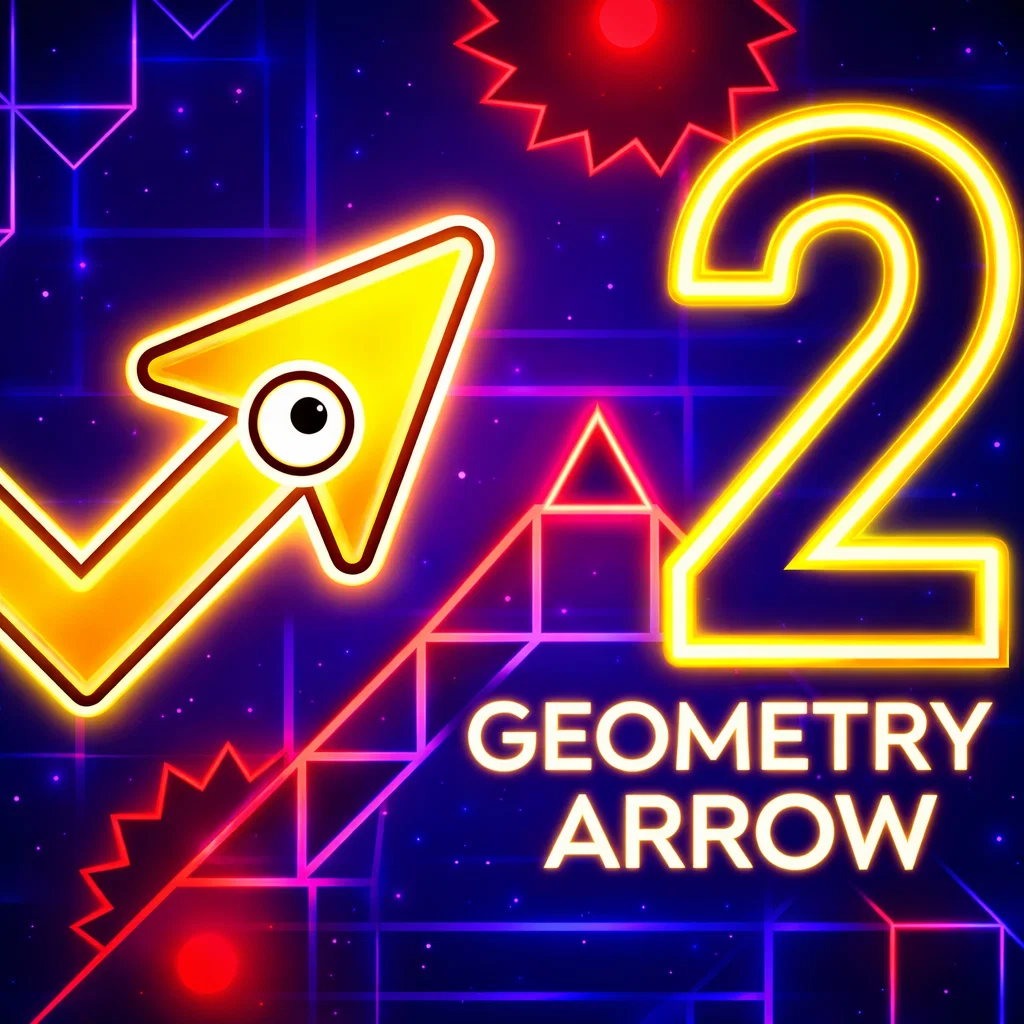
Geometry arrow 2
Similar Games






Description
Introduction
Geometry Arrow 2 is a bright and exciting arcade game where your mission is simple: guide a speedy arrow through tricky geometric paths without crashing.
Each level is packed with sharp angles, moving obstacles, and fast turns that test your timing and focus. The more you play, the better your reflexes become—and beating your high score feels amazing every time.
Kids love this geometry-based skill game because the controls are easy, but the challenge keeps growing. It’s the perfect mix of fun, learning, and quick reaction training.
On gogamego.io, you can play Geometry Arrow 2 free and unblocked right in your browser. No downloads. No waiting. Just tap and start your arrow adventure instantly!
🎮 Geometry Arrow 2 – Game Snapshot
- Genre: Arcade, Skill, Reflex, Geometry
- Release Date: 2024
- Developer: Official Developer Website
- Platforms: Web Browser (Desktop, Mobile, Tablet)
- Modes: Single Player

What Is Geometry Arrow 2?
Geometry Arrow 2 is a fast, kid-friendly arcade game where you steer a little arrow through bright geometric tunnels, sharp corners, and sneaky obstacles. The goal is simple: don’t crash, keep moving, and try to beat your best score. It’s easy to start in seconds, but it takes real skill to stay calm when the speed picks up!
Developer background: Geometry Arrow 2 is made by a developer team focused on lightweight browser games—quick to load, smooth to play, and fun for short breaks. Their games usually have simple controls, clean visuals, and challenges that feel fair (even when they’re tough).
Release year + updates: The game launched in 2024 and has continued to get small improvements over time, like better performance, smoother controls on mobile, and tweaks that make levels feel more balanced and enjoyable.
Unique appeal: What makes Geometry Arrow 2 special is how it mixes “easy controls” with “big challenge.” One tap can save you—or end your run—so every move feels exciting. The geometry style looks cool, and the gameplay helps kids practice timing, focus, and quick reactions.
Why it’s trending: It’s trending because players love free online, unblocked reflex games they can play anywhere. Quick rounds, high-score chasing, and instant play on gogamego.io make it perfect for that “one more try” feeling.
Gameplay Overview
Geometry Arrow 2 is a fast-paced arcade skill game where your mission is to guide a sharp arrow safely through narrow geometric paths filled with spikes, walls, and sudden twists. The main objective is simple: survive as long as possible without crashing. But as the speed increases and obstacles become tighter, the real challenge begins.
Each run tests your timing, focus, and reaction speed. The arrow moves forward automatically, so your job is to control its direction at the perfect moment. One wrong move can end the game instantly, which makes every second exciting.
The progression system is built around improvement and mastery. Some versions feature increasingly difficult stages, while endless mode challenges you to beat your highest distance score. As you advance, patterns become more complex, requiring better rhythm control and sharper reflexes. The real reward is improving your personal best and mastering difficult sections that once felt impossible.
How to Play
Your goal is to navigate through geometric obstacles without touching them. The arrow automatically moves forward, and you control its direction to avoid crashing into spikes or walls.
Watch obstacle patterns carefully. Many sections repeat in rhythm-based sequences, so learning the timing is key. The further you go, the faster and more challenging the course becomes.
Controls
1-Player Controls:
Press or hold the left mouse button or spacebar to change the arrow’s direction. Release to shift movement. Timing is everything.
2-Player Controls (if available):
Player 1: Use Spacebar.
Player 2: Use Up Arrow or a secondary assigned key. Compete to see who survives longer.
Mobile / Touch Controls:
Tap and hold on the screen to control direction. Lift your finger to adjust movement. The controls are optimized for smooth touch response on smartphones and tablets.
Pro Tips
- Stay Calm: Panicking leads to fast mistakes. Keep your movements controlled and steady.
- Learn the Patterns: Many obstacles follow repeating sequences. Memorizing them gives you a big advantage.
- Use Light Taps: Quick, gentle taps give better precision than holding too long.
- Focus on the Path Ahead: Don’t stare at the arrow—look slightly forward to prepare for incoming obstacles.
- Practice Short Sessions: Quick rounds help improve reaction speed without frustration.
- Master the Early Sections: Getting through the beginning flawlessly builds confidence for harder parts.
- Adjust to Speed Changes: As the game accelerates, reduce large movements and make smaller corrections.
- Play on Full Screen: A larger view helps you react faster to tight spaces.
Key Features
- Simple One-Tap Controls: Easy controls make the game perfect for kids and beginners. Anyone can start playing instantly, while still enjoying a real reflex challenge.
- Fast-Paced Arcade Action: The increasing speed keeps every round exciting. This helps improve reaction time, focus, and hand-eye coordination in a fun way.
- Colorful Geometry Design: Bright shapes and clean visual effects make the gameplay clear and engaging. The sharp geometric style also helps players quickly spot obstacles.
- Progressive Difficulty: The challenge grows as you advance, keeping the game fresh and rewarding. Players feel proud as they master harder sections.
- Instant Play – No Downloads: Play directly in your browser without installing anything. This means quick access, safe gameplay, and zero waiting time.
- Mobile & Desktop Compatible: Smooth performance on phones, tablets, and computers lets players enjoy Geometry Arrow 2 anywhere.
- High-Score Challenge: Compete with yourself or friends to beat the best score. This encourages replayability and keeps players motivated.
- Free & Unblocked Access: The game can be played free online, making it ideal for quick breaks at home or school when allowed.
Game Modes
Geometry Arrow 2 offers exciting ways to play, whether you enjoy solo challenges or friendly competition. Each mode focuses on skill, timing, and quick reactions while keeping the gameplay fun and accessible for kids.
Solo Mode: This is the core experience. In Solo Mode, you guide your arrow through increasingly difficult geometric paths filled with tight gaps and fast-moving obstacles. The difficulty rises gradually, helping players build confidence before facing harder sections. Rewards come in the form of higher scores, longer survival time, and personal achievement. The more you practice, the further you go, making it perfect for improving reflex skills.
Multiplayer Mode: Some versions include competitive multiplayer features where players can compare scores online. Matchmaking typically pairs players based on performance levels, creating fair and exciting challenges. Competing against others adds extra motivation to master difficult patterns and climb leaderboards.
Local Co-op: Local two-player mode allows friends to play on the same device using separate keys. Setup is simple—assign one control key per player and start competing. This mode encourages friendly rivalry and makes quick gaming sessions more social and fun.
Tournament or Seasonal Modes: Special events, when available, may include limited-time challenges or score competitions. These seasonal modes keep the game fresh and give players new goals to reach beyond regular high scores.
Characters & Customization
While Geometry Arrow 2 focuses on skill and reflex gameplay, customization adds extra fun and personality. Players can unlock different arrow styles and visual effects to make every run feel unique and exciting.
Characters
- Classic Arrow: The original balanced design. Perfect for beginners, it offers clean visuals and smooth movement that help players focus on timing and precision.
- Speed Blaze: A fiery-themed arrow with glowing trail effects. Designed for players who love fast gameplay and bold visuals, making high-speed runs feel even more intense.
- Shadow Strike: A darker, stealth-style arrow with a sleek neon outline. Ideal for advanced players who enjoy sharp contrast and a cool, futuristic look.
- Crystal Edge: A bright, crystal-inspired design with sparkling effects. Great for players who prefer colorful, eye-catching visuals while navigating tricky geometry paths.
- Neon Pulse: A glowing arrow that reacts visually to movement. Its vibrant design adds extra excitement to rhythm-based sections.
Customization
Players can personalize their arrow with different colors, glowing trails, and visual effects that make each run stand out. Unlockable skins allow kids to choose styles that match their personality.
Some versions may include special movement effects, like enhanced glow boosts or animated trails, adding visual feedback without changing gameplay balance.
Upgrades are usually cosmetic, keeping the competition fair while rewarding progress. This means success still depends on skill, timing, and practice—making every achievement feel earned.
Special Moves & Combos
In Geometry Arrow 2, success comes from mastering movement patterns and combining smart timing with precise control. While the controls are simple, advanced players use special techniques and movement combos to survive longer and score higher.
- Quick Tap Shift: A fast, light tap to slightly adjust direction. Best used in tight corridors where small corrections prevent oversteering.
- Hold Glide: Holding the control slightly longer to create a smooth directional curve. This works well in wide zigzag sections that require steady motion.
- Zigzag Rhythm Combo: A repeated tap pattern that matches obstacle timing. Learning the rhythm of spike layouts helps you pass tricky sequences smoothly.
- Corner Snap Turn: A perfectly timed tap at sharp angles. Trigger it just before reaching a corner to avoid crashing into tight walls.
- Micro-Correction Chain: Multiple tiny taps in quick succession. This technique is ideal when speed increases and precision becomes critical.
- Speed Control Balance: Adjusting tap length as the game accelerates. Shorter inputs help maintain control during high-speed segments.
- Focus Forward Strategy: Instead of watching the arrow, look slightly ahead. This improves reaction time and prepares you for sudden obstacles.
- Recovery Reset: After a near mistake, stabilize your movement with controlled taps instead of panicking. Staying calm prevents chain errors.
Using these techniques together builds consistency, improves survival time, and helps you master even the most challenging geometric paths.
Tips & Tricks
- Start Slow and Steady: In the early sections, focus on clean movement instead of speed. A smooth start builds confidence for harder parts.
- Watch the Pattern, Not Just the Arrow: Obstacles often follow a rhythm. Learning the pattern helps you react before danger appears.
- Use Short, Controlled Taps: Small adjustments give better precision than long holds, especially in narrow geometric tunnels.
- Stay Centered When Possible: Keeping your arrow near the middle of the path gives you more time to react to sudden turns.
- Prepare for Speed Changes: As the game accelerates, reduce big movements. Tiny corrections are safer at high speed.
- Don’t Panic After a Close Call: If you almost crash, reset your focus immediately. Calm control prevents chain mistakes.
- Practice Difficult Sections Repeatedly: Replaying tough areas improves muscle memory and reaction timing.
- Look Ahead, Not Behind: Always focus slightly in front of your arrow. This improves anticipation and defensive play.
- Play in Short Sessions: Quick breaks help maintain sharp reflexes without frustration.
- Use Full Screen Mode: A larger view makes it easier to see tight gaps and react faster.
- Adjust to Your Device: On mobile, tap lightly for better control. On desktop, use consistent key pressure for accuracy.
- Challenge Your High Score: Competing against your personal best keeps you motivated and pushes your skills to the next level.
Platforms & Technology
Geometry Arrow 2 runs smoothly directly in your web browser, making it easy to play without downloads or installations. It is fully compatible with modern browsers like Chrome, Edge, Firefox, and Safari, ensuring stable performance across different devices.
On desktop, players enjoy precise keyboard or mouse controls, which offer sharp accuracy during fast obstacle sections. On mobile and tablet devices, touch controls are optimized for responsive tapping, giving smooth and natural movement even on smaller screens.
The game is built using HTML5 and lightweight web technologies, allowing quick loading times and stable frame rates. Some versions may use WebGL for enhanced visual effects while maintaining performance.
For the best experience, close background tabs, enable full-screen mode, and use a stable internet connection to avoid lag during high-speed gameplay.
Can I Play Geometry Arrow 2 Unblocked?
Yes! You can play Geometry Arrow 2 unblocked directly in your browser without installing anything. On gogamego.io, the game loads instantly using secure HTML5 technology, so there’s no need for downloads, extensions, or extra software.
Many players look for Geometry Arrow 2 unblocked at school or work because it’s a lightweight browser game that runs smoothly on most networks (when allowed). It also works perfectly at home on desktop, tablet, or mobile devices.
The best part? You can enjoy this free online geometry arrow game with no complicated setup and no annoying interruptions. Just open the page, click play, and start improving your reflex skills right away.
Similar Games
If Geometry Arrow 2 is your kind of fast, skill-based fun, try these kid-friendly arcade, reflex, and geometry-style games on gogamego.io. They load quickly in the browser and are perfect for quick breaks at home or school (when allowed).
- Geometry Dash World – Rhythm platform action with jumps, flying, and tricky timing.
- G Switch 3 – Flip gravity at the right moment and race through futuristic tracks.
- Worlds Hardest Game 3 – A precision dodge challenge that rewards patience and focus.
- Jump Only – One-button jumping with simple rules and tough timing.
- Knife Hit – Tap-to-throw reflex gameplay with quick rounds and cool unlocks.
- Block Breaker – Classic arcade bouncing and breaking with satisfying combos.
- Zip Zap – Smart physics puzzling with quick, snappy levels.
- Gobble – Simple, colorful arcade fun that trains fast reactions.
- Hexellent – A relaxing hexagon puzzle game that boosts planning skills.
- Rooftop Run – Parkour running with jumps, slides, and speed challenges.
Game History & Updates
Geometry Arrow 2 first arrived in 2024 as the much-anticipated follow-up to the original Geometry Arrow game. From the start, it stood out with sharper visuals, smoother controls, and more dynamic obstacle patterns that challenged players of all ages. Its browser-based design meant kids and casual gamers could jump in instantly without downloads or wait times, making it a hit on free gaming platforms.
Since the original launch, the game has received several major updates and patches focused on player experience. Early improvements included better mobile touch controls and performance optimization to keep the gameplay smooth even during intense speed ramps. Later patches added small quality-of-life enhancements like refined obstacle timing, visual clarity fixes, and stability upgrades to make sessions more enjoyable on both desktop and mobile devices. These tweaks helped the game stay fresh and fun for returning players.
The community around Geometry Arrow 2 has grown steadily thanks to social sharing and friendly competition. Many players post high-score videos, timing strategies, and combo tricks online, which introduced new players to the game and fueled ongoing interest. Leaderboards and replay challenges have also encouraged repeat play, helping the game spread across browser game sites and unblocked platforms.
Looking ahead, future updates may include expanded challenges, seasonal modes, and additional customization options. While official plans are not publicly detailed yet, ongoing player feedback suggests the game will continue evolving with more features that boost replayability and fun for the growing fan base.
FAQ
Is Geometry Arrow 2 free to play?
Yes, Geometry Arrow 2 is completely free to play online. You can launch it instantly in your browser without paying, downloading, or installing anything.
Can I play Geometry Arrow 2 unblocked at school?
Many players search for Geometry Arrow 2 unblocked to enjoy it at school or work during breaks (when allowed). Since it runs in the browser using HTML5, it works on most modern networks.
Do I need to download Geometry Arrow 2?
No downloads are required. The game runs directly in your web browser, which means you can start playing in seconds on desktop, tablet, or mobile.
Is Geometry Arrow 2 safe for kids?
Yes. The game features simple geometric visuals with no violent content, making it suitable for kids who enjoy skill-based arcade challenges.
How do you get better at Geometry Arrow 2?
Practice timing and focus on learning obstacle patterns. Using small, controlled taps and looking ahead instead of at the arrow improves survival time.
Does Geometry Arrow 2 have levels or endless mode?
Most versions focus on endless progression where the difficulty increases over time. Some variations may include structured stages with rising challenges.
Can I play Geometry Arrow 2 on mobile?
Yes. The game supports touch controls on smartphones and tablets, offering smooth tap-based gameplay optimized for smaller screens.
Is there a multiplayer mode?
Some versions support local two-player mode or competitive score comparisons. Multiplayer features depend on the platform hosting the game.
Why is Geometry Arrow 2 so popular?
Its simple controls, fast-paced gameplay, and high-score competition make it highly addictive. Players love quick, skill-based games they can replay anytime.
Conclusion
Geometry Arrow 2 is more than just a simple arcade game. It’s a fast, skill-based challenge that sharpens reflexes, improves focus, and rewards practice. With smooth one-tap controls, colorful geometric design, and progressively tougher obstacles, every round feels exciting and fresh. Whether you enjoy quick five-minute breaks or long high-score sessions, this game keeps you engaged without complicated rules or downloads.
Because it runs directly in your browser, you can play anytime on desktop or mobile. No installs, no waiting, and no complicated setup. Just pure, fast-paced gameplay that tests your timing and precision. It’s perfect for kids, casual players, and anyone who loves reaction-based challenges.
If you’re ready to push your skills further, beat your best score, and master every sharp turn, now is the perfect time to jump in. Head over to gogamego.io and start playing Geometry Arrow 2 instantly. Your next high score is waiting!