Gardenscapes
Similar Games






Description
Introduction
Ready to grow the cutest garden online? Gardenscapes lets you solve fun match-3 puzzles and decorate your dream backyard—completely free and unblocked on gogamego.io.
Play instantly in your browser—no downloads, no waiting, just colorful flowers, playful pets, and exciting mini-quests waiting for you.
Click “Play” now and watch your garden bloom with Austin the butler by your side!
🎮 Gardenscapes – Game Snapshot
- Genre: Match-3 Puzzle, Garden Renovation
- Release Date: 2016
- Developer: Playrix
- Platforms: PC, Mac, Chromebook, iOS, Android (Browser & App)
- Modes: Single-player
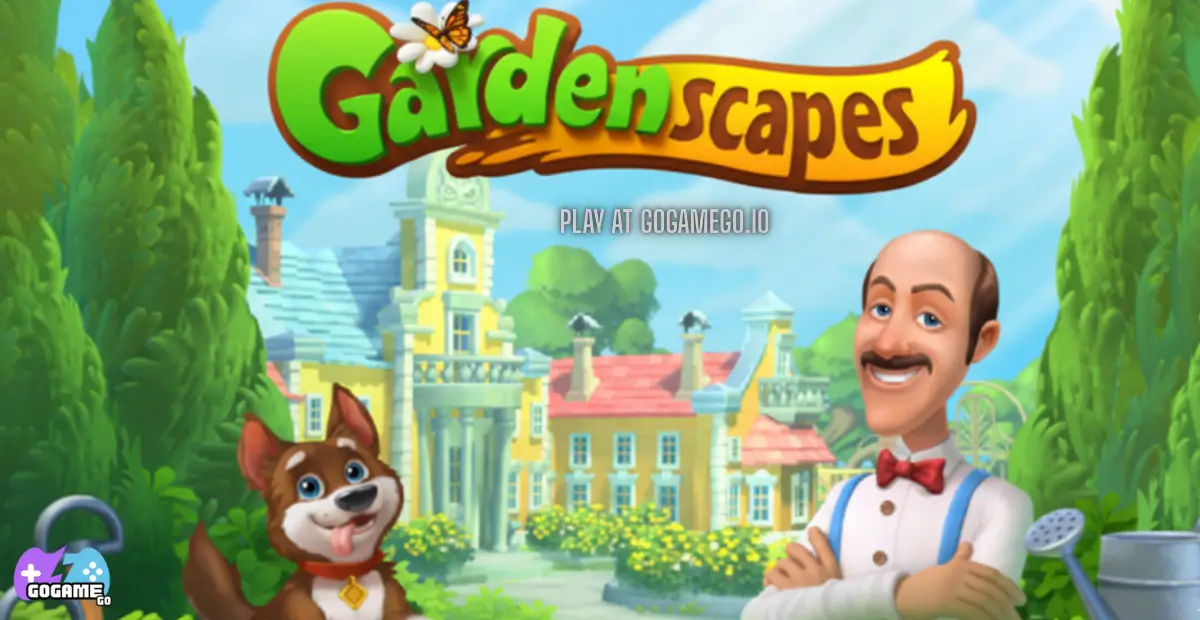
What Is Gardenscapes?
Gardenscapes is a delightful match-3 puzzle game that combines colorful tile-matching challenges with creative garden renovation. Developed by Playrix, a well-known studio behind popular casual games like Homescapes and Fishdom, Gardenscapes offers a kid-friendly, engaging experience that appeals to players of all ages. Playrix has been creating immersive, family-friendly games since 2004, and Gardenscapes reflects their expertise in blending puzzle gameplay with charming storytelling.
First released in 2016, Gardenscapes has received regular updates to add new levels, seasonal events, boosters, and interactive features. These updates keep the game fresh, providing new challenges and decorations to explore. With each update, players can unlock more garden areas, meet quirky characters, and enjoy mini-games that enhance the core match-3 experience.
What makes Gardenscapes unique is its combination of match-3 mechanics with creative garden design. Players don’t just solve puzzles—they earn stars to restore fountains, plant flowers, and decorate outdoor spaces. Austin the butler, the game’s cheerful mascot, guides players through each task, making the experience both interactive and heartwarming. The game encourages imagination, planning, and problem-solving, all wrapped in a vibrant, animated world.
Its popularity continues to grow because it’s fun, accessible, and visually captivating. The mix of rewarding puzzle gameplay, cute characters, and ongoing garden customization keeps players coming back. Whether on desktop, mobile, or Chromebook, Gardenscapes remains one of the most played casual games online, trending because it delivers creativity, challenge, and endless hours of entertainment.
Gameplay Overview
How to Play
Gardenscapes is a colorful match-3 puzzle game where players swap tiles to create rows or columns of three or more matching items. Each level has a specific objective, such as collecting apples, removing leaves, or clearing obstacles like crates and vines. Completing these goals within the limited moves earns stars, which can be used to restore and decorate different areas of your garden.
The game’s progression system is built around levels, each gradually increasing in difficulty. Early stages introduce basic tile-matching and garden restoration, while advanced levels feature more complex board layouts, new obstacles, and power-ups. Stars earned from levels unlock new garden areas, allowing players to place fountains, benches, flowerbeds, and other decorations. Seasonal events and mini-challenges also provide extra rewards, keeping gameplay exciting and dynamic.
Controls
For desktop and Chromebook users, gameplay is simple: use your mouse to click and drag tiles to swap them. Boosters and power-ups can be activated by clicking the corresponding icons on the screen. For mobile and tablet players, touch controls are fully optimized—tap and drag tiles, then tap boosters or special items to use them during a level.
Gardenscapes is designed for single-player enjoyment. While there isn’t a traditional two-player mode, players can share progress, compare garden designs, and compete on leaderboards with friends for fun challenges.
Pro Tips
- Start from the bottom of the board to trigger chain reactions and clear more tiles in fewer moves.
- Create special tiles: match 4 in a row to get a Line Blast, L or T shapes to generate a Bomb, and 5 in a row for a Rainbow tile.
- Combine special tiles, like Bomb + Rainbow, to clear massive sections and beat tough levels faster.
- Focus on level objectives before just making big matches; it ensures stars for garden upgrades.
- Save boosters for levels with obstacles that block objectives, like crates or locked tiles.
- Check for hidden moves and cascading tiles—they can unlock combos unexpectedly.
- Decorate strategically: unlocking new areas often gives access to extra stars or bonuses.
- Replay levels to improve scores and earn more stars for premium decorations.
- Pay attention to time-limited events—they often reward rare decorations and boosters.
- Use hints sparingly; the game gives occasional guidance to teach strategy without making it too easy.
Key Features
- Free & Unblocked Gameplay: Play Gardenscapes instantly on gogamego.io without downloads or restrictions. Perfect for school, home, or Chromebook, offering uninterrupted fun.
- Match-3 Puzzle Levels: Hundreds of levels with increasing challenges. Matching tiles improves problem-solving skills and keeps players engaged with satisfying progression.
- Garden Renovation & Customization: Use stars earned from levels to restore fountains, plant flowers, and decorate pathways. Encourages creativity and lets kids design their dream garden step by step.
- Boosters & Power-Ups: Special items like Line Blasts, Bombs, and Rainbow tiles help clear tricky levels. They provide strategic advantages while making gameplay more dynamic and exciting.
- Kid-Friendly Storyline: Austin the butler and a cast of cheerful characters guide players. Safe, gentle, and humorous, it’s suitable for all ages while enhancing the game’s charm.
- Seasonal Events & Mini-Quests: Limited-time challenges keep gameplay fresh. Rewards include rare decorations and extra boosters, motivating players to return regularly.
- Cross-Platform Support: Works smoothly on PC, Mac, Chromebook, iOS, and Android. Mobile touch controls make it easy for kids to play anywhere, anytime.
- Progression & Rewards System: Completing levels earns stars to unlock new areas and decorations. The sense of achievement encourages continued play and creativity in garden design.
Game Modes
Solo Mode
Gardenscapes is primarily designed for single-player fun, offering a rich solo experience. In this mode, players progress through hundreds of match-3 puzzle levels, each with unique objectives like collecting fruits, clearing leaves, or unlocking hidden items. The difficulty gradually increases, introducing more obstacles such as crates, vines, and locked tiles, keeping players challenged and engaged. Completing levels rewards stars, which can be spent to restore and decorate different garden areas, unlocking new zones, decorations, and mini-quests. Solo mode is perfect for kids and casual gamers who enjoy pacing themselves and customizing their garden at their own speed.
Multiplayer Mode
While Gardenscapes doesn’t feature traditional real-time competitive multiplayer, players can compare scores and progress with friends via online leaderboards. Match-3 enthusiasts can compete indirectly by trying to beat high scores or fastest-level completions. This adds a social layer of friendly competition, motivating players to replay levels and optimize strategies for more stars and rewards.
Local Co-op
Although there is no direct co-op gameplay within levels, players can set up “play sessions” on the same device. Kids can take turns solving puzzles, decorate sections of the garden together, and share strategies. This encourages collaboration, teamwork, and creativity, making it a fun activity for siblings or friends on a single device.
Tournament & Seasonal Modes
Gardenscapes regularly features seasonal events and limited-time challenges. These include mini-games, special puzzles, and unique decoration rewards. Players can participate to earn rare items, boosters, or garden enhancements, adding excitement and variety. Seasonal modes keep the game dynamic, encourage daily play, and maintain its popularity among young audiences.
Characters & Customization
Characters
Gardenscapes features a charming cast of characters that make the game engaging for kids and casual gamers alike:
- Austin the Butler: The friendly and helpful protagonist who guides players through garden restoration tasks. Cheerful, witty, and always ready to lend a hand, Austin is the heart of the story.
- Jasper the Dog: Austin’s loyal pet. Playful and curious, Jasper often helps uncover hidden objects and adds humor and warmth to the game.
- Katherine: A neighbor and gardening enthusiast. She provides additional quests, tips, and challenges, encouraging players to expand their gardens creatively.
- Mr. Green: The wise old gardener. Offers guidance on planting and garden design while rewarding players with extra stars for completing tasks efficiently.
- Olivia: A cheerful friend who loves flowers and decorations. She motivates players to explore new design ideas and rewards them with special items during events.
Customization
Gardenscapes allows players to personalize their garden and game experience in multiple ways. Players can choose different decoration styles for fountains, benches, pathways, and flowerbeds. Seasonal items and rare collectibles let kids create unique, vibrant garden layouts. Outfits and accessories for certain characters, like Austin’s hat or Jasper’s playful collars, add fun visual variety.
Players can upgrade certain garden elements and unlock special effects as they progress, making the environment feel alive and interactive. Combining colors, styles, and decorative items encourages creativity and gives each player’s garden a unique identity. This level of customization enhances engagement, keeps kids returning for new content, and makes every garden a personal masterpiece.
Special Moves & Combos
Gardenscapes isn’t just about matching three tiles—it’s about creating powerful special moves and combos that clear the board faster and earn more stars. Understanding these moves and how to use them strategically is key to progressing through challenging levels.
- Line Blast: Formed by matching four tiles in a row or column. Clears an entire row or column, making it ideal for removing obstacles blocking objectives. Use it near crates or vines for maximum effect.
- Bomb Tile: Created by matching L or T-shaped patterns. Explodes a 3x3 area, perfect for tackling clusters of obstacles or hard-to-reach tiles. Combine with Line Blasts to clear larger areas quickly.
- Rainbow Tile: Match five tiles in a straight line to generate a Rainbow Tile. Swapping it with any tile removes all tiles of that color from the board, helping finish objectives faster.
- Double Combos: Combine two special tiles (e.g., Bomb + Rainbow) to trigger massive board-clearing effects. Use these for tricky levels with multiple obstacles.
- Color Bomb Chain: Strategically match two Rainbow Tiles for a complete board reset. Great for levels where objectives are spread out across the board.
- Vertical & Horizontal Combos: Combining Line Blasts in perpendicular directions clears both a row and column simultaneously, ideal for cornered objectives.
- Boosters: Pre-game or in-level boosters like the Hammer or Rocket can remove single or multiple tiles instantly, saving moves on difficult objectives.
Pro Strategy: Always look for potential special tile setups before making matches. Prioritize moves that align with objectives and save combos for levels with limited moves or locked tiles. Timing is key—using a Rainbow Tile at the right moment can turn a near-fail into a full-star victory. With these moves and combos, players can tackle advanced levels efficiently while maximizing stars for garden upgrades.
Tips & Tricks
- Plan Your Moves: Don’t rush—look for matches that create special tiles or combos. Planning ahead helps you clear obstacles efficiently.
- Prioritize Objectives: Focus on the level’s main goal first, whether it’s collecting fruits, breaking crates, or clearing leaves, rather than just making big matches.
- Start from the Bottom: Matching tiles at the bottom often triggers chain reactions, clearing multiple tiles in a single move and earning extra points.
- Save Boosters for Tough Levels: Use power-ups like Hammers or Rockets only when obstacles block objectives or when moves are limited.
- Create Special Tiles: Matching 4 or 5 tiles generates Line Blasts, Bombs, or Rainbow Tiles. These are powerful tools for difficult puzzles.
- Combine Special Tiles: Combining two special tiles produces massive effects, clearing large areas and making objectives easier to achieve.
- Watch for Hidden Moves: Some tiles are tucked behind obstacles or in corners. Look carefully to spot moves that create chain reactions.
- Time Seasonal Events: Participate in limited-time events to earn rare decorations, extra boosters, or stars. These events can give an edge in harder levels.
- Replay Levels: If you fail or want more stars, replay levels to improve scores, earn additional rewards, and practice strategies.
- Balance Decorations and Progress: Don’t spend all stars on decorations immediately—unlock areas that give additional stars first to maximize upgrades.
- Use Vertical & Horizontal Combos Strategically: Combining Line Blasts in both directions clears entire rows and columns, useful for multi-target levels.
- Keep an Eye on Moves: Always monitor the number of moves left; make matches that offer the highest impact per move for efficiency.
By mixing timing, strategy, and smart use of special tiles, these tips help players advance faster, earn more stars, and create a beautiful garden without frustration. Mastering these techniques turns challenging levels into fun, rewarding gameplay experiences.
Platforms & Technology
Gardenscapes is fully playable across multiple platforms, making it accessible to kids and casual gamers everywhere. It works seamlessly on desktop computers, Chromebooks, and laptops, as well as on mobile devices including iOS and Android smartphones and tablets. Browser compatibility includes Chrome, Firefox, Edge, and Safari, ensuring smooth gameplay without downloads or installations.
Desktop gameplay offers larger screens and precise mouse controls, while mobile devices provide intuitive touch controls for dragging and swapping tiles. Both experiences are optimized for performance, so graphics and animations remain smooth.
The game runs on advanced HTML5 and WebGL technologies, allowing instant play directly in the browser. For best performance, close unused tabs, keep your browser updated, and clear cache regularly. Stable internet improves level loading and keeps seasonal events running without lag, ensuring a fun, uninterrupted garden adventure for players of all ages.
Can I Play Gardenscapes Unblocked?
Yes! You can play Gardenscapes unblocked directly on gogamego.io, whether you’re at school, work, or home. The game is fully browser-based, so there’s no need to download or install anything. This makes it perfect for kids who want a safe, fun gaming experience on Chromebooks or shared computers.
Our unblocked version also ensures a smooth, distraction-free experience with no annoying ads interrupting gameplay. Simply open your browser, click “Play,” and start matching tiles, earning stars, and decorating your garden instantly. With its colorful puzzles, cute characters, and easy-to-use interface, Gardenscapes unblocked is designed to keep kids entertained while staying accessible and safe across any device or network.
Similar Games
Looking for more fun on gogamego.io that kids will love? Here are 9 exciting browser games similar to Gardenscapes, each with a quick description and direct link:
- Jewel Shuffle: A colorful match-3 puzzle full of gems, combos, and sparkle. Play now
- Word Wipe: Fast, word-connecting puzzle game great for kids and vocabulary building. Play now
- Tap Away: 3D cube-clearing logic game with clean graphics and brain-teasing levels. Play now
- Bloxorz: Classic browser puzzle where you flip and roll a block through tricky paths. Play now
- Guess The Kitty: Cute casual game where you spot or guess kitty characters—perfect for younger kids. Play now
- 2048 Cupcakes: Combine sliding tiles (cupcakes!) for a sweet twist on the classic 2048 game. Play now
- Minesweeper: Browser-friendly version of the nostalgic logic puzzle—great for quick breaks. Play now
- Happy Glass: Physics-based puzzle game where you draw lines to fill the glass—fun and creative. Play now
- Blumgi Ball: Puzzle-meets-basketball: aim, bounce, and score in fun physics levels. Play now
All these games offer free, unblocked, and kid-safe gameplay, just like Gardenscapes. Play instantly in your browser with no downloads or annoying ads on gogamego.io!
Game History & Updates
The journey of Gardenscapes began with its original release in August 2016 on mobile platforms, developed by Playrix. Since then, the game has seen continuous updates and optimisations—expanding across platforms and evolving in gameplay.
Major updates have introduced new level‑packs, in‑game events, seasonal challenges, and fresh match‑3 mechanics. For example, version 4.6.0 added an “Austin’s Adventures” treasure hunt, new elements like “Rock”, and new event mechanics. Regular weekly level expansions now keep the game fresh—over 17,000 levels as of 2025.
The community around Gardenscapes has grown massively: by 2023 the game averaged around 28 million monthly players and had more than 600 million downloads total. This thriving player base fuels feedback, social media discussions, and in‑game events that keep things lively.
Looking ahead, Playrix has indicated that Gardenscapes will continue its roadmap: more seasonal events, fresh decorations, and expansion of the renovation/garden‑design features to deepen engagement. While specifics on future major releases aren’t publicly detailed, the strong live‑ops model suggests frequent drops of new levels, decor collections, and game mechanics to maintain the game’s popularity.
For gamers at gogamego.io, this means the version you play has evolved significantly from day one—bringing constant improvements and surprises to keep your garden‑making fun and fresh.
Frequently Asked Questions (FAQ)
1. What is Gardenscapes?
Gardenscapes is a free, browser-based match-3 puzzle game where players solve colorful puzzles to restore and decorate a virtual garden. Guided by Austin the butler, you earn stars from completing levels to unlock fountains, flowerbeds, and other garden features.
2. Can I play Gardenscapes for free?
Yes! You can play Gardenscapes completely free on gogamego.io with no downloads or installations required.
3. Is Gardenscapes safe for kids?
Absolutely. The game is family-friendly, with no chat or in-game purchases required to enjoy the core gameplay. Kids can play safely at school, home, or on Chromebooks.
4. Can I play Gardenscapes unblocked?
Yes. Our version on gogamego.io is fully unblocked, allowing kids to play at school, work, or home without restrictions.
5. Which devices support Gardenscapes?
Gardenscapes works on PC, Mac, Chromebooks, iOS, and Android devices. It’s optimized for both mouse controls and mobile touch controls.
6. How do I unlock new garden areas?
Earn stars by completing match-3 levels, then spend them to restore fountains, plant flowers, and unlock new zones of the garden.
7. Are there seasonal events in Gardenscapes?
Yes. Limited-time events offer new challenges, rare decorations, and special rewards to keep gameplay fresh and exciting.
8. How do special tiles and combos work?
Matching 4 or 5 tiles creates special tiles like Line Blasts, Bombs, and Rainbow Tiles. Combining them clears more tiles, helping you complete levels faster and earn more stars.
9. Can I play with friends?
While there is no real-time multiplayer, you can share progress, compare scores, and compete on leaderboards with friends for friendly competition.
10. Do I need internet to play Gardenscapes?
Yes, a stable internet connection is needed to load levels, events, and seasonal updates, but once loaded, the game runs smoothly in your browser.
Conclusion
Gardenscapes is more than just a match-3 puzzle game—it’s a vibrant world of creativity, strategy, and fun. From solving colorful puzzles to restoring fountains, planting flowers, and designing your dream garden, every level brings new excitement and rewards. With its kid-friendly storyline, charming characters like Austin the butler, and endless customization options, the game encourages imagination, problem-solving, and creativity in a safe, browser-based environment.
Playing on gogamego.io offers additional benefits: the game is completely free, unblocked, and requires no downloads. Whether at school, home, or on a mobile device, you can jump right into the action without distractions or ads. Seasonal events, special moves, and boosters keep every level fresh, challenging, and engaging for players of all ages.
If you love match-3 puzzles, garden design, and fun challenges, there’s no better place to start than Gardenscapes on gogamego.io. Don’t wait—unlock your first star, decorate your garden, and watch it come to life today!