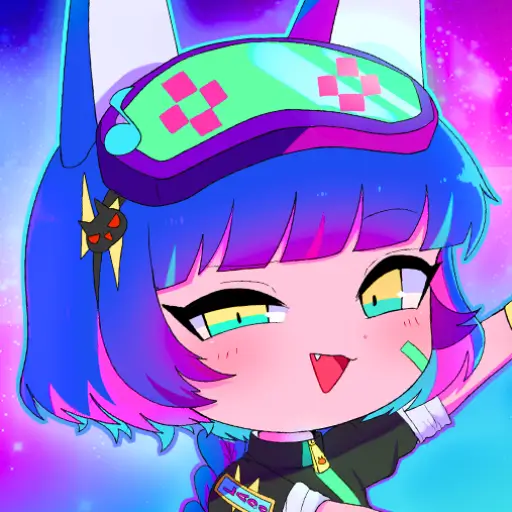
Gacha Club
Similar Games






Description
Introduction
Build your dream anime squad in Gacha Club online—free, fast, and fun right in your browser.
Create cute chibi avatars, dress them up with thousands of outfits, and craft mini stories with Studio Mode scenes and poses.
It’s popular because kids can customize everything—hair, eyes, colors, pets, and backgrounds—then share their OCs like real creators.
Ready to play? Tap Play on gogamego.io to start instantly—no downloads, no sign-ups, just pure Gacha fun.
Want Gacha Club unblocked? You can play at school, home, or on the go with our ad-light experience and smooth performance.
Works on mobile, tablet, PC, and Chromebook, so your team and outfits follow you everywhere.
- Play Gacha Club free & unblocked in your browser—no download.
- Create your OC with outfits, hairstyles, colors, props, pets, and backgrounds.
- Studio Mode for scenes & poses, plus Battle Mode and quick mini-games.
- Perfect for fans of Gacha Life looking for deeper customization and new team battles.
Jump in now and start your first gacha pull, style your squad, and show off your best looks on gogamego.io.

What Is Gacha Club?
Gacha Club is a colorful anime-style game developed by Lunime, the same studio behind popular titles like Gacha Life and Anime Gacha. Known for creating kid-friendly, creative experiences, Lunime designed Gacha Club as a bigger, better sequel that combines character customization, storytelling, and light RPG battles into one free package.
The game was officially released in 2020 for Android, iOS, and PC. Since launch, it has received community-driven updates that fixed bugs, expanded customization features, and added smoother gameplay for both mobile and desktop players. Even years later, it continues to attract millions of kids who love its mix of dress-up, roleplay, and strategy.
What makes Gacha Club unique is the endless customization. Players can choose hairstyles, eye shapes, outfits, accessories, pets, and backgrounds, then create full stories using Studio Mode. Unlike most dress-up games, it also adds Battle Mode, where you form squads and fight monsters in turn-based encounters—keeping the gameplay exciting beyond creativity.
It’s trending because kids and teens share their original characters (OCs) and mini-movies across YouTube, TikTok, and Instagram, building a global Gacha community. The mix of self-expression, anime art style, and social sharing makes it more than just a game—it’s a creative playground where players become storytellers.
That’s why on gogamego.io, Gacha Club remains one of the most loved and searched-for titles, perfect for kids looking for unblocked Gacha games they can play anytime, anywhere.
Gameplay Overview
How to Play
In Gacha Club, the main objective is simple yet exciting—collect characters, style them with thousands of outfits, and battle with your squad in fun team modes. Kids love the freedom of creating original characters (OCs) and then testing their strength in battles or mini-games.
You start by picking from over 180 characters. Each battle you win and each mini-game you clear earns you gems and rewards that unlock even more outfits, pets, and backgrounds. The progression system keeps players motivated: leveling up characters makes them stronger, unlocking new moves and team strategies.
The game blends creativity and competition—whether you prefer dressing up chibi characters in Studio Mode or building a dream team for turn-based battles, there’s always something new to explore.
Controls
On PC or laptop, 1-player mode is controlled with simple clicks: select your actions, swap outfits, or drag items onto your character. Arrow keys and mouse clicks work perfectly for navigation and battles.
If you’re playing on mobile or tablet, touch controls make everything smooth: tap to choose outfits, swipe to move through menus, and tap to attack during battles. No complicated setup—just quick, responsive controls for kids of all ages.
For 2-player battles on shared screens, each player takes turns picking moves, adding a fun challenge between friends or siblings.
Pro Tips
- Save gems for rare character summons instead of spending them too quickly.
- Mix pets with characters for extra buffs in battles.
- Use Studio Mode to practice poses and learn character personalities before battling.
- Upgrade characters evenly so your whole team stays balanced, not just one hero.
- Combine attack types—pair magic with melee for powerful combos.
- Replay mini-games daily for fast rewards and extra gems.
- Experiment with outfits—some hidden combinations unlock surprise effects.
- Keep backups of your favorite OCs so you don’t lose progress if you reset.
- Watch enemy patterns during battles—timing attacks makes the difference.
- Stay creative—half the fun of Gacha Club is designing characters that reflect your imagination!
With these tips, your Gacha journey on gogamego.io becomes smoother, more creative, and way more fun.
Gameplay Overview
How to Play
Gacha Club is all about creating your dream squad and exploring different ways to play. The main objective is simple: customize your characters, build a powerful team, and enjoy battles, mini-games, and Studio Mode storytelling.
You start by designing your own OC (Original Character) with hairstyles, outfits, and colors. Once your squad is ready, you can enter Battle Mode where your team fights enemies in turn-based combat. Winning fights gives you gems, gold, and experience points, which you can use to unlock even more items and characters.
The progression system is steady and rewarding. Characters level up as you play, unlocking stronger attacks and better stats. The more you play, the more gear, outfits, and pets you can collect. Rewards like gems are also earned from mini-games, giving you extra chances to expand your collection.
Controls
On PC, 1-player mode uses the mouse and keyboard. Click through menus, drag outfits, and select battle options easily. For shared 2-player gameplay, kids can take turns on the same device, making it fun for siblings and friends.
On mobile or tablet, touch controls are smooth and simple. Tap to dress up characters, swipe to scroll through menus, and tap again to choose attacks in battle. It’s designed for quick, easy play anywhere.
Pro Tips
- Save gems for premium summons to unlock rare characters faster.
- Balance your squad with magic, defense, and attack types for stronger battles.
- Replay mini-games daily to farm extra gold and gems quickly.
- Upgrade evenly so your whole team stays strong instead of just one hero.
- Experiment in Studio Mode—story scenes help you learn character personalities.
- Mix pets and outfits to boost stats and add unique bonuses.
- Watch enemy patterns—predicting attacks makes winning battles easier.
- Keep backups of your favorite characters so you don’t lose progress.
Follow these tips on gogamego.io to master Gacha Club and enjoy every feature the game has to offer!
Key Features
Gacha Club is packed with exciting features that make it one of the most loved anime-style games for kids worldwide. Here are the highlights:
- Extensive Character Customization – Choose from hundreds of hairstyles, eyes, clothes, and colors. Kids can design unique OCs that reflect their imagination, making each character one-of-a-kind.
- Studio Mode – Create scenes with your characters using poses, backgrounds, and props. This mode lets players tell stories, make skits, or even design their own mini comics.
- Battle Mode – Form a team of heroes and fight monsters in turn-based battles. It adds strategy and action, giving kids a goal beyond dress-up fun.
- Mini-Games – Play quick challenges like Usagi vs Neko to earn gems and rewards. These mini-games keep gameplay fresh and provide easy ways to level up faster.
- Pets & Companions – Collect cute pets that fight alongside your team. They add power boosts and make battles more exciting.
- Unblocked & Free Access – On gogamego.io, kids can play Gacha Club unblocked at school or home without downloads, making it accessible anytime.
- Cross-Platform Play – Works on PC, tablet, mobile, and Chromebook, so kids can switch devices without losing fun.
These features make Gacha Club more than just a dress-up game—it’s a full creative world where kids can play, create, and share freely.
Game Modes
Gacha Club offers a variety of modes that keep the game fresh and exciting for every type of player. Whether you enjoy solo adventures or playing with friends, there’s always something fun to explore.
Solo Mode
In Solo Mode, players build a squad and take on enemies in turn-based battles. Difficulty increases as you progress, but the rewards—like gems, gold, and new outfits—make it worth the challenge. It’s a perfect way for kids to train their characters, experiment with team setups, and earn resources for more customization.
Multiplayer Mode
While Gacha Club doesn’t have traditional online matchmaking like other games, the community often creates competitions by sharing OCs and battle strategies on platforms like YouTube and TikTok. Players compare their team builds and showcase creativity, creating a unique “indirect multiplayer” experience.
Local Co-op
For siblings or friends sharing a device, local play adds fun variety. Players can take turns choosing attacks, testing team combinations, or challenging each other in friendly battles. It’s simple to set up pass the device back and forth, making it an easy way to enjoy the game together.
Tournament & Seasonal Modes
Although there are no official tournament systems, the Gacha community frequently hosts fan-made events and seasonal challenges. These tournaments often reward creativity over raw power, encouraging kids to design original characters or tell stories in Studio Mode. It keeps the game active and social, even without built-in seasonal modes.
With these modes, Gacha Club on gogamego.io offers both endless solo fun and ways to connect with friends and the wider Gacha community.
Characters & Customization
Characters
Gacha Club features a huge roster of characters, each with their own unique look and personality. Here are a few fan favorites:
- Luni – The mascot of Lunime, Luni often appears as a playful guide in the game. With bright hair and cool outfits, he’s a symbol of the Gacha world.
- DJ Clover – Known for her green theme and music-loving style, Clover adds energy and creativity, perfect for kids who enjoy rhythm and fun aesthetics.
- Ramunade – A pastel-themed character with a bubbly personality, loved by players for her soft, candy-like designs and cheerful energy.
- Gacha Wolf – A mysterious and edgy character with wolf ears and sharp outfits, popular among fans who like darker, anime-inspired vibes.
- Moca – A cute and sweet character with a coffee-inspired style, showing Lunime’s fun mix of quirky and adorable themes.
Customization
What makes Gacha Club truly shine is its endless customization system. Players can modify almost every detail, including:
- Outfits – From school uniforms to fantasy armor, choose from hundreds of clothing options.
- Colors – Change hair, eyes, clothes, and accessories with a full spectrum of color choices.
- Moves & Animations – Assign custom poses, emotes, and battle actions for dynamic characters.
- Gear & Weapons – Equip swords, staffs, or fun props to match your OC’s story.
- Upgrades – Level up your characters in battles to unlock stronger abilities and new outfits.
This level of personalization makes every OC unique, letting kids turn their imagination into living, animated characters on gogamego.io.
Special Moves & Combos
In Gacha Club, battles become much more exciting thanks to a variety of special moves and combos. Each character has unique skills that can be combined strategically to defeat enemies faster. Here are some of the most effective moves and how to use them:
- Energy Slash – A powerful sword strike that deals heavy damage. Best used at the start of a combo to weaken tougher enemies.
- Magic Burst – Launches an elemental attack (fire, water, or lightning). Pair this with Energy Slash for maximum impact against high-defense opponents.
- Healing Light – Restores HP to your squad. Use it strategically when your team is low on health instead of waiting until the last second.
- Shield Guard – Raises your team’s defense for a few turns. Activate this before facing bosses or when enemies prepare a strong attack.
- Pet Assist – Summons a companion to deal bonus damage. Pets often provide status boosts, so combine this with offensive moves for stronger effects.
- Ultimate Blast – A high-energy finisher that deals damage to multiple enemies. Save this for the final stage of battles when facing groups.
- Stun Combo – A series of quick hits that can paralyze enemies temporarily. This gives your squad extra turns to attack safely.
- Elemental Chain – Linking fire, water, wind, and earth moves in one sequence for a massive bonus. Perfect for advanced players who plan battles carefully.
The secret to winning in Gacha Club battles is timing and synergy. Combine defensive moves like Shield Guard with offensive skills such as Magic Burst, and save Ultimate Blast for tough stages. Mixing pets and elemental chains ensures your team stays strong in every fight on gogamego.io.
Tips & Tricks
Mastering Gacha Club takes more than just customizing characters—you’ll need smart strategies to win battles, collect rewards, and keep your squad balanced. Here are some powerful tips to help you get ahead:
- Save your gems for premium summons instead of spending them on small upgrades—you’ll unlock rare characters faster.
- Balance your team by mixing attackers, defenders, and healers. A well-rounded squad performs better than stacking only damage dealers.
- Upgrade gradually—spread resources across your squad so no single hero is left weak.
- Replay mini-games daily to farm gems and gold quickly without grinding battles endlessly.
- Use elemental advantages—fire beats wind, wind beats water, water beats fire. It boosts your attack power in battles.
- Activate Shield Guard early in tough fights to avoid losing too much HP at once.
- Save Ultimate moves for bosses or enemy waves, not small battles—you’ll maximize their value.
- Experiment with pets—different companions offer buffs like higher defense, critical hits, or healing support.
- Customize outfits for clarity—distinct colors help you spot key characters quickly in large battles.
- Use Studio Mode practice to test animations and moves before entering battles.
- Watch enemy patterns—many enemies repeat attacks, so that you can plan defenses ahead of time.
- Back up your OCs so you never lose progress when switching devices.
By following these tricks, you’ll unlock rewards faster, win more battles, and enjoy everything Gacha Club has to offer on gogamego.io.
Platforms & Technology
Gacha Club runs smoothly on almost every device, making it perfect for kids who want to play anywhere. On gogamego.io, the game works directly in your browser, with no downloads needed. It’s fully compatible with Chrome, Firefox, Safari, and Edge, so whether you’re on a PC, Mac, or Chromebook, the experience stays seamless.
Mobile gameplay feels quick and touch-friendly—ideal for tablets and smartphones—while desktop play offers more screen space for Studio Mode storytelling and detailed customization. Both platforms sync easily, so players can switch without losing progress.
Built on HTML5 and WebGL, the game delivers smooth graphics and fast loading times without extra plugins. These technologies ensure that animations, battles, and character designs run fluidly even on lower-end devices.
Performance tip: For the best experience, close background apps and keep your browser updated. On mobile, lowering screen brightness and using Wi-Fi instead of mobile data helps the game load faster and run longer without draining the battery.
This makes Gacha Club unblocked on gogamego.io a reliable and fun option anytime, anywhere.
Can I Play Gacha Club Unblocked?
Yes! You can play Gacha Club unblocked right here on gogamego.io. Many schools and workplaces block gaming sites, but our platform is designed so kids and teens can enjoy their favorite anime-style game without restrictions.
That means whether you’re at school, work, or home, you can open your browser, tap play, and jump straight into the fun. No firewalls, no extra steps—just instant access to character creation, battles, and Studio Mode.
Even better, no downloads are required. You don’t need to install apps or worry about storage space on your device. The game runs online with smooth performance on PC, tablet, mobile, and Chromebook.
On gogamego.io, we also keep the experience ad-light, so kids can focus on creating and playing without endless interruptions. It’s the easiest and safest way to enjoy Gacha Club free & unblocked, anytime and anywhere.
Similar Games
If you enjoy Gacha Club, there are plenty of other fun, creative, and kid-friendly games on gogamego.io that offer similar excitement. Here are some favorites:
- Gacha Life – The original Lunime classic where players can customize characters, dress them up, and explore different skits and mini-games. Perfect if you want to experience where the Gacha universe began.
- Anime Dress Up – A colorful game that focuses on designing anime characters with tons of outfit and style options. Great for kids who love pure creativity and fashion design.
- Chibi Maker – Build adorable chibi characters with big eyes and tiny bodies. With simple controls and endless outfits, it’s perfect for younger kids or anyone who enjoys cute art styles.
- Pastel Friends – A relaxing dress-up and scene-creation game where you design pastel-colored characters and backgrounds. Ideal for players who enjoy calm, aesthetic vibes.
- Princess Maker – Customize your own princess with dresses, crowns, and magical accessories. Kids who love fantasy themes will find this game enchanting.
- Gacha Studio – Another Lunime favorite that mixes dress-up with story creation. Players can design characters, put them into scenes, and share mini-movies just like in Gacha Club.
These games keep the same spirit of creativity, storytelling, and fun customization—making them perfect choices for Gacha fans looking for more adventures.
Game History & Updates
Gacha Club was officially released in June 2020 by Lunime, following the massive success of Gacha Life. The release marked a big step forward for the series, introducing new battle mechanics, deeper customization, and improved graphics. Fans quickly embraced it as the ultimate upgrade to the Gacha experience.
Since launch, Lunime has rolled out important patches and updates to fix bugs, improve stability, and polish gameplay across PC, Android, and iOS. Updates brought smoother animations, better performance on lower-end devices, and additional customization options that gave players even more creative freedom. While the game hasn’t had a major expansion, small fixes and adjustments continue to keep it accessible and fun.
The community growth has been extraordinary. Millions of kids and teens worldwide create OCs (original characters) and share them on YouTube, TikTok, and Instagram. Entire channels are dedicated to Gacha skits, mini-movies, and tutorials, making the game more of a cultural phenomenon than just a dress-up RPG. Fan contests, collabs, and seasonal trends keep the game alive and trending even years after release.
As for the future roadmap, Lunime has hinted at possible new features in future Gacha projects, though nothing official has been confirmed for Gacha Club itself. Still, with its strong fanbase and creative community, the game continues to thrive, inspiring kids to express themselves and build stories in unique ways.
That’s why Gacha Club remains one of the most beloved titles on gogamego.io, with no signs of slowing down.
FAQ Section
Is Gacha Club free to play?
Yes! Gacha Club is 100% free to play on gogamego.io. You don’t need to pay, download, or sign up; open the game and start creating.
Can I play Gacha Club unblocked at school?
Absolutely. On our site, Gacha Club unblocked works at school, home, or anywhere, so kids can play without restrictions or blocked access.
What devices can I use?
You can play on PC, Mac, Chromebook, tablets, and smartphones. The game is built with HTML5 and WebGL, so it works smoothly on all modern browsers.
Does Gacha Club have online multiplayer?
No official multiplayer, but the community shares battles, OCs, and stories online. Kids often join challenges or roleplay through social platforms like TikTok or YouTube.
Are there ads in Gacha Club?
On gogamego.io, the game is ad-light, meaning kids won’t be interrupted constantly. The focus stays on creativity and gameplay.
How do I unlock more characters?
You earn gems and gold through battles and mini-games. These rewards let you summon and upgrade more characters for your squad.
Can I save my progress?
Yes, your progress saves in the browser or app version, depending on your device. Always back up your favorite OCs to avoid losing them.
Is Gacha Club safe for kids?
Yes. The game is designed for kids and teens, with no violence or inappropriate content—just dress-up, storytelling, and light battles.
What’s the difference between Gacha Life and Gacha Club?
Gacha Life focuses more on dress-up and skits, while Gacha Club adds battles, pets, and deeper customization. It’s the upgraded version many fans prefer.
Do I need to download Gacha Club?
No, not on gogamego.io. You can play Gacha Club online free without any download or installation.
Conclusion
Gacha Club is more than just a dress-up game—it’s a complete creative playground. With endless customization, fun battle modes, and interactive mini-games, kids can design original characters, build teams, and tell unique stories. The mix of fashion, strategy, and roleplay makes it one of the most popular anime-style games worldwide.
On gogamego.io, you can enjoy Gacha Club free and unblocked with no downloads, no sign-ups, and minimal ads. Whether you’re playing at school, home, or on mobile, the game runs smoothly thanks to its HTML5 and WebGL technology. It makes it accessible, safe, and fun for kids everywhere.
The community keeps the game alive with shared OCs, mini-movies, and challenges, so there’s always something new to inspire your imagination. With pets, outfits, weapons, and endless color options, you’ll never run out of ways to express yourself.
Now it’s your turn! Jump into Gacha Club on gogamego.io, create your dream squad, and start telling stories today. The stage is yours—unleash your creativity and let your characters shine.
2 Player Comments
I want a play
🙂