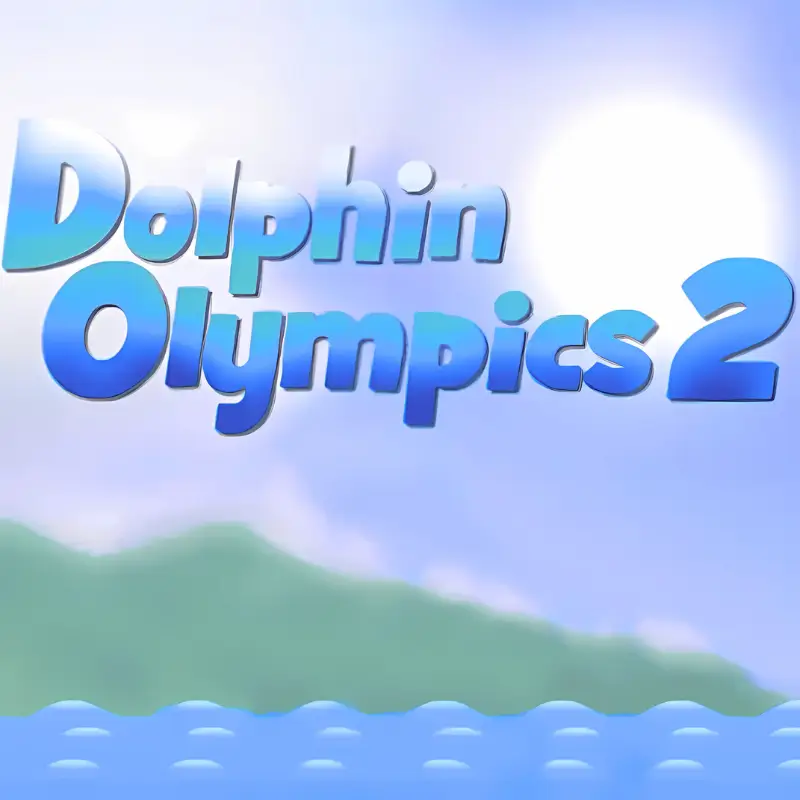
Dolphin olympics 2
Similar Games



Description
Introduction
Make a splash with Dolphin Olympics 2—the jump-and-flip classic where every leap feels bigger than the last.
Swim fast, rocket out of the water, chain flips, and dive back in for huge combo points. It’s easy to start, exciting to master, and perfect for quick fun or chasing a new high score.
Play instantly on gogamego.io. It’s free, browser-based, and unblocked so you can enjoy it at school, home, or on the go—no download needed.
Ready to fly past the clouds and reach the stars? Tap Play and see how high your dolphin can go today.
- Why kids love it: simple controls, fast runs, huge jumps, shiny star gates, and “one more try” scores.
- Why it’s popular: smooth physics, satisfying flip chains, and endless ways to beat your best distance and height.
- Great for quick breaks: short rounds, instant restarts, and pure arcade fun without waiting.
- Left/Right Arrows: Steer your dolphin mid-air and underwater.
- Up Arrow: Swim upward quickly.
- Down Arrow: Dive deeper or prepare for a strong launch.
- Always enter the water at a smooth angle—clean entries give huge speed boosts.
- Chain flips together in one jump to multiply your score.
- Swim downward before a big jump to gain momentum for higher launches.
- Pass through star gates in the sky for bonus points and cosmic pathways.
- Keep an eye on time—maximize combos before the clock runs out.
- Practice small jumps first to perfect timing before going for space runs.
- Experiment with different spin speeds—too fast or too slow lowers your score.
- Use dives strategically: a deep dive before surfacing creates a rocket-like launch.
- Stay calm when chasing records; rushing often leads to bad landings.
- Challenge friends by comparing high scores—competition keeps the game exciting.
- Classic Dolphin: The original silver-blue dolphin, agile and perfectly balanced for flips and dives.
- Golden Dolphin: A rare skin that glows underwater, representing mastery and high achievement.
- Rainbow Dolphin: A vibrant, color-shifting dolphin that leaves a sparkling trail in the sky.
- Shark Mode: A tougher, heavier version for players who want a bigger challenge in controlling jumps.
- Cosmic Dolphin: Designed for space explorers, this variant shines with starlight and is popular for long cosmic runs.
- Colors & Skins: Choose from a wide palette or unlock new skins by reaching score milestones.
- Outfits & Accessories: Fun hats, sunglasses, and tiny costumes give the dolphin personality and charm.
- Moves & Tricks: Advanced editions allow custom flips or faster spins, rewarding skilled play.
- Gear & Power-ups: Add-ons like speed boosters or glowing trails can enhance performance and style.
- Upgrades: Some fan modes let players upgrade speed, jump height, or spin control, making progression more exciting.
- Front Flip: Spin forward while airborne. Easy to learn, this move is a great starter trick for building confidence and chaining combos.
- Back Flip: Rotate backward in the air. Slightly harder to land cleanly but rewards more points when combined with other flips.
- Double Flip: Perform two rotations in one jump. Requires strong speed before launch. Best used after a deep dive for momentum.
- Tailslide: Land on the water surface and skim with your tail before diving back in. It extends combo chains and gives extra flair.
- Perfect Dive: Enter the water cleanly at the right angle. Not only does it score higher, but it also gives a crucial speed boost for the next jump.
- Star Gate Jump: Launch through glowing gates in the sky. These bonus boosts send you soaring higher while stacking extra points.
- Space Leap Combo: Chain multiple flips into a gate jump, then rocket into the stars. It’s the ultimate move for unlocking cosmic paths.
- 1. Master Clean Entries: Enter the water at a sharp angle to gain maximum speed for your next launch.
- 2. Build Momentum Early: Start with smaller flips in the first few seconds to stack speed before going for big jumps.
- 3. Use Deep Dives: The deeper you dive before surfacing, the more explosive your launch will be.
- 4. Chain Combos: Don’t waste jumps on single tricks—combine flips, twists, and smooth dives for higher multipliers.
- 5. Hit Star Gates: Passing through glowing gates adds bonus speed and opens the path to space exploration.
- 6. Time Your Spins: Spin too fast and you’ll lose balance; too slow and you’ll miss extra flips. Practice the rhythm.
- 7. Land Tailslides: Skimming on your tail adds bonus points and keeps combos alive longer.
- 8. Watch the Timer: The game ends fast—prioritize big score combos in the final seconds.
- 9. Practice Controlled Jumps: Don’t always go for maximum height—shorter jumps help refine technique.
- 10. Learn Recovery: Messed up a landing? Dive quickly to regain speed instead of wasting time floating.
- 11. Space Runs: Once you reach the upper atmosphere, keep chaining flips to extend flight time.
- 12. Compete with Friends: Comparing scores adds motivation and makes you push for cleaner, higher combos.
- Run 3: A gravity-defying runner set in space. Guide your character through endless tunnels, switching walls and ceilings to survive longer and beat your best distance.
- Learn to Fly 2: Help a determined penguin master flight using ramps, gliders, and rockets. Perfect for players who enjoy upgrading gear and chasing records, just like Dolphin Olympics fans.
- Happy Wheels: A physics-based adventure full of wild vehicles, obstacle courses, and hilarious crashes. It’s more chaotic but equally addictive in terms of replayability.
- Papa’s Freezeria: A casual yet challenging time-management game where you run an ice cream shop. While less about stunts, it shares the same quick-play charm.
- Slope: A 3D endless runner where you guide a ball down neon tracks at high speeds. Reflexes and momentum are key, much like in Dolphin Olympics 2.
- Toss the Turtle: Launch a turtle with cannons and weapons to see how far it can travel. Combos and upgrades make it another score-chasing favorite.

What Is Dolphin Olympics 2?
Dolphin Olympics 2 is a browser-based arcade game created by developer Alan Rawkins. It first made waves back in 2006 as the sequel to the original Dolphin Olympics, and it quickly became a cult favorite among kids and casual gamers alike. The game has stood the test of time because of its simple mechanics paired with deep scoring possibilities—every jump and flip feels rewarding, no matter how many times you’ve played.
Unlike most short-lived Flash titles of its era, Dolphin Olympics 2 has been kept alive thanks to its compatibility with modern browsers through HTML5 and emulator support. Over the years, players have shared their scores, strategies, and flip combos online, which has only fueled its popularity. Updates and community-driven high score challenges made it more than just a one-time play—it became a competitive playground for friends worldwide.
The unique appeal lies in its mix of accessibility and mastery. With just the arrow keys, players can perform spins, front flips, and dives, but chaining them together perfectly takes practice. The thrill of launching your dolphin beyond the clouds—or even into space—creates a moment that keeps everyone coming back.
Today, Dolphin Olympics 2 is trending again because of nostalgia, school-safe access, and the fact that it’s unblocked on sites like gogamego.io. Kids, teens, and even adults rediscover the joy of chasing stars, swimming through gates, and pushing their high scores higher than ever before.
Gameplay Overview
How to Play
In Dolphin Olympics 2, your main goal is simple yet addictive: control your dolphin, leap out of the water, perform flips, and dive back in smoothly to build momentum. Each successful trick increases your score, and chaining moves together unlocks higher combos and bonus points. The better your entry into the water, the faster your dolphin swims, letting you launch higher and farther on the next jump.
The game doesn’t have fixed levels like a platformer. Instead, it’s based on performance goals—how far you can swim, how many flips you land, and whether you can reach outer space or slide down Saturn’s rings. These milestones act as rewards, encouraging players to push their limits and replay again and again.
Controls
Keyboard (1-Player):
Keyboard (2-Player Mode): While the classic version is single-player, some remakes and mods allow two-player fun by splitting controls on the same keyboard. Each player has their own arrow or WASD set for steering and tricks.
Mobile/Touch Controls: On phones and tablets, touch-and-drag mechanics replace the arrow keys. Swiping up launches your dolphin, swiping down dives, and tilting left or right controls spin direction. These simplified controls make the game smooth for mobile play.
Pro Tips
Key Features
1. Smooth Physics Engine: Every flip, dive, and launch feels natural thanks to realistic underwater and aerial physics. This makes each move satisfying and helps players improve their timing for higher scores.
2. Score-Chaining Combos: By linking multiple flips and twists in one jump, players unlock bigger combo multipliers. This keeps the gameplay exciting and rewards skillful play with massive point boosts.
3. Cosmic Exploration: Unlike many arcade games, Dolphin Olympics 2 lets you break through the atmosphere and soar into space. Reaching planets, stars, or even Saturn’s rings creates a sense of wonder that keeps kids hooked.
4. Time-Based Challenges: Each run lasts a set time, pushing players to maximize points quickly. This adds replayability since every second counts and motivates players to beat personal bests.
5. Simple Controls: With just arrow keys or swipes, anyone can play instantly. The benefit is accessibility—kids, casual players, and even parents can enjoy it without needing tutorials.
6. Star Gates & Bonuses: Passing through glowing gates in the sky boosts speed and opens cosmic routes. These rewards make exploration more fun and give extra incentives for mastering high jumps.
7. Instant Restart: After a round ends, players can immediately try again. The quick reset keeps frustration low and makes it perfect for short breaks or long play sessions.
8. Free & Unblocked Play: Available on gogamego.io with no downloads, it’s safe for school and home. Kids can jump in anytime without barriers, making it one of the most accessible online games today.
Game Modes
Solo Mode: The heart of Dolphin Olympics 2 is its single-player mode. Here, you control your dolphin with simple arrow keys or touch swipes and aim to score as many points as possible within the time limit. The challenge comes from mastering smooth landings and chaining flips to build momentum. Rewards include unlocking cosmic paths, reaching new heights, and setting personal high scores. The beauty of Solo Mode lies in its replay value—every attempt feels different, and each run is a chance to improve your timing and combos.
Multiplayer Mode: While the original game was designed as a solo experience, community versions and browser remakes have experimented with online multiplayer. These versions introduce matchmaking systems where players compete side by side for the highest score. The competitive edge adds excitement, pushing players to master their tricks faster and cleaner.
Local Co-op: Some adaptations allow two players to share one keyboard—one using the arrow keys and the other using WASD. This makes it a fun couch co-op experience where friends or siblings can compete in the same room. The benefit is instant fun without setup— jump in and see who can soar higher or score better.
Tournament & Seasonal Modes: While not part of the original release, many modern hosts and communities organize score-based tournaments. Players submit their highest runs during a set season, and winners gain bragging rights or community rewards. This gives Dolphin Olympics 2 a fresh, competitive twist that keeps it trending even years after its release.
Characters & Customization
Characters
Unlike many story-driven games, Dolphin Olympics 2 keeps its focus on the star of the show: the dolphin. However, fan communities and remakes have introduced playful variations to make the experience more colorful. Here are a few popular dolphin “skins” often added in modern adaptations:
Customization
While the original game didn’t offer deep customization, modern browser-hosted versions and fan edits often introduce ways to personalize your dolphin. These features keep the gameplay fresh and appealing for kids who love creative control:
These creative options make Dolphin Olympics 2 not just about high scores, but also about expressing your own style in the ocean and beyond.
Special Moves & Combos
Dolphin Olympics 2 may look simple at first, but mastering its special moves and combos is the real key to climbing the leaderboard. Every trick you pull off adds style, points, and momentum, letting you reach new cosmic heights. Here are the most important moves and how to use them:
Strategy Tip: Always mix flips with clean dives. A sloppy landing ruins speed, but a perfect entry multiplies your next trick’s potential. Combine flips → tailslide → star gate jump for one of the highest scoring patterns in the game.
Tips & Tricks
Becoming a pro at Dolphin Olympics 2 takes more than just random flips—it’s all about timing, precision, and knowing the right tricks to maximize points. Here are 12 expert tips to help you climb the scoreboard and reach the stars:
Follow these strategies, and soon you’ll be soaring past clouds, stars, and maybe even Saturn’s rings!
Platforms & Technology
Dolphin Olympics 2 was originally a Flash game, but today it’s playable on modern browsers thanks to HTML5 and WebGL support. It ensures smooth performance across Chrome, Firefox, Edge, and Safari without needing extra downloads or plugins.
Desktop vs Mobile: On desktop, players enjoy precise control using arrow keys, which makes chaining flips and dives easier. On mobile, touch and swipe controls replicate the same experience, making it portable on tablets or smartphones. Both versions run equally well, though desktops offer slightly sharper response times for advanced tricks.
Performance Tips: Close extra browser tabs to reduce lag, play in full-screen mode for better focus, and use a stable internet connection to avoid stutters. Since the game is lightweight, even mid-range devices can run it flawlessly, making it accessible anywhere kids want to play.
Can I Play Dolphin Olympics 2 Unblocked?
Yes! You can play Dolphin Olympics 2 unblocked directly on gogamego.io without restrictions. Because it’s a browser-based game, there are no downloads, no installs, and best of all—no ads interrupting your jumps and combos.
This makes it perfect for enjoying at school during breaks, sneaking in a quick round at work, or relaxing at home. Many kids and teens love it because it’s school-safe, and parents appreciate that it runs smoothly without hidden pop-ups or risky links.
Whether you’re chasing new high scores, aiming for space, or just practicing flips, Dolphin Olympics 2 online free play is always accessible. open your browser, tap play, and dive right into the fun—unblocked, safe, and ready anytime you are.
Similar Games
If you enjoy the fast-paced flips and high-score chasing in Dolphin Olympics 2, you’ll love these similar browser classics that deliver the same mix of fun, challenge, and replay value:
All of these games, like Dolphin Olympics 2, are browser-based, free, and unblocked on gogamego.io, making them easy to play at school, home, or on the go.
Game History & Updates
Dolphin Olympics 2 was first released in 2006 by indie developer Alan Rawkins as the sequel to the original Dolphin Olympics. It quickly gained popularity across Flash game portals thanks to its simple yet addictive mechanics—launching a dolphin into the sky, chaining flips, and diving back for speed boosts. The game stood out from other Flash titles because of its smooth physics engine and the thrill of reaching outer space, something rarely seen in casual arcade games at the time.
Over the years, Dolphin Olympics 2 didn’t receive official patches or sequels, but it survived through the love of its community. Fans kept the game alive by hosting it on multiple browser sites, especially after the end of Adobe Flash support. Thanks to HTML5 and WebGL conversions, the game remains accessible today, unblocked and free on platforms like gogamego.io.
The community has been a major force behind its longevity. Players compete by sharing high scores online, posting speedrun videos, and even creating fan challenges such as “how far can you reach Saturn’s rings?” or “longest tailslide combo.” This ongoing activity has given the game a second life, even among new players who weren’t around during its original Flash era.
While there’s no official future roadmap from the developer, Dolphin Olympics 2 continues to trend because of nostalgia, community-driven tournaments, and its presence on school-safe gaming platforms. It remains a timeless arcade experience that shows how simple ideas can create lasting memories for generations of players.
FAQ Section
Q1: How do you play Dolphin Olympics 2?
You control the dolphin using arrow keys (or swipes on mobile). The goal is to perform flips, build speed, and dive cleanly into the water to launch higher and earn more points.
Q2: Can I play Dolphin Olympics 2 unblocked at school?
Yes! On gogamego.io, Dolphin Olympics 2 is unblocked and safe for school computers. No downloads or logins are needed, making it perfect for breaks or free periods.
Q3: Is Dolphin Olympics 2 free to play?
Absolutely. The game is 100% free online with no ads, so you can enjoy unlimited runs without interruptions.
Q4: Is the game safe for kids?
Yes, the game is designed for all ages. There’s no violence or inappropriate content, and it’s hosted securely on gogamego.io, making it kid-friendly and parent-approved.
Q5: Can I customize my dolphin?
The original game had only the classic dolphin, but many modern versions feature skins, colors, and fun accessories to make your dolphin unique.
Q6: Does it work on mobile?
Yes. Thanks to HTML5, the game runs smoothly on phones and tablets. Swipe controls replace arrow keys, so you can flip and dive on the go.
Q7: What’s the highest score possible?
There’s no fixed “max score”—players can keep improving by chaining flips, hitting star gates, and reaching space. Community forums often share world-record scores for extra competition.
Q8: Can I play with friends?
While originally single-player, some fan versions add two-player modes or tournaments where friends compete for the best scores.
Conclusion
Dolphin Olympics 2 has earned its place as one of the most beloved browser games of all time. With smooth physics, easy-to-learn controls, and endless ways to push for higher scores, it combines simplicity with surprising depth. Kids and casual players love it for the instant fun, while competitive gamers enjoy mastering flips, chaining combos, and reaching cosmic heights like Saturn’s rings. Best of all, it’s free, safe, and unblocked, making it accessible anywhere—whether at school, work, or home.
The game’s timeless charm comes from its ability to keep players coming back for “just one more run.” Every attempt feels different, with new opportunities to discover tricks, improve landings, and chase record-breaking scores. Add in community challenges and fan-made updates, and it’s clear why Dolphin Olympics 2 continues to trend even years after release.
If you’re ready to test your skills, build momentum, and launch your dolphin into the stars, now is the perfect time. Play Dolphin Olympics 2 online free at gogamego.io—no downloads, no ads, just pure arcade fun waiting for you. Dive in today and see how high you can fly!