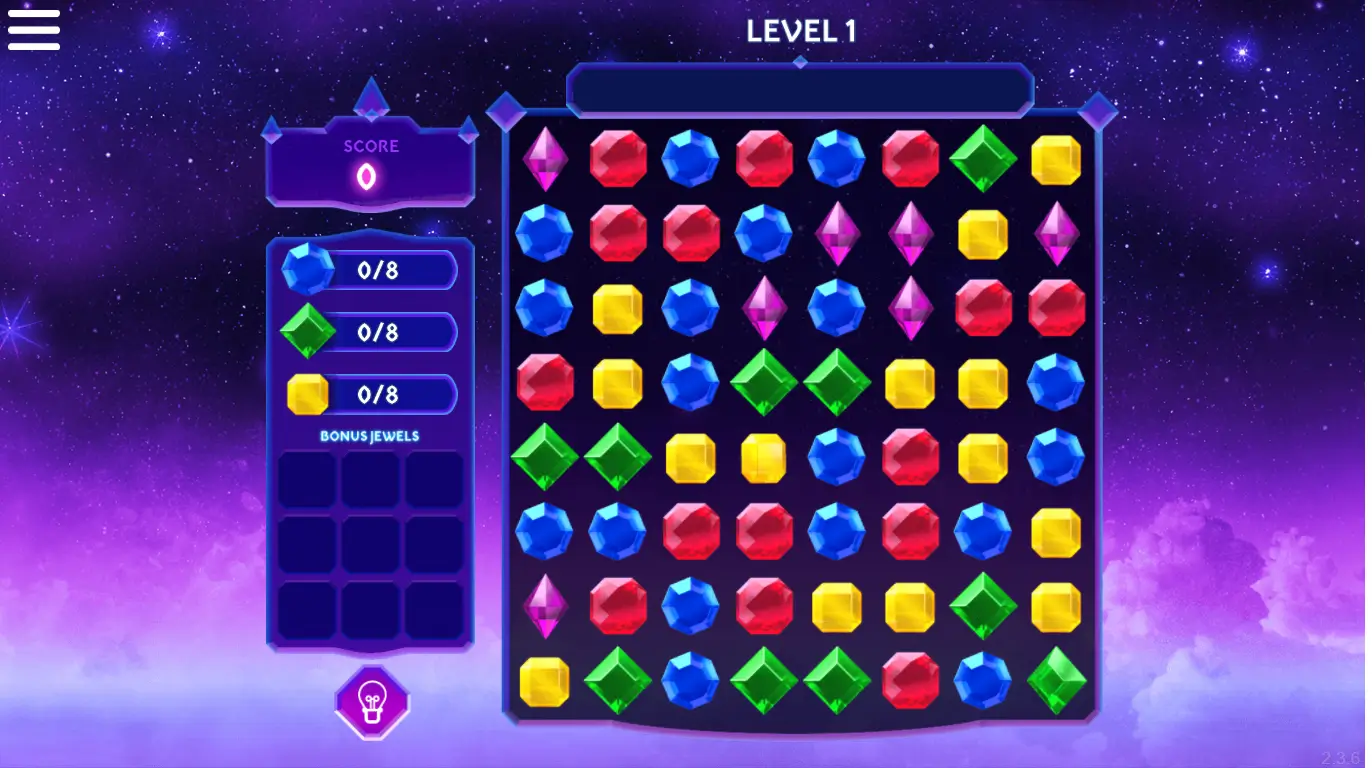






Shimmering gems, crunchy combo chains, and score numbers exploding across the screen — Microsoft Jewel 2 brings the classic match-3 jewel magic to gogamego.io in the brightest way possible.
This family-friendly puzzle adventure is free, unblocked, and ready to play instantly. Kids get to swap sparkling jewels, trigger powerful bonus gems, and chase high scores without needing to download anything.
Because Microsoft Jewel 2 runs right in the browser, players on PC, Chromebook, phone, or tablet can jump in and start matching colorful jewels in seconds.
Hit Play and watch your scoreboard glitter as chains of rubies, sapphires, and emeralds burst across the board!
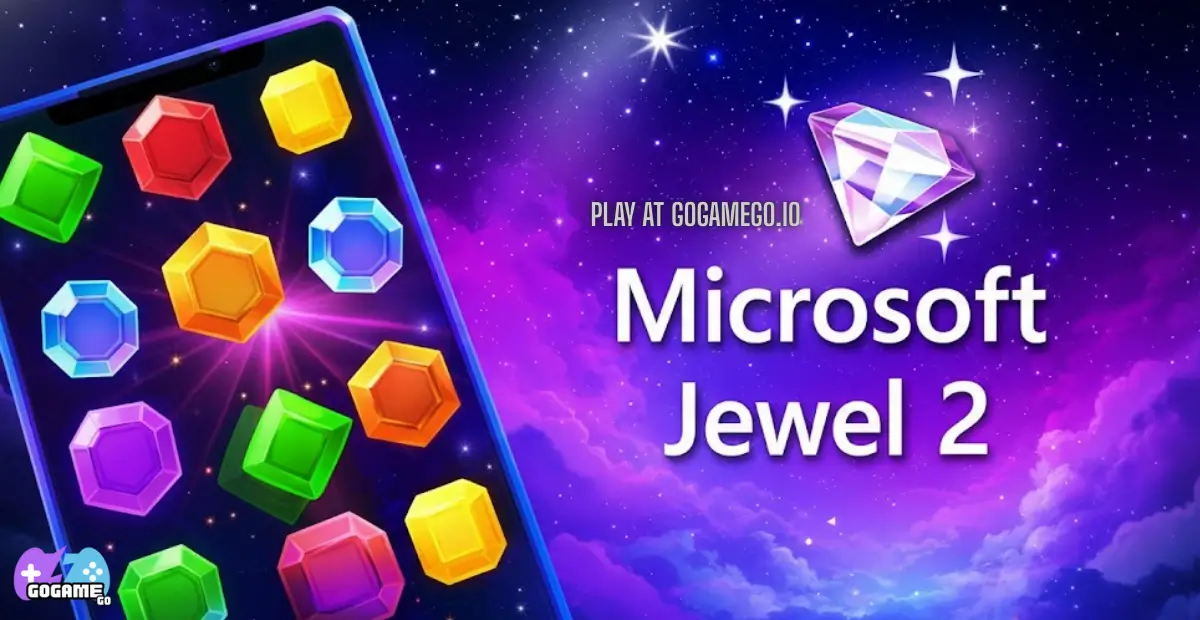
Microsoft Jewel 2 is a bright and brain-tickling match-3 jewel puzzle game where players swap colorful gemstones to clear the board and push their score higher with each satisfying chain reaction. It brings back the classic jewel-matching feel kids love, but with smoother animations, smarter level challenges, and bigger combo explosions.
The game comes from Microsoft’s casual gaming team, known for creating family-friendly titles that run smoothly on browsers and touch devices without tricky installs. Over the years, Microsoft continued refreshing their puzzle lineup, and Microsoft Jewel 2 released as a modern HTML5 update that works on PC, Chromebook, tablet, and mobile without plugins.
New updates introduced cleaner visuals, boosted performance, and extra level goals that encourage thinking ahead rather than just matching quickly. Younger players get instant action and fun colors, while older kids enjoy planning moves, crafting big jewel combos, and discovering bonus gems like line breakers, cross blasts, and super clears.
The unique appeal of Microsoft Jewel 2 is how it blends relaxing gameplay with smart puzzles. It’s fast when you want quick rounds and strategic when you’re chasing big numbers. That balance is a big reason it’s trending again across free browser gaming platforms.
Kids and families also love that it’s free, unblocked, and easy to play during breaks, homework downtime, rainy weekends, and Chromebook sessions—making Microsoft Jewel 2 one of the most shared match-3 puzzles online right now.
Microsoft Jewel 2 is all about matching colorful gems to complete level goals and rack up massive points before you run out of moves. Players swap jewels to make lines of three or more matching colors, which clears them from the board and opens space for new gems to fall in from above.
Each level introduces fresh objectives like collecting specific gem colors, breaking icy tiles, or creating bonus jewels. As players progress, challenges become trickier and require smart planning to create long cascades and explosive combos.
The main objective in Microsoft Jewel 2 is to match gems and complete the level’s goal before your moves run out. Matching three gems clears the row, while matching four or more creates special jewels that explode rows, columns, or entire colors of gems.
Players move through a level-based progression system. Beating a level unlocks the next challenge with new patterns, limited spaces, and more complex puzzles. High scores reward clever moves, quick thinking, and combo chains that multiply points.
Success means balancing fast matches with smart strategy—especially in later levels where certain gem colors are required to win.
Single Player (Browser): Use the mouse to click and drag jewels to swap them.
Single Player (Touch Devices): Tap and swipe jewels to make matches.
Chromebook & Tablet: Touch controls work smoothly for kids without needing a keyboard.
Microsoft Jewel 2 shines with a mix of colorful visuals, addictive match-3 puzzles, and smooth browser performance that makes it perfect for kids and families. Every feature helps players learn strategy, think ahead, and enjoy small victories with every match.
Microsoft Jewel 2 focuses on polished solo puzzle play built around gem matching, score chasing, and completing clever level objectives. Instead of overwhelming players with too many systems, it keeps the match-3 experience clean, fast, and rewarding for all ages.
Solo Mode is the core experience. Players move through level-based puzzles that introduce new board shapes, frozen tiles, color targets, and limited-move challenges. Difficulty ramps up smoothly so younger players learn at their own pace, while older players can chase perfect clears, combo chains, and high score bragging rights. Rewards come from unlocking new levels, discovering stronger power jewels, and reaching personal bests.
Microsoft Jewel 2 doesn’t feature built-in online matchmaking or real-time multiplayer modes. However, kids often create their own friendly competition by comparing scores with friends or trying to beat each other’s highest level on shared devices.
Local “Pass & Play” Style Co-Op naturally works well for family play. One player attempts a level, then passes the device to the next player to see who can finish it with fewer moves or earn the biggest combo. This makes Microsoft Jewel 2 a surprisingly social puzzle game during breaks, car rides, sleepovers, and classroom free time.
While there are no tournament or seasonal modes officially built in, browser platforms often promote Microsoft Jewel 2 during puzzle seasons or holiday periods, which helps keep the game trending across free gaming sites and kids’ puzzle hubs.
While Microsoft Jewel 2 doesn’t use story characters or mascots, players interact with a lively cast of gems and puzzle elements that behave almost like characters in a cartoon. Each jewel and special tile has its own role, personality, and visual style, helping kids easily recognize what to match and when to use power gems for maximum impact.
Kids quickly learn each gem’s personality, which makes the game easier to read and more exciting during big combo explosions.
There are no character outfits or skins in Microsoft Jewel 2, but players can customize their playstyle through strategic choices. Swapping gems differently changes the board layout, cascades, bonus triggers, and how fast goals are completed. Using power gems, planning moves, and saving explosions for late matches lets players “upgrade” their strategy naturally over time.
Microsoft Jewel 2 rewards players for making smart matches instead of settling for basic 3-gem swaps. The game features several special moves that create explosive effects, clear difficult spaces, and supercharge the score meter. Learning how each move works helps kids climb higher levels and build huge combos with fewer turns.
Smart players delay triggering power gems until they can combine them, turning small advantages into huge match-3 victories.
Mastering Microsoft Jewel 2 is all about making the right move at the right time. Even though the controls are simple, there’s a surprising amount of strategy hiding behind each gem swap. These tips help players climb levels faster, break tricky tiles, and push their scores way higher than just matching randomly.
Mixing smart planning with flashy gem explosions is the key to beating tough levels and setting new high score records.
Microsoft Jewel 2 runs directly in the browser, which makes it one of the easiest match-3 puzzle games for kids to jump into without downloads or installs. It works smoothly on modern browsers like Chrome, Edge, Firefox, and Safari.
On desktop and laptop, the game is played with mouse controls and offers more screen space for scanning the board. On phones and tablets, touch controls make swapping jewels feel quick and natural, which is great for younger players.
The game is built with HTML5 and WebGL, allowing colorful jewel animations, shiny explosions, and fast board updates without plugins. Performance stays stable on most devices, especially Chromebooks that schools commonly use.
For best performance, keep one browser tab open, avoid low battery mode, and rotate mobile screens to horizontal if you want extra visibility during tougher levels.
Yes! Microsoft Jewel 2 can be played unblocked right in the browser on gogamego.io. Because the game runs through HTML5 instead of an app store or launcher, kids can enjoy it at school, at home, or even during break time on a Chromebook where many games are usually restricted.
There are no downloads, no installs, and no sign-ups needed to start matching jewels. Just open the page, hit Play, and swap gems instantly. This makes Microsoft Jewel 2 a convenient puzzle game for classrooms, libraries, and family devices where installing software isn’t allowed.
Another bonus is the clean and distraction-free experience. Players can enjoy Microsoft Jewel 2 without getting stuck behind ads, pop-ups, or paywalls interrupting the fun.
If you’ve been searching for a safe, free, and unblocked match-3 jewel game, Microsoft Jewel 2 is one of the best choices available on browser gaming platforms today.
If you enjoy matching sparkling gems and chasing big combos in Microsoft Jewel 2, you’ll find plenty of other kid-friendly puzzle games to love on gogamego.io. Here are some of the best similar games you can play free and unblocked in your browser.
Microsoft Jewel 2 is a fresh take on the classic match-3 puzzle genre, designed to add sparkle and extra strategy to the genre kids and casual gamers love. While exact release details vary by platform, versions of Microsoft Jewel 2 began appearing online around **2022** as a new evolution of the original Microsoft Jewel match-3 game found on MSN and edge games menus.
The game brought modern mechanics such as **Bonus Jewels** and **Challenge Modes** that encourage smart planning and new styles of play. Game designer notes show that early updates focused on polishing these mechanics to make puzzles more engaging and less repetitive as players progress through higher levels.
Over time, puzzle boards have seen tweaks that introduce new colored gems, blockers like rocks, and increasing challenge goals, making each level feel fresh and exciting. As more players discover the game on sites like gogamego.io and casual portals, the community sharing tips and high scores has grown steadily.
While there’s no official long-term roadmap published by Microsoft Casual Games yet, ongoing interest and the match-3 genre’s popularity hint at future content moves, like new challenge modes, seasonal events, or expanded puzzles on browser platforms. Stay tuned for updates as the game continues to sparkle online!
Yes! Microsoft Jewel 2 is completely free to play on gogamego.io with no downloads, sign-ups, or paywalls blocking the fun.
Most schools allow browser-based HTML5 puzzle games like this one. Because it runs in the browser, it works on many Chromebooks where apps can’t be installed.
Yes. The game supports touch controls, making it easy for kids to tap and swipe jewels on iPhone, Android, and tablets.
The best strategies include matching near the bottom, combining special gems, and saving power jewels for tricky board layouts.
Yes. Special jewels like Line Gems, Cross Blasts, and Super Gems clear larger areas and boost your score.
Each level has specific objectives such as collecting gem colors, breaking tiles, or hitting score targets before running out of moves.
There is no real-time multiplayer mode, but players often compete by comparing high scores and level progress with friends.
Absolutely. The game features bright visuals, calm gameplay, and no violent content, making it suitable for kids and families.
No account is required. The game saves progress automatically through the browser as long as cookies are enabled.
Microsoft Jewel 2 shines as one of the most colorful and rewarding match-3 puzzle games you can play right in your browser. Its bright jewels, satisfying power-ups, and clever level goals make it fun for kids and surprisingly strategic for older players who want to chase big combos and high scores.
The game keeps things simple by removing installs, downloads, and account barriers. With support for desktop, Chromebook, tablet, and mobile, players can enjoy the jewel-matching action at home, at school, or during short breaks wherever a browser is available. The combination of relaxing puzzles, brain-teasing strategy, and friendly difficulty curve makes Microsoft Jewel 2 perfect for families and casual gamers alike.
Whether you’re clearing frozen tiles, combining power gems, or planning the perfect chain reaction, every level feels like a fresh challenge waiting to be cracked. If you’ve been searching for a free, unblocked match-3 jewel experience that is easy to learn and rewarding to master, this game is a sparkling pick.
Ready to swap jewels and build your biggest combo yet? Click Play and start your Microsoft Jewel 2 adventure now on gogamego.io!