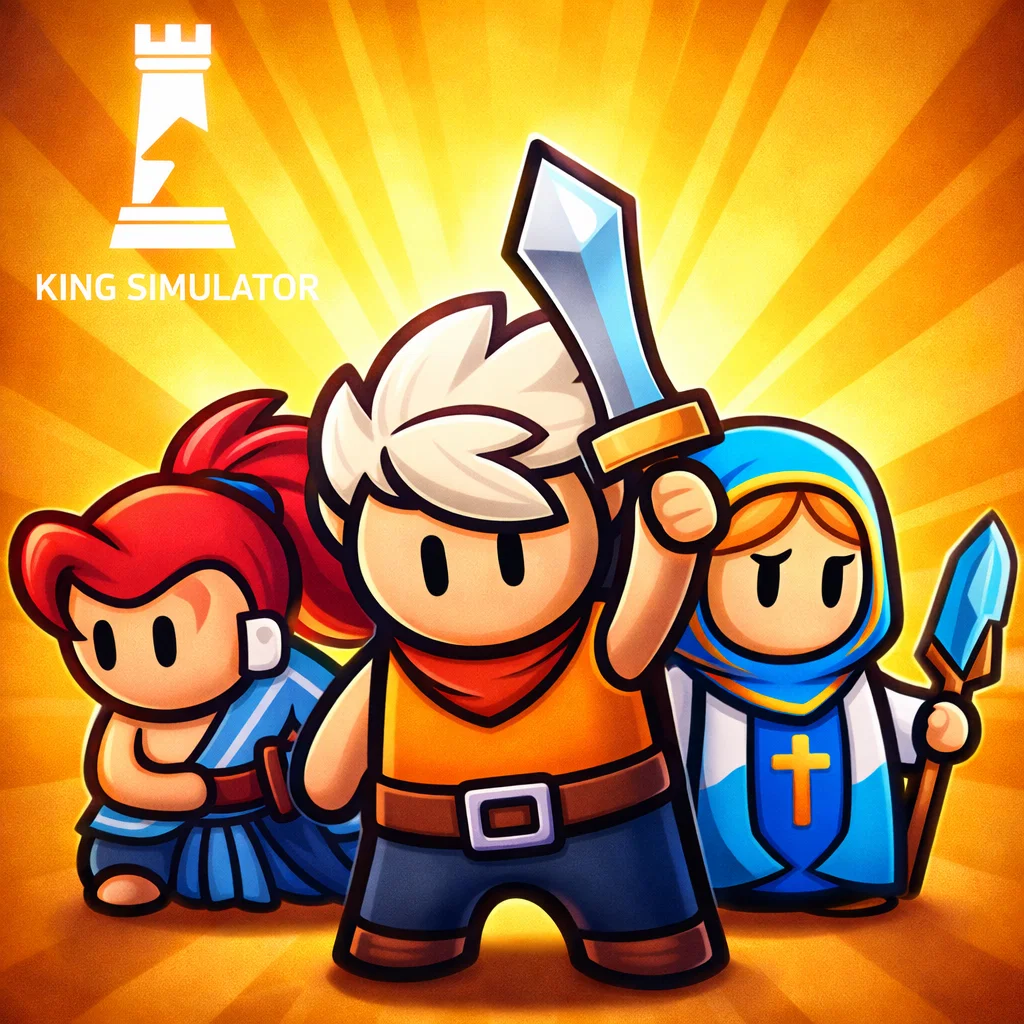
King simulator
Similar Games




Description
Introduction
Step into a magical world where you wear the crown and make the rules in King Simulator, a fun and exciting game made especially for young players.
This king simulator game lets you build your own kingdom, grow your village, and become a powerful ruler through smart upgrades and simple actions. With colorful visuals and easy controls, it’s perfect for kids who love simulation games, kingdom games, and light strategy gameplay.
You can play King Simulator online for free on gogamego.io. No downloads, no sign-ups—just press play and start ruling. The game loads fast, works on PC and mobile, and is great for quick fun at home or during breaks.
Start your royal journey now and see how big your kingdom can grow!
🎮 King Simulator – Game Snapshot
- Genre: Simulation, Strategy, Idle Game
- Release Date: 2023
- Developer: Official Developer Website
- Platforms: Web Browser (PC & Mobile)
- Modes: Single Player
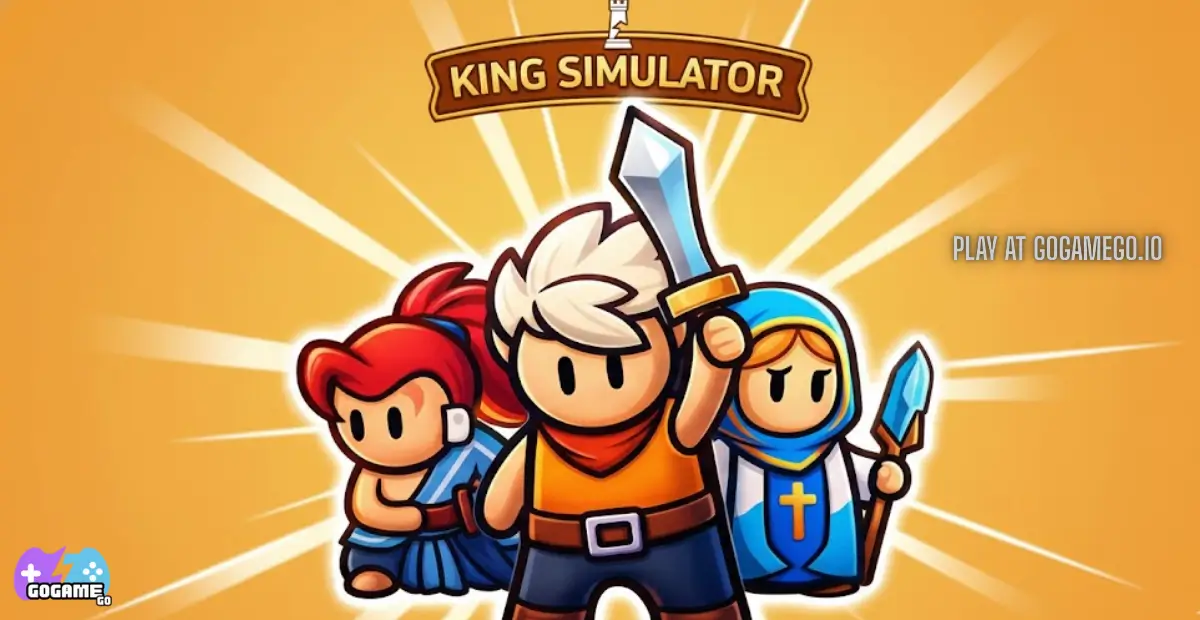
What Is King Simulator?
King Simulator is a fun and easy-to-play simulation game where you step into the role of a king and build your own growing kingdom. Instead of complex controls, the game focuses on simple actions like upgrading buildings, collecting resources, and expanding your land, making it perfect for kids and casual players.
The game is developed by an indie game studio known for creating lightweight browser games that load fast and work smoothly on most devices. Their goal is to make games that are accessible, colorful, and enjoyable without long tutorials or downloads.
Released in 2023, King Simulator quickly gained attention thanks to regular improvements and gameplay tweaks. Updates have focused on smoother performance, better progression balance, and more satisfying upgrades, keeping the game fresh for returning players.
What makes this king simulator game special is its mix of idle gameplay and light strategy. You feel powerful watching your kingdom grow, but you still make important choices that affect your progress. The cheerful design, simple mechanics, and rewarding upgrades give players a strong sense of achievement.
King Simulator is trending because it’s free to play online, unblocked on many platforms, and perfect for short play sessions. Kids love the crown-and-kingdom theme, while parents appreciate its safe, easy gameplay. That combination has made it a popular choice on browser gaming platforms.
Gameplay Overview
King Simulator is all about growing your kingdom from a small village into a powerful royal empire. The game mixes simulation, idle progression, and light strategy, making it easy for kids to enjoy while still feeling rewarding. Your main goal is to earn resources, upgrade your land, and unlock new areas while keeping your kingdom running smoothly.
As you play, your king moves around the map collecting gold and activating upgrades. Each upgrade makes your kingdom stronger, faster, or bigger. The more you invest in buildings and power-ups, the quicker your progress becomes, which makes the game exciting and satisfying to play again and again.
How to Play
The objective is simple: grow your kingdom and become a stronger ruler. You start with basic resources and slowly unlock better buildings, faster income, and new zones. Each upgrade increases your earnings, helping you reach new goals quicker.
- Collect coins to fund kingdom upgrades
- Unlock new areas and buildings as you progress
- Reach higher levels to boost rewards and speed
- Set small goals that lead to long-term kingdom growth
Controls
King Simulator uses very simple controls, perfect for kids and beginners.
- 1-Player (Keyboard): Use arrow keys or WASD to move your king
- 1-Player (Mouse): Click or hover to interact with upgrades
- 2-Player Mode: When available, players use separate movement keys to share the kingdom space
- Mobile Touch: Tap and swipe to move, tap buttons to upgrade and collect rewards
Pro Tips
- Upgrade early buildings first because they give the best value at the start
- Keep moving to collect coins faster and avoid idle time
- Balance upgrades instead of spending all coins on one building
- Watch your income speed to know when it’s time to unlock new areas
- Play in short sessions to take advantage of idle rewards
- Use mobile taps wisely to avoid missed upgrades
- Focus on progression goals rather than rushing everything at once
- Replay levels to maximize rewards and improve efficiency
With simple controls and steady rewards, King Simulator keeps gameplay fun, relaxing, and perfect for quick play sessions on gogamego.io.
Key Features
King Simulator is packed with fun features that make it easy to play, exciting to progress, and perfect for kids who love building and ruling games. Each feature is designed to keep gameplay simple while rewarding smart decisions.
- Kingdom Building System: Build and upgrade your village step by step. Every upgrade boosts your income and power, helping players learn planning and progression in a fun way.
- Idle Progression: Earn rewards even when you slow down. This feature lets kids make progress without pressure, making the game relaxing and friendly.
- Simple Controls: Easy tap, click, or move controls mean players can jump in instantly with no long tutorial, saving time and reducing frustration.
- Fast Browser Gameplay: Play directly in your browser with no downloads. This makes King Simulator quick to load and accessible on school-safe and home devices.
- Colorful Kid-Friendly Design: Bright visuals and smooth animations keep players engaged while creating a safe and cheerful gaming environment.
- Strategy Without Stress: Light strategy elements encourage thinking and decision-making without overwhelming young players.
- Free & Unblocked Play: Enjoy King Simulator online for free, making it easy to play anytime on gogamego.io without extra steps.
These features work together to create a balanced king simulator game that’s fun, rewarding, and easy for everyone to enjoy.
Game Modes
King Simulator offers different game modes designed to fit all play styles, from relaxed solo play to shared fun with friends. Each mode focuses on simple mechanics while keeping the experience exciting and rewarding for kids.
Solo Mode is the main way to play. You control your king, build your kingdom, and progress at your own pace. The difficulty increases slowly, making it beginner-friendly while still offering long-term goals. Rewards come from upgrades, level progression, and unlocked areas, giving players a strong sense of growth without pressure.
Multiplayer Mode, when available, allows players to enjoy the game alongside others online. Matchmaking is quick and simple, pairing players in shared environments where they can build, compete, or progress together. This mode adds excitement and social interaction while keeping gameplay safe and easy to understand.
Local Co-op Mode lets two players play on the same device. Setup is simple—each player uses separate controls or touch areas. This mode is perfect for siblings or friends, encouraging teamwork, shared decision-making, and cooperative fun while building a kingdom together.
Some versions of King Simulator also include seasonal events or limited-time challenges. These modes introduce special rewards, faster progression, or unique objectives, giving players new reasons to return and explore fresh gameplay experiences.
With multiple modes to choose from, King Simulator stays fun, flexible, and engaging for every type of player.
Characters & Customization
King Simulator lets players enjoy the game not only by building a kingdom, but also by choosing characters and customizing their royal style. This makes the game feel more personal, creative, and fun for kids.
Characters
Each character in King Simulator has a unique personality and play style that helps players enjoy different ways to rule.
- The Young King: A balanced starter character with steady movement and fair rewards. Perfect for beginners learning how the kingdom system works.
- The Wise King: Slower but smarter, this character earns bonus rewards from upgrades and helps players progress more efficiently over time.
- The Brave King: Fast and energetic, great for players who like moving quickly and collecting resources faster.
- The Royal Knight: Strong and durable, this character focuses on defense and is useful when managing tougher areas.
- The Golden King: A special unlockable character that boosts coin collection and feels extra rewarding to play.
Customization
Customization makes King Simulator even more exciting. Players can change outfits, unlock new colors, and equip special gear that boosts speed, income, or power.
As you upgrade your kingdom, you also unlock visual upgrades like crowns, capes, and royal effects. Some upgrades improve movement or earning speed, while others are just for fun, letting kids create a king that feels truly their own.
This mix of characters and customization keeps gameplay fresh and encourages players to keep progressing.
Special Moves & Combos
In King Simulator, special moves and smart combos help you grow your kingdom faster and play more efficiently. These moves are easy to use, kid-friendly, and designed to make gameplay feel exciting without being confusing. Learning when and how to use them gives you a big advantage.
- Royal Dash: A quick burst of speed that helps your king move faster across the map. Use it when collecting coins or traveling between buildings to save time.
- Golden Boost: Temporarily increases coin earnings. Activate this move right before collecting large rewards to maximize income.
- King’s Command: Instantly improves building performance for a short time. This is best used after unlocking new upgrades.
- Idle Surge: Boosts offline or idle rewards. Use it before taking a break so you return to a bigger reward pool.
- Royal Shield: Protects your king from slowdowns or negative effects in tougher zones. Activate it when exploring new areas.
- Crown Combo: Chain multiple upgrades together to trigger bonus rewards. Plan upgrades carefully to activate this combo.
- Speed Collection: Automatically gathers nearby coins for a short time. Best used in crowded areas.
For the best results, combine Golden Boost with Speed Collection to earn coins quickly. Pair Idle Surge with short play sessions to grow your kingdom even when you’re away. Mastering these moves makes King Simulator smoother, faster, and more fun to play.
Tips & Tricks
Mastering King Simulator is all about smart decisions, good timing, and steady progress. These tips help players grow their kingdom faster while keeping the game fun and stress-free, especially for kids and casual gamers.
- Upgrade early buildings first: Starter buildings give the best value early on and speed up your income quickly.
- Don’t rush upgrades: Saving coins for the right moment often leads to bigger rewards than spending them immediately.
- Move constantly: Keep your king moving to collect coins faster and trigger more rewards.
- Balance offense and defense: Strong upgrades help you progress, while defensive boosts make tougher areas easier to handle.
- Use boosts wisely: Activate coin and speed boosts when your income is high for maximum benefit.
- Play in short sessions: Frequent short plays help you benefit from idle rewards without burnout.
- Unlock new zones on time: New areas increase rewards but should be opened only when you can afford upgrades.
- Watch upgrade costs: If prices rise too fast, focus on cheaper upgrades to stay efficient.
- Use combos together: Pair speed and coin boosts to maximize results in a short time.
- Customize for strategy: Choose outfits or gear that match your play style, such as speed or income bonuses.
- Return often: Logging back in regularly helps you collect idle rewards and progress faster.
By mixing strategy, timing, and smart upgrades, King Simulator becomes a rewarding and enjoyable experience where every choice helps your kingdom grow stronger.
Platforms & Technology
King Simulator is built to run smoothly on modern web browsers, making it easy to play without downloads or installs. The game works well on popular browsers like Chrome, Firefox, Edge, and Safari, ensuring stable performance for most players.
On desktop, players enjoy a larger screen, precise keyboard controls, and smoother navigation across the kingdom. On mobile devices, the game is fully optimized for touch, with simple taps and swipes that make gameplay comfortable on phones and tablets.
The game uses modern HTML5 technology, along with lightweight Web-based graphics systems such as WebGL, to deliver fast loading times and smooth animations. This technology keeps the game responsive even on lower-end devices.
For best performance, players should keep their browser updated, close unused tabs, and use a stable internet connection. These small steps help King Simulator run faster and stay lag-free on gogamego.io.
Can I Play King Simulator Unblocked?
Yes, you can enjoy King Simulator unblocked directly in your browser without any hassle. The game is designed to run smoothly on supported networks, making it a great choice for playing at school, during breaks at work, or relaxing at home when allowed.
Because King Simulator is a browser-based HTML5 game, there’s no download, no installation, and no extra software needed. Just open the game, press play, and start building your kingdom instantly.
On gogamego.io, you get a clean and safe gaming experience with no intrusive ads and fast loading times. This makes it perfect for kids, students, and casual players who want quick fun without distractions.
If you’re looking for a free, unblocked king simulator game that works anywhere, King Simulator is ready whenever you are.
Similar Games
If you enjoy King Simulator, you’ll probably love these kid-friendly games too. They’re all great for quick fun, building, upgrading, exploring, and relaxing gameplay on gogamego.io.
- Sort the Court! – Make royal choices, grow your kingdom, and see how every “yes” or “no” changes your story.
- Idle Tree City – Build a cute city and earn rewards over time with relaxing idle progression and upgrades.
- Cow Bay Game – A cheerful town-building adventure where you develop a cozy seaside community.
- Avatar World – Create characters, explore fun places, and enjoy a creative sandbox world made for kids.
- Count Masters: Stickman Games – Grow your team, pick smart paths, and win colorful challenges with strategy and timing.
- Tap Away – A satisfying 3D puzzle game where you tap blocks away and clear tricky levels.
- Gobdun – Explore dungeons, collect loot, and enjoy a light adventure with simple controls.
- MineFun io – A block-style building game where you explore, create, and craft your own fun.
- Snake Game – Classic arcade gameplay that’s easy to learn and fun to master.
- Narrow One – Quick multiplayer archery battles with capture-the-flag action for fast-paced fun.
Want more games like these? Keep exploring gogamego.io for more free online games, unblocked browser games, and kid-safe adventures.
Game History & Updates
King Simulator first arrived in 2023 as a lightweight browser-based kingdom-building game that anyone can play for free. Right from the original release, players loved how easy it was to jump in and start building—from growing a simple village to becoming a mighty ruler. The game’s design made it perfect for kids, casual gamers, and anyone who enjoys simple simulation and strategy without complicated menus or controls.
Since launch, the developers have worked hard to keep King Simulator fun and fresh. Major updates have included smoother movement controls, new upgrade paths, additional buildings, and quality-of-life improvements that make progression feel more satisfying. These patches were guided by community feedback, which helped refine gameplay balance and keep rewards exciting as players advanced through the kingdom levels.
The community has grown steadily thanks to word-of-mouth and positive reactions on gaming platforms. Players share tips on growing faster, unlocking characters, and combining special moves for better income. This ongoing interest has helped King Simulator remain popular on sites like gogamego.io, where fans come back again and again to build bigger kingdoms.
Looking ahead, future ideas include seasonal events, new customization options, and expanded multiplayer features so friends can rule together. Although specific plans are evolving, the developers continue to focus on responses from players—so the game keeps improving, staying fun, and always ready for the next update.
FAQ
Is King Simulator free to play?
Yes, King Simulator is completely free to play on gogamego.io. You don’t need to pay, sign up, or download anything to start building your kingdom.
Can I play King Simulator unblocked at school?
In many cases, yes. Since it’s a browser-based HTML5 game, King Simulator often works on supported school or library networks when gaming is allowed.
Do I need to download King Simulator?
No downloads are required. The game runs directly in your web browser, so you can start playing instantly with just one click.
Is King Simulator safe for kids?
Yes. The game is kid-friendly, with simple controls, colorful graphics, and no violent or inappropriate content.
Can I play King Simulator on my phone or tablet?
Absolutely. King Simulator is fully optimized for mobile devices and works smoothly on both Android and iOS browsers.
Does King Simulator have multiplayer?
Some versions support shared or online play features, while others focus on solo gameplay. Available modes may depend on updates.
How do I progress faster in the game?
Focus on upgrading early buildings, using boosts at the right time, and playing short sessions to benefit from idle rewards.
Does the game save my progress?
Yes. Your progress is saved automatically in your browser, so you can come back later and continue ruling your kingdom.
Why is King Simulator so popular?
Players love its simple gameplay, fast loading, free access, and relaxing kingdom-building experience that’s easy to enjoy anytime.
Have more questions? Just start playing King Simulator on gogamego.io and discover the answers as you build your royal empire.
Conclusion
King Simulator is the kind of game that’s easy to start, fun to master, and hard to put down. With simple controls, colorful visuals, and rewarding kingdom-building gameplay, it offers a perfect mix of simulation, idle progression, and light strategy for kids and casual players.
Whether you enjoy upgrading buildings, unlocking characters, using special moves, or watching your kingdom grow bigger with every decision, King Simulator keeps the experience relaxing and exciting at the same time. The game runs smoothly in your browser, works on both mobile and desktop, and lets you play for free with no downloads or annoying interruptions.
Best of all, King Simulator is designed to fit short play sessions while still offering long-term goals. That means you can jump in for a few minutes or stay longer and build a powerful royal empire at your own pace.
Ready to rule? Start playing King Simulator now on gogamego.io, put on your crown, and see how far your kingdom can grow. Your throne is waiting—press play and begin your royal adventure today!