Noob drive
Similar Games


Description
Introduction
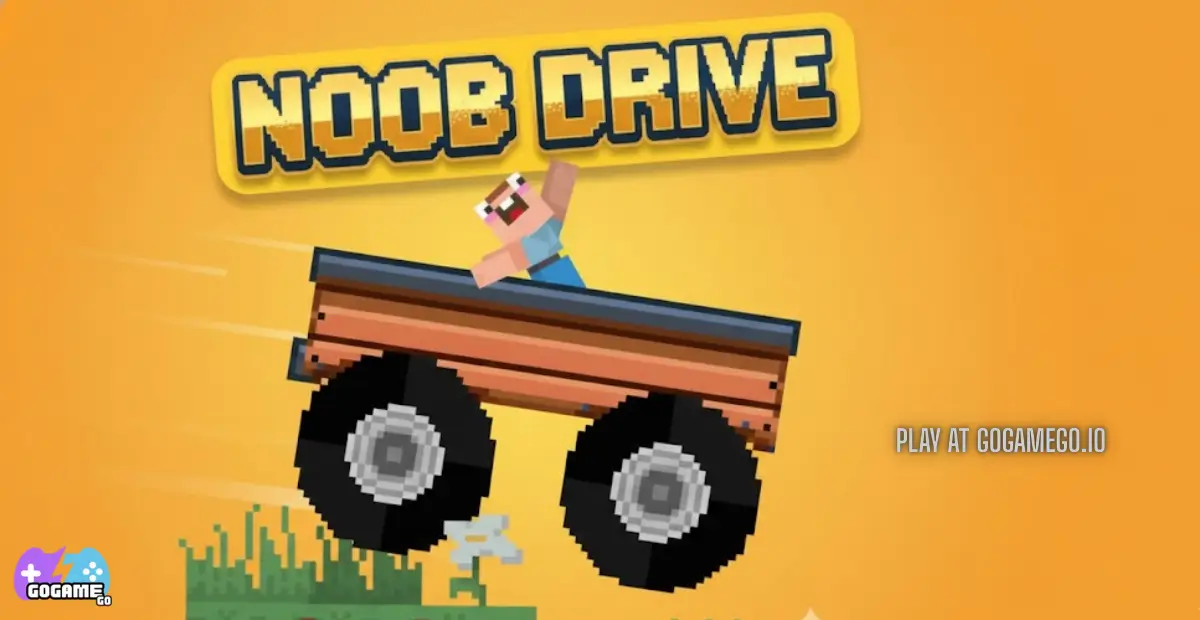
Noob Drive on gogamego.io drops you straight into a wobbly, silly, super-fun world where your blocky car zooms across floating roads and crazy ramps — completely free and unblocked for every kid who loves fast laughs and big jumps.
You can start playing instantly with one click, no downloads or sign-ups slowing you down. Just steer, boost, and try not to flip your noob car off the edge as you race through wild paths built for pure fun.
Whether you’re on a school computer, tablet, or home PC, Noob Drive is ready to play anytime… so get buckled in, tiny racer, and show those bouncy tracks who’s boss!
🎮 “Noob Drive” – Game Snapshot
- Genre: Car Driving, Physics, Kids Racing
- Release Date: 2023
- Developer: Faramel Games
- Platforms: Browser (WebGL), PC, Tablet, Chromebook
- Modes: Single Player
What Is Noob Drive?
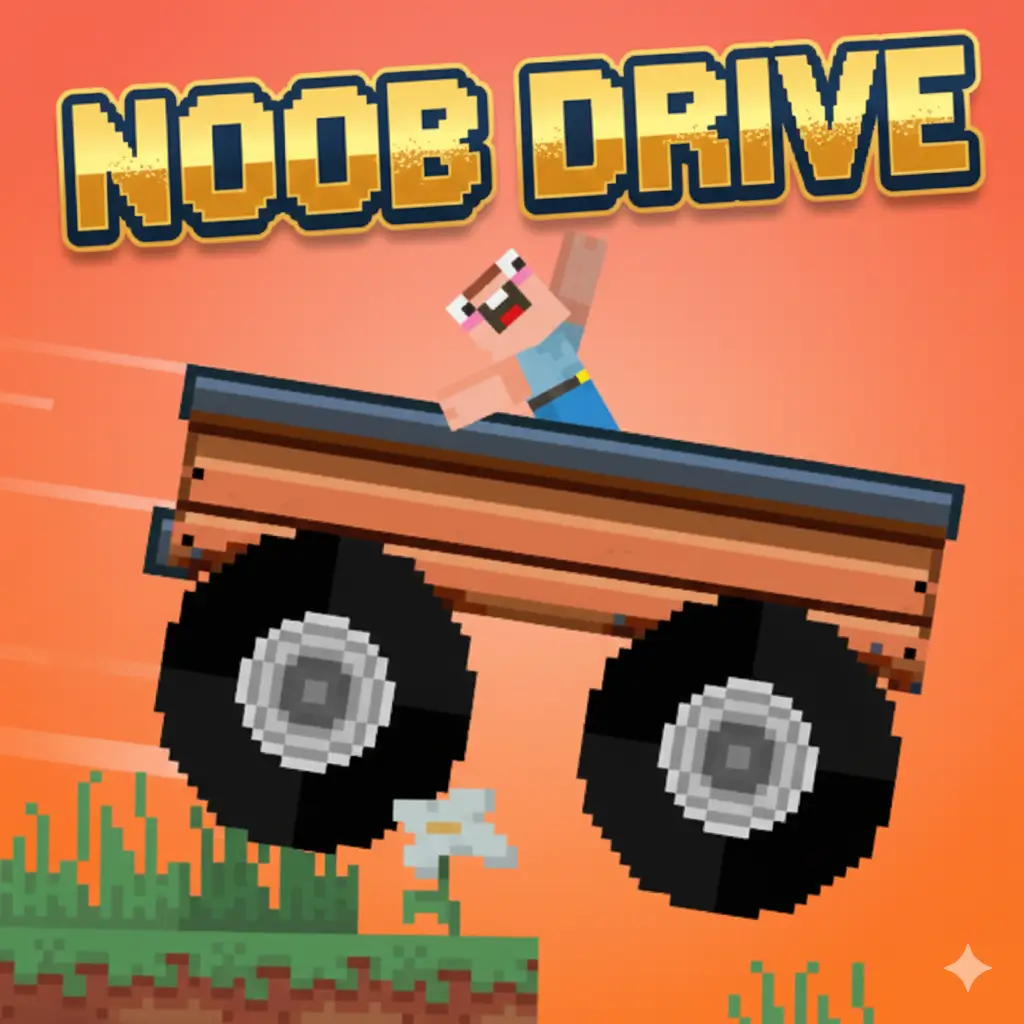
Noob Drive is a playful, physics-based driving game where your tiny blocky car zips across floating tracks, wild ramps, and twisty roads that look like they were built by a mischievous noob engineer. Kids love it because every level feels like a goofy challenge: your car wiggles, flips, bounces, and sometimes launches into the sky when you hit a ramp a little too fast. It’s simple enough for young players, yet exciting enough to keep them trying “just one more run.”
The game is created by Faramel Games, a well-known indie studio famous for fun, creative browser titles designed to be easy for anyone to play. They focus on colorful worlds, smooth performance, and kid-friendly gameplay that works on school computers, tablets, and home PCs. Their games update regularly, and Noob Drive has received small improvements since its release in 2023 to keep everything running smoothly across devices.
What makes Noob Drive stand out is its silly personality. The cars are cute. The tracks float in the sky. The physics are intentionally wobbly, so every level feels like a little adventure. That mix of fast driving and cartoon chaos gives it a charm that kids instantly connect with.
It’s trending because creators love showcasing the crazy flips, and players enjoy sharing their funniest crashes online. On platforms like YouTube and TikTok, short clips of “noob fails” helped the game explode in popularity. And because it’s unblocked and free on gogamego.io, more kids discover it every day during breaks or after school, turning it into one of the most replayed browser driving games this year.
Gameplay Overview
Noob Drive mixes simple kid-friendly controls with silly physics that make every jump feel unpredictable and exciting. Your goal is to guide your blocky little car across sky-high tracks, reach the finish line, and collect shiny rewards along the way. Because the roads twist, tilt, and float in the air, every run becomes a fun challenge that keeps young players coming back for more. The game feels light, bouncy, and full of surprises, making it perfect for quick play sessions on gogamego.io.
How to Play
Your main objective is to survive each level’s stunt-filled course without falling off. Levels gradually increase in difficulty, adding sharper turns, taller ramps, and wider gaps that require better timing and smoother steering. As you complete stages, you unlock new paths and collect coins that let you earn cooler car skins. Kids enjoy the sense of progress—the more they play, the better their “noob driver” becomes, and the more fun rewards they can show off.
The progression system is designed to encourage steady improvement. Early levels teach balance, while later ones test speed control, landing accuracy, and patience. Every track becomes a tiny puzzle that challenges you to stay calm and drive smart.
Controls
1-Player Controls
- Arrow Up: Drive forward
- Arrow Down: Brake / Reverse
- Arrow Left: Steer left
- Arrow Right: Steer right
- R: Restart level instantly
2-Player Mode (If offered in future updates)
- Player 1: Arrow keys
- Player 2: WASD
Touch Controls for Mobile & Tablet
- Virtual left/right steering buttons
- On-screen accelerate & brake pedals
- Tap to restart levels
Pro Tips
- Tap the gas, don’t hold it. Short bursts give you more control on bouncy ramps.
- Steer early. Turning before corners prevents sliding off narrow paths.
- Keep the car level mid-air. A tiny tap left or right helps you land smoothly.
- Slow down on downhill slopes. Speed builds quickly and can launch you off the track.
- Use restarts wisely. Press “R” to try tricky jumps again instead of wasting time.
- Watch the road edges. Staying centered makes every obstacle easier.
- Learn ramp shapes. Some ramps need full speed, while others require gentle acceleration.
- Don’t panic on wobbly bridges. Light tapping works better than holding down a button.
- Play earlier levels again. Replaying builds confidence and smoother control.
- Adjust your speed for each jump. Too slow won’t clear it; too fast means flying off the edge.
Key Features
Noob Drive shines because it mixes simple controls with playful physics, giving kids a fun and exciting driving adventure that feels different every time. The game is built to be friendly for young players while still offering enough challenge to keep them improving their skills. Here are the standout features that make Noob Drive such a popular pick on gogamego.io.
- Wobbly Physics Engine: Every bump, jump, and landing reacts in a goofy, bouncy way. This keeps the gameplay exciting and teaches kids timing and balance while encouraging laughter, not frustration.
- 48 Progressive Levels: Each stage becomes slightly trickier with new obstacles, ramps, and gaps. Players build confidence as they move forward, making progress feel rewarding.
- Kid-Friendly Design: Bright colors, blocky cars, and safe, non-violent gameplay make it ideal for children on both school and home devices.
- Instant Play, No Downloads: Because the game is browser-based and unblocked, kids can hop in safely and instantly from any device without installing anything.
- Collectible Coins & Skins: Kids who love customization can unlock cool car styles, giving them a fun goal to work toward and a reason to replay earlier tracks.
- Easy Controls on All Devices: Simple keyboard and touch controls allow players to enjoy the game smoothly whether they're on PC, tablet, or Chromebook.
- Replayable Challenges: Thanks to the unpredictable physics, the same level can feel fresh every time, boosting replay value and encouraging skill-building.
Game Modes
Noob Drive is built mainly around fun, single-player action, but its flexible design makes it easy for future multiplayer or community-driven modes to grow. Each mode offers kids a different way to enjoy the game while keeping the driving challenges playful, silly, and rewarding. Here’s how the core and potential modes work on gogamego.io.
Solo Mode
Solo Mode is where most players start. You race through floating tracks filled with ramps, sharp turns, and wobbly bridges. The difficulty increases slowly, which helps young players learn balance, steering, and speed control without feeling overwhelmed. Each completed level rewards you with coins, which you can use to unlock fun car skins that make your noob vehicle look extra cool. This mode focuses on skill-building, timing, and improving your best runs.
Multiplayer Mode
While Noob Drive currently plays as a single-player experience, future updates may include an online multiplayer mode where kids can race against other players around the world. Matchmaking would pair drivers of similar skill levels, helping keep races fun and fair. Players could compete for the fastest time, craziest jump, or smoothest landing, turning friendly competition into exciting online challenges.
Local Co-op
If local two-player support becomes available, kids could share the same keyboard or use two controllers to race side-by-side. One player might use arrow keys, while the other uses WASD. This type of mode encourages teamwork, laughter, and friendly comparison as both players try to survive the chaos of bouncy ramps and drifting edges.
Tournament & Seasonal Modes
Seasonal events or mini-tournaments could bring special tracks, limited-time challenges, and exclusive car skins. Kids love collecting rare rewards, and seasonal updates help keep the game fresh and exciting. These modes would make Noob Drive feel like a living, evolving experience that grows with the community.
Characters & Customization
Noob Drive may look simple at first, but its world feels alive thanks to its playful cast of “noob drivers” and the fun customization options that let kids shape their own racing style. Each character brings a different personality to the game, giving young players someone to connect with while they speed across the sky. On gogamego.io, these characters help make every run feel like a tiny adventure full of silly charm and creativity.
Characters
- Noob Driver: The classic beginner character with a cheerful smile and clumsy driving style. Perfect for kids starting out and learning the basics.
- Speedy Steve: A confident, fast-moving racer who loves big jumps and risky shortcuts. Great for players who like going full throttle.
- Builder Bobbie: A blocky engineer who knows every ramp and bridge. Her calm personality helps kids focus on balance and smart driving.
- Turbo Tina: A bubbly racer with bright colors and lots of energy. She specializes in smooth landings and stable handling.
- Pixel Pirate: A goofy troublemaker who loves drifting and doing silly flips. Perfect for kids who enjoy experimenting and trying wild tricks.
Customization
Noob Drive gives players plenty of ways to express their style. Kids can unlock new car colors, fun patterns, and themed skins that make their vehicle look unique on every track. Many skins come with small visual effects like glitter trails or pixel sparks, adding extra personality to each run.
Upgrades allow players to improve grip, balance, or acceleration, helping younger racers handle tougher levels. Kids can also mix and match decals, roof ornaments, wheel designs, and even silly accessories to give their car a fun identity. These customization options make progression more exciting, encouraging players to collect coins, replay levels, and build the coolest noob car possible.
Special Moves & Combos
Even though Noob Drive is designed with simple kid-friendly controls, the game hides plenty of cool tricks that players can pull off to impress friends, complete tough levels, and earn smoother landings. These special moves and combos make the game feel even more fun, turning every jump into a chance to experiment and every ramp into a new challenge. On gogamego.io, smart players use these moves to master tricky tracks and show off their noob-driver style.
- Perfect Landing: Tilt the car slightly mid-air to land with all four wheels at the same time. This stabilizes your speed and prevents bouncing. Great for keeping control after big ramps.
- Noob Flip: Tap left or right while airborne to spin your car. Just one clean flip gives bonus momentum and helps you land more smoothly on angled roads.
- Edge Boost: Driving close to the track’s edge without falling gives a small acceleration burst. Use this on straight sections to save time, but stay calm—panicking makes you steer too far.
- Bunny Hop Bump: Quickly tap brake then accelerate to hop slightly over tiny bumps. This helps you avoid losing balance on narrow bridges.
- Mini Drift: Lightly hold left or right while tapping the brake to slide around tight corners. Perfect for speed-focused levels.
- Air Stabilizer Combo: Tap left then right (or vice versa) mid-air to straighten the car. This keeps your vehicle steady before landing on moving platforms.
- Speed Feathering: Rapidly tapping the throttle instead of holding it gives smoother acceleration. This trick helps kids control slippery slopes without flying off the edge.
- Ramp Charger: Increase speed slightly before the ramp, then stop accelerating at the peak. This gives the cleanest jump angle for long-distance gaps.
Mastering these moves turns every level into a playground of tricks, helping young racers drive smarter, safer, and faster as they grow into pro noob drivers.
Tips & Tricks
Noob Drive might look simple, but mastering its wobbly tracks takes smart timing, calm control, and a little creativity. These advanced tips help young players (and even grown-up noobs!) handle tricky ramps, narrow bridges, and unpredictable landings with confidence. Whether you want smoother runs, faster times, or fewer fall-offs, these strategies will help make every level easier on gogamego.io.
- Start Slow, Finish Strong: Begin each level with gentle acceleration. This helps you read the road before going full speed.
- Use Micro-Steering: Tap left or right instead of holding the button. Tiny corrections keep you centered and prevent drifting off the edge.
- Balance Before You Jump: Make sure your car is straight before hitting a ramp—crooked takeoffs lead to messy landings.
- Brake Before the Drop: When approaching a steep downhill, tap the brake to stay in control instead of bouncing wildly.
- Watch the Road Ahead: Don’t stare at your car; look at what’s coming. This improves reaction time and avoids surprise gaps.
- Use Short Bursts of Speed: Tapping the gas gives better stability on wobbly platforms and curved bridges.
- Stabilize in Mid-Air: Tiny left or right taps help your car land evenly. A level car equals a safe landing.
- Replay Tough Levels: Repetition helps kids learn the track layout, making each run smoother and faster.
- Don’t Be Afraid to Restart: Pressing “R” is faster than correcting a bad landing—pro players restart often to get perfect runs.
- Stay Centered on Narrow Paths: Hugging the middle gives more room for small mistakes, especially on twisting roads.
- Adjust Speed for Each Ramp: Some ramps need full power, others need soft acceleration. Learn their shapes to know the difference.
- Take Breaks When Stuck: A fresh mind helps kids spot tricks and timing they might miss when frustrated.
Platforms & Technology
Noob Drive runs smoothly right inside your browser, making it easy for kids to play on almost any device without downloading anything. The game works perfectly on Chrome, Firefox, Edge, Safari, and most school-friendly browsers, so players can enjoy fast, unblocked gameplay on gogamego.io anywhere they go.
On desktop, the keyboard controls offer precise steering and stable handling, which helps with tricky ramps and long jumps. On mobile or tablets, the touch buttons make it simple for younger players to tap, steer, and restart levels with ease. Both versions run well thanks to lightweight HTML5 and WebGL technology, which keeps graphics smooth and responsive.
For the best performance, closing extra tabs, using an updated browser, and playing in fullscreen mode can help reduce lag. Even on older school Chromebooks, Noob Drive stays fast and fun thanks to its optimized engine and kid-friendly design.
Can I Play Noob Drive Unblocked?
Yes! You can play Noob Drive unblocked anytime on gogamego.io, making it perfect for kids who want instant, safe gameplay without restrictions. Because the game runs directly in your browser, there are no downloads, no installs, and no annoying ads slowing you down. Just click play and start driving!
Whether you’re at school, home, or even on a work break, Noob Drive stays fully accessible thanks to its lightweight HTML5/WebGL design. It loads quickly on school Chromebooks, tablets, and older PCs, which makes it one of the easiest racing games for students to enjoy during free time.
Since gogamego.io is built to offer clean, kid-friendly, unblocked games, you can jump into Noob Drive safely and instantly from anywhere—no tricks, no sign-ups, and no extra files needed.
Similar Games Like Noob Drive on GoGameGo.io
Love the wobbly, physics-based fun of Noob Drive? These kid-friendly driving and racing games on gogamego.io keep the same mix of simple controls, crazy tracks, and safe, unblocked gameplay. They’re perfect for young players who enjoy drifting, jumping, and balancing their way across wild levels on school Chromebooks, tablets, or home PCs.
Add these related titles to your “Similar Games” section to keep players exploring more free car games without ever leaving your site.
- Drive Mad – A physics car classic with tricky bridges and ramps where every tiny tap matters.
- Drift Boss – One-button drifting on narrow roads, perfect for quick, skill-based sessions.
- Drift Hunters – 3D drifting with realistic physics, tunable cars, and long-term progression.
- Highway Racer 3D – High-speed traffic racing with multiple modes and smooth mobile play.
- Driven Wild – Kid-focused racing with colorful tracks and simple, responsive controls.
- Mr Racer – Tiny car, huge danger: survive ramps and gaps without flipping your ride.
- Jelly Car Worlds – Squishy, bendy car physics that turn every level into a puzzle.
- Eggy Car – Balance an egg in your car while driving over hills without letting it break.
- Tail of the Dragon – Race along winding roads that test reflexes and careful steering.
- Smash Karts Unblocked – Cartoon kart battles with weapons, boosts, and fast multiplayer chaos.
Game History & Updates
Noob Drive first appeared online in 2020–2022 as a simple, blocky physics-based driving game from developer Vanorium. Over time, it gained popularity on many browser-gaming sites thanks to its fun, unpredictable track design and 48 stunt-filled levels.
Major updates included improvements to performance and mobile compatibility. Some portals list recent refreshes to ensure smooth gameplay, especially on tablets and older school Chromebooks. Apart from bug fixes and physics tweaks, the core remained the same — reliable HTML5 / WebGL build that works across desktop and mobile.
As the game spread across several kid-friendly gaming platforms, the player base grew steadily. Forums and comment sections often show proud badge counts like “48 levels completed” or “best time reached,” which helped build a small community of enthusiastic players who shared strategies, car-skin screenshots, and challenge runs.
Looking ahead, while no official public roadmap from Vanorium exists, fans hope for additional levels, more vehicle skins or customizations, and perhaps even a light 2-player or local-co-op mode in future updates. Given the game's continued availability and performance tweaks over time, expanding content seems like a natural next step.
FAQ – Noob Drive
Is Noob Drive free to play?
Yes! Noob Drive is completely free on gogamego.io. You don’t need to download anything, create an account, or pay for upgrades. Just click and start driving.
Can I play Noob Drive at school?
Absolutely. The game is fully unblocked on school Chromebooks and most classroom networks, making it perfect for breaks, free time, or after-school fun.
Does Noob Drive work on mobile?
Yes. The game supports touch controls on phones and tablets, making it easy for kids to steer, jump, and balance with on-screen buttons.
How many levels are in Noob Drive?
Noob Drive includes 48 stunt-filled levels, each one introducing new ramps, gaps, and challenges. Difficulty increases slowly so kids can learn at their own pace.
Why does my car bounce or flip so much?
The game uses wobbly physics on purpose! The bouncing makes each run unpredictable and fun. With practice, players learn smoother landings and better timing.
How do I unlock new car skins?
Collect coins while playing, then trade them for skins. Replaying earlier levels is a great way for kids to earn more coins quickly.
Is Noob Drive safe for kids?
Yes. Noob Drive has no violence, no chat, and no ads. It’s designed to be friendly, simple, and safe for younger players.
Does Noob Drive support multiplayer?
Right now, Noob Drive is single-player only. However, future updates may include racing challenges or co-op modes if the developer expands the game.
Why does the game lag on my Chromebook?
Try closing extra tabs, using fullscreen mode, or updating your browser. Noob Drive is lightweight, but older devices sometimes need a little optimization.
Can I play Noob Drive without Wi-Fi?
You need an internet connection to load the game, but once it’s running, it stays smooth even on low-speed networks.
Conclusion
Noob Drive is the perfect mix of silly physics, kid-friendly fun, and exciting sky-high driving challenges. With its bright blocky style, easy controls, and unpredictable ramps, it gives young players a safe and entertaining way to test their balance, timing, and creativity. Whether they’re practicing smooth landings, collecting coins for new car skins, or trying to beat all 48 levels, the game always feels fresh and full of surprises.
Because it’s free, unblocked, and runs instantly in any browser, Noob Drive is one of the easiest games for kids to jump into—at school, at home, or anywhere they find a spare moment. It doesn’t need downloads, accounts, or powerful devices, making it accessible to everyone who loves fun driving adventures.
If you’re ready to race across floating roads, conquer crazy ramps, and become the ultimate noob driver, now’s the perfect time to start your journey. Hit play on gogamego.io and begin your Noob Drive adventure now!