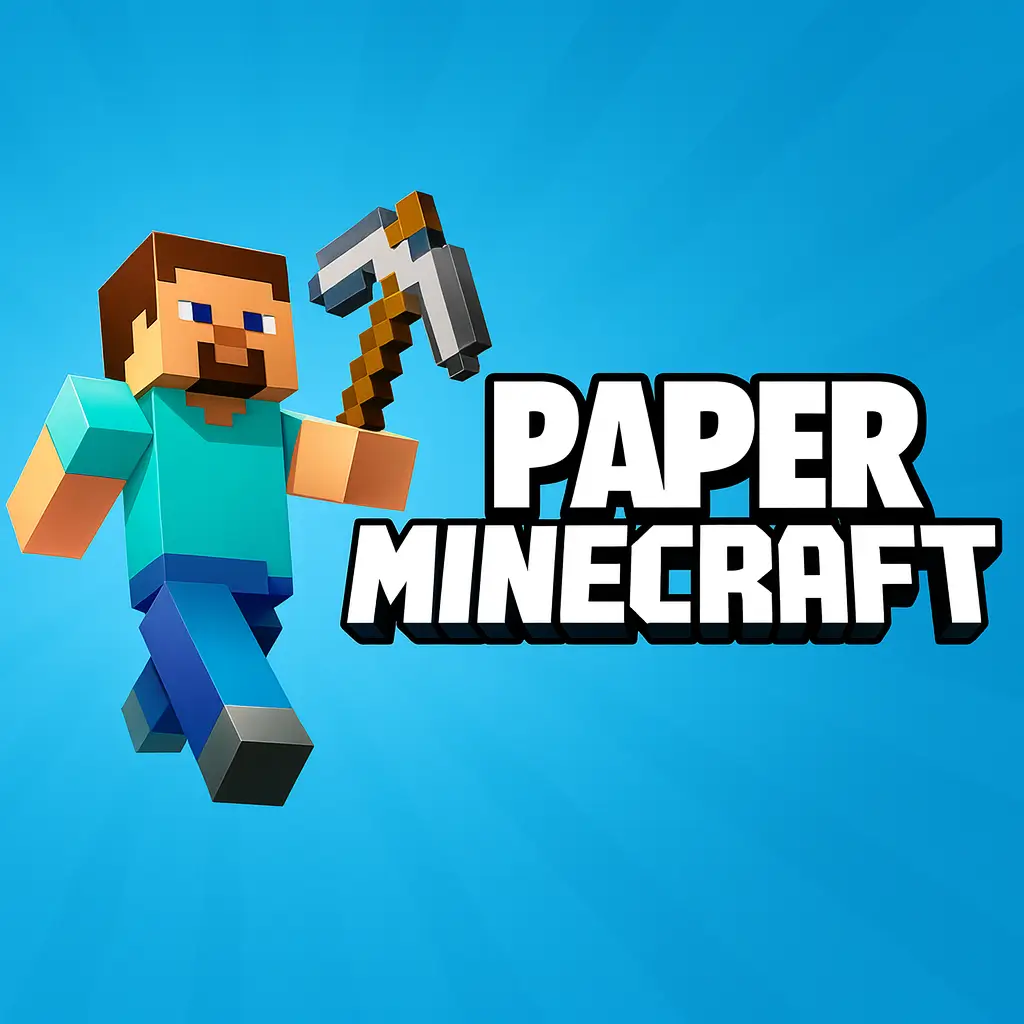
Paper Minecraft
Similar Games

Description
Introduction
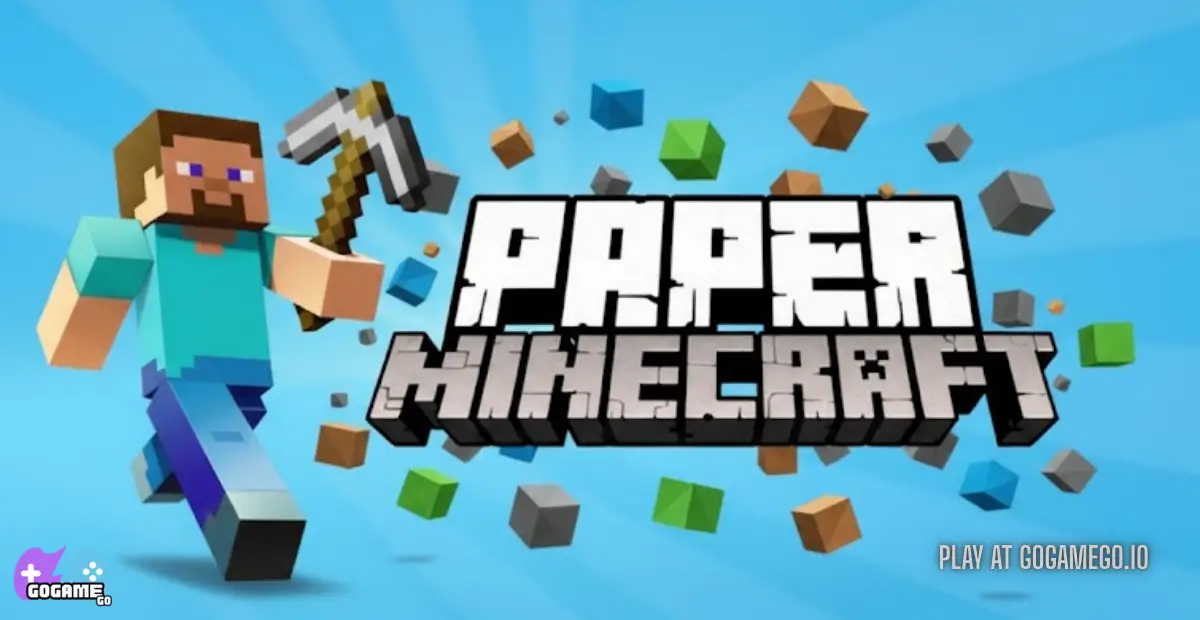
Paper Minecraft brings the world of Minecraft into a colorful 2D style, making every block look like it was sketched on paper—but the adventure feels just as big and exciting. Kids can build, mine, craft, and explore a huge sandbox world that runs smoothly on almost any device.
On gogamego.io, you can play Paper Minecraft completely free and fully unblocked, so it works at school, at home, or anywhere you want. No downloads, no setup—just click Play and jump straight into your blocky adventure.
What makes Paper Minecraft so popular is how easy it is to learn while still offering tons of creativity. Whether you want to build giant houses, explore caves, survive monsters, or test fun redstone-style ideas, this 2D Minecraft game gives you all the freedom kids love.
Start crafting your world in seconds on gogamego.io and enjoy the fastest, safest way to play Paper Minecraft online.
🎮 Paper Minecraft – Game Snapshot
- Genre: 2D Sandbox, Survival, Creative, Building
- Release Date: First released on Scratch (2013), updated regularly
- Developer: Griffpatch
- Platforms: Browser, PC, Laptop, Chromebook (HTML5/Web-based)
- Modes: Survival Mode, Creative Mode, Peaceful Mode
What Is Paper Minecraft?
Paper Minecraft is a 2D fan-made version of Minecraft that rebuilds the blocky sandbox world into a side-scrolling, paper-style adventure. Instead of moving through a full 3D world, players explore, mine, craft, and build from a flat, colorful perspective—making the game easier to run, faster to load, and super friendly for kids on school computers or low-spec devices.
The game was created by the popular Scratch developer Griffpatch, known for making high-quality projects that feel surprisingly close to real games. His work on Paper Minecraft started around 2013, and he has updated it over time to add smoother controls, better crafting, more blocks, animals, mobs, and improved survival elements. Even years later, Paper Minecraft still receives love from the Scratch community, keeping it polished and fun to play.
What makes Paper Minecraft truly unique is how it blends simple 2D controls with the full creativity of classic Minecraft. Kids can chop trees, craft tools, build houses, farm animals, explore caves, and even battle monsters—without needing a powerful PC. The paper-drawn graphics give the whole world a cozy, handmade look that stands out from every other Minecraft-style browser game.
It’s trending right now because it’s fast, free, unblocked, and perfect for short play sessions at school or home. Players love how easy it is to jump in, experiment with building ideas, and explore a huge world that feels familiar yet fresh. Paper Minecraft keeps climbing in popularity because it delivers the full creative freedom of Minecraft in a lightweight, kid-friendly package that anyone can enjoy instantly on gogamego.io.
Gameplay Overview
Paper Minecraft keeps the heart of Minecraft but delivers it in a smooth, 2D, kid-friendly format. You spawn in a randomly generated world filled with trees, caves, animals, and monsters. From the very first moments, you choose whether to play in Survival Mode, Creative Mode, or Peaceful Mode—each offering a different pace and style of play.
In Survival, you gather wood, stone, and ores to craft tools, build shelters, and stay safe through the night. Hunger, health, and hostile mobs become your biggest challenges. In Creative Mode, everything is unlimited—perfect for building houses, farms, pixel art, or giant cities. The world encourages constant exploration, crafting, and upgrading your gear. Progress happens naturally as you find better materials, craft stronger tools, and discover deeper parts of the world.
How to Play
Your main goal depends on your mode: survive, build, or create. Early on, you collect resources, craft tools, and find food. As you progress, you unlock stronger items like iron tools and armor, build bases, farm crops, and explore caves for rare loot. There are no fixed levels, but your “progression” grows through your inventory, structures, and discoveries.
Controls
1-Player Controls:
- WASD – Move
- Space – Jump
- Left Click – Mine/Attack
- Right Click – Place/Use item
- E – Open inventory
- Number Keys – Switch items
2-Player Mode: Paper Minecraft does not officially support 2-player on the same device, but some custom community versions may offer it depending on the build.
Touch Controls (Mobile): On gogamego.io, the touchscreen layout includes on-screen movement buttons, a jump button, and tap-to-interact controls, making it simple for kids to play without a keyboard.
Pro Tips
- Build a shelter before night: Hostile mobs spawn quickly, so even a tiny dirt house keeps you safe.
- Craft a wooden pickaxe first: It unlocks stone tools, which speed up your whole progression.
- Use animals for food: Cows and pigs are easy early-game food sources to avoid hunger.
- Mine straight down carefully: Always dig stairs—not a vertical hole—to avoid fall damage.
- Carry extra torches: Light stops monsters from spawning and helps you mark explored areas.
- Store backup items: Keep an extra pickaxe and food in your inventory so you never get stuck underground.
- Use Creative Mode to practice builds: It helps kids learn crafting recipes and building tricks before trying them in Survival.
- Farm early: Wheat and carrots give you steady food, letting you explore longer without risk.
- Explore caves slowly: Place torches often so you know the way back and avoid being surprised by mobs.
- Upgrade tools quickly: Stone → Iron tools make mining and fighting much easier, speeding up progression.
Key Features
Paper Minecraft packs a surprising amount of depth into its simple 2D style, giving kids a full sandbox experience without needing a powerful computer. Each feature adds something meaningful to the gameplay, making the world feel creative, safe, and fun to explore.
- 2D Sandbox World: The flat, paper-like environment is easy for kids to understand and navigate. It keeps all the classic Minecraft ideas—mining, crafting, exploring—while being faster and lighter to run.
- Survival Mode: Players gather food, craft tools, and stay safe from monsters. This mode teaches planning, problem-solving, and resource management in a kid-friendly way.
- Creative Mode: Unlimited blocks and items let kids build giant structures, pixel art, farms, and anything they imagine. This mode boosts creativity and gives players freedom without danger.
- Crafting & Building System: Just like Minecraft, you craft tools, weapons, and materials. Kids learn recipes naturally as they explore, helping them understand how different items work together.
- Randomly Generated Worlds: Every new world is different, so the game always feels fresh. Players get new terrain, new caves, and new building ideas every time.
- Friendly Performance: Paper Minecraft runs smoothly on Chromebooks, old laptops, and mobile devices. This makes it perfect for school play, low-end PCs, and on-the-go gaming.
- Monsters, Animals & Farming: Animals provide food and materials, while monsters add challenge. Farming crops helps kids learn simple survival strategies and long-term planning.
- Unblocked & Browser-Based: On gogamego.io, it loads instantly with no downloads, giving kids quick access to safe, unblocked fun anytime.
Game Modes
Paper Minecraft keeps things simple but still gives players multiple ways to enjoy the game, whether they want to survive, build, or explore at their own pace. Each mode changes how you play and what challenges you face, making the game enjoyable for beginners and experienced Minecraft fans alike.
Solo Mode
Solo play is the main way most kids enjoy Paper Minecraft. You choose between Survival, Creative, or Peaceful. In Survival Mode, you gather resources, craft tools, avoid monsters, and manage hunger. The difficulty comes from staying alive while exploring deep caves and dangerous biomes. The “reward” is your long-term progress—better tools, stronger shelters, and the excitement of discovering rare materials. Creative Mode, on the other hand, removes danger and gives you unlimited blocks, perfect for building giant worlds at your own pace.
Multiplayer Mode
Paper Minecraft is originally a Scratch-based game, so it does not include official online multiplayer or matchmaking. However, some community-made versions across the web may offer custom servers or shared worlds. For safety, gogamego.io focuses only on the secure single-player experience so kids can play without online risks.
Local Co-op
Local co-op is not part of the standard game, but some fan-made edits allow two players to share a keyboard. These builds are rare and often experimental. If offered, players split controls—one uses WASD, the other uses arrow keys. While fun, these versions can be harder to control due to limited space on the keyboard.
Tournament or Seasonal Modes
Paper Minecraft does not use tournaments or seasonal events like bigger online games. Instead, the excitement comes from generating new worlds, testing new builds, and challenging yourself to survive longer or create bigger structures.
Characters & Customization
Paper Minecraft keeps the character system simple, but kids still get a handful of fun options to choose from before starting their adventure. Each character has a unique look, and while their abilities are similar, the variety helps players feel more connected to their world. After choosing your character, you can customize how you play by crafting gear, upgrading tools, and collecting resources to improve your survival.
Characters
- Steve: The classic hero with balanced stats. He’s great for beginners who want the standard Minecraft feel in a 2D world.
- Alex: A brave explorer known for her bright hair and adventurous style. Alex is perfect for kids who enjoy creative building and exploring far distances.
- Knight Skin: A special armor-style character that looks ready for battle. Kids love using this skin when focusing on fighting mobs or exploring deep, dangerous caves.
- Custom Skins: Some Paper Minecraft versions include extra skins like ninjas, astronauts, or villagers. These skins don’t change gameplay but add fun personality and variety.
- Animals & Mobs: While not playable, cows, pigs, sheep, zombies, and skeletons add life and challenge to the world, helping kids learn farming and combat strategies.
Customization
Instead of clothing changes, customization in Paper Minecraft focuses on gear, tools, and upgrades. Kids can improve their character by crafting better equipment—from wooden tools to stone, iron, and beyond. Armor provides protection from monsters, while stronger pickaxes help mine rare ores faster.
You can also personalize your world: build colorful houses, farms, secret bases, bridges, and more. These creations become part of your character’s identity, giving kids a sense of pride and ownership in their world.
Whether crafting shiny armor, upgrading weapons, or designing unique buildings, Paper Minecraft lets players express themselves in creative and rewarding ways.
Special Moves & Combos
Paper Minecraft doesn’t use flashy combo attacks like fighting games, but it does include several smart moves and mechanics that act like special abilities when used correctly. These actions help players survive longer, gather resources faster, and outsmart monsters—especially in Survival Mode. Kids who learn how to use these moves together can explore deeper caves, collect better loot, and build bigger structures with ease.
- Critical Jump Attack: Jump and strike an enemy on the way down. This deals extra damage and helps you defeat zombies or skeletons faster. Use it when you’re low on health to finish a fight quickly.
- Fast Block Placement: Hold a block and rapidly right-click to build walls or shelters instantly. This move is perfect for stopping enemies or protecting yourself during nightfall.
- Quick Mining Combo: Switch between pickaxe levels as your block hardness changes. Using stone or iron tools at the right moment speeds up mining and saves durability.
- Sneak-Dig Strategy: Dig diagonally or stair-style to safely reach underground areas. This prevents fall damage and keeps you from landing on surprise mobs.
- Mob Kiting: Move backward while attacking so enemies can’t hit you. This technique is great for dealing with skeletons and zombies without taking damage.
- Water Drop Save: Carry a bucket of water to place beneath you if you fall. It cancels fall damage—an advanced trick that helps during deep cave exploration.
- Fire Placement Trap: Use lava or fire (if available in your version) to block mobs or protect your base. It’s risky but powerful for controlling dangerous areas.
- Torch Mapping: Place torches on one side of tunnels so you always know which way leads home. This simple move prevents getting lost in large caves.
Mastering these moves makes Paper Minecraft not only easier but way more fun, helping kids explore confidently and survive longer in every world they create.
Tips & Tricks
Paper Minecraft may look simple, but the game rewards smart planning, good timing, and creative strategy. These tips help kids survive longer, build faster, and explore deeper without getting stuck or losing progress. Whether you love Survival Mode challenges or Creative building, these tricks make the game far more fun and rewarding on gogamego.io.
- Start With Trees: Punch trees right away to collect wood. Wood tools unlock stone tools fast, speeding up your early progression.
- Build a Shelter Before Night: Darkness brings zombies and skeletons. A tiny dirt house is enough to stay safe your first night.
- Craft Extra Tools: Always keep a backup pickaxe and sword. If yours breaks underground, you won’t get trapped.
- Use Torches as Path Markers: Place torches on the right side of tunnels going in. Follow the left side to get home—simple and foolproof.
- Cook Food for Better Healing: Raw food fills less hunger. Cook meat on a furnace to double your healing and stay alive longer.
- Dig Stairs, Not Holes: Never dig straight down. Staircase-style digging prevents fall damage and lets you escape quickly.
- Upgrade Your Tools Fast: Move from wooden → stone → iron tools as soon as you can. Each upgrade saves time and increases survival.
- Use Water for Safety: Carry a water bucket if available. It helps with fall protection, lava, and farming.
- Farm Early: Plant wheat or carrots near your base. A small farm gives you endless food, perfect for long trips.
- Build Your Base Near Resources: Choose a spawn with trees, animals, and stone nearby. It saves time and boosts early-game progress.
- Explore Caves Slowly: Don’t rush in—place torches, watch for mobs, and block dangerous openings if needed.
- Creative Mode for Practice: Kids can learn recipes, building styles, and redstone-style tricks in Creative before trying them in Survival.
These smart strategies help players stay safe, collect faster, and build amazing worlds with confidence.
Platforms & Technology
Paper Minecraft runs directly in your browser, making it one of the easiest Minecraft-style games for kids to play on gogamego.io. It works smoothly on Chrome, Firefox, Edge, and most school browsers, with no downloads or accounts needed.
You can play on both mobile and desktop, but the experience feels best on laptops, PCs, and Chromebooks where the keyboard controls give you more precision. Mobile players still get simple touch controls, perfect for quick building or casual exploring.
The game is powered by HTML5 and WebGL technology, allowing it to load fast and run efficiently even on older or low-spec devices. This makes it great for school play or home use, especially on Chromebooks that don’t support heavy 3D games.
For smooth performance, close unused tabs, lower your browser zoom to 100%, and enable hardware acceleration if available. These small tweaks help Paper Minecraft run at its best on all devices.
Can I Play Paper Minecraft Unblocked?
Yes! Paper Minecraft is fully unblocked on gogamego.io, making it one of the easiest and safest games for kids to play anywhere—at school, at home, or even on a shared computer at work. Because it runs in your browser with no downloads, no sign-ups, and no installs, schools can’t block it like traditional apps or heavy Minecraft clients.
Our version of Paper Minecraft loads instantly, works on Chromebooks, and stays smooth even on older laptops. Kids can jump into Survival or Creative Mode without worrying about pop-ups or unsafe links—gogamego.io keeps everything clean, secure, and free from annoying ads.
If you’re looking for a fast, safe way to enjoy Paper Minecraft unblocked, just open gogamego.io and press Play. That’s it—no extra steps, no hidden files, and no setup. Perfect for quick breaks, classroom fun, or relaxing at home.
Similar Games
- MineFun io – A Minecraft-inspired block building game where you mine, craft, and build in a big online sandbox world. Perfect for kids who want more free crafting games like Paper Minecraft, fully unblocked on gogamego.io.
- Melon Playground – A funny ragdoll sandbox packed with physics toys and creative tools. Great for players who love experimenting, building scenes, and watching silly reactions in a safe sandbox.
- Grindcraft Remastered – Click, craft, and unlock new items in a Minecraft-style idle crafting game. Kids learn progression and resource management while building up their world step by step.
- Nova Craft – Drag and combine elements to discover new creations. A clever crafting puzzle that feels like a mini sandbox of water, fire, earth, and wind.
- Idle Mining Empire – Build your own mining company, hire helpers, and upgrade shafts. Perfect for kids who enjoy the mining side of Paper Minecraft and want a more relaxed, idle style.
- Mergest Kingdom – Merge items to grow a magical kingdom from tiny pieces into a huge world. Mixing building, strategy, and puzzle play, it’s great for creative thinkers.
- Tropical Merge – A bright island merge game where you rebuild a tropical paradise. Ideal for kids who enjoy calm, creative games with lots of upgrading and discovery.
- Solar Smash – A space sandbox where you test crazy weapons on planets. Not a builder, but perfect for fans of experimental, “what happens if…?” style gameplay.
- Avatar World – Design your own characters, decorate homes, and explore cute locations. A creative, story-friendly world for kids who love customization and roleplay.
Game History & Updates
Paper Minecraft was originally released on May 13, 2013 by Griffpatch on the Scratch platform. Over the years it has been updated with new features, bug fixes and quality-of-life improvements, including version 10.0 in January 2014, which introduced survival mechanics such as hunger.Later versions added snowy biomes, villages, and various spawn-able mobs like Endermen in late 2014. The game’s community grew massively: by May 2022 the project had over 61 million views, almost half a million “loves”, and hundreds of thousands of favorites on Scratch. This strong fan-base has spawned countless remixes, fan mods, and YouTube tutorials, contributing to its continuing popularity and long-term relevance.
While the original game on Scratch receives occasional small patches (for example, v11.7 released November 2022 fixed several UI and list-header issues). Because Scratch has platform limitations, community-led versions have taken over for extended features and updates.
As for the future roadmap: The official developer hasn’t published a formal update schedule, but the community fan-versions suggest further work on improved world generation, new mobs, customizable skins, and possibly more advanced crafting and mod-support. Players on websites like gogamego.io can expect the same game core to remain stable, while browser compatible versions may include new custom blocks or features from the community scene.
FAQ – Paper Minecraft
Is Paper Minecraft free to play?
Yes! Paper Minecraft is 100% free to play on gogamego.io. There are no hidden payments, no subscriptions, and no extra downloads—just click and start playing instantly.
Is Paper Minecraft unblocked at school?
Absolutely. gogamego.io offers Paper Minecraft fully unblocked, so kids can play safely on school Chromebooks, classroom computers, or public networks without restrictions.
Who created Paper Minecraft?
The game was developed by Griffpatch, a well-known creator on Scratch. He designed the 2D Minecraft-style experience that millions of kids enjoy today.
Does Paper Minecraft have Survival and Creative Modes?
Yes. You can choose between Survival, Creative, and Peaceful modes. Each one changes how you play—either focusing on building, staying alive, or exploring freely.
Can I play Paper Minecraft on a phone or tablet?
Yes, Paper Minecraft works on mobile devices through touch controls. Desktop or Chromebook still offers the best experience thanks to easier keyboard movement.
Does the game save my progress?
You can save your world inside the game menu. Just make sure not to clear your browser data or the save file may be removed.
Are there enemies or monsters in the game?
In Survival Mode, you’ll find zombies, skeletons, spiders, and other classic Minecraft mobs. In Peaceful Mode, you can explore without danger.
Why is Paper Minecraft so popular?
Kids love it because it runs fast, looks simple, and still includes crafting, mining, building, and adventure—just like Minecraft, but easier for school devices.
Is multiplayer available?
Officially, the Scratch version is single-player. Some fan versions may offer co-op, but gogamego.io focuses on the safest, child-friendly single-player build.
How do I craft items in the game?
Open your inventory and combine materials—wood, stone, iron, etc.—to make tools, weapons, and blocks. The crafting system follows familiar Minecraft recipes but in a 2D layout.
Conclusion
Paper Minecraft brings the magic of Minecraft into a fast, simple, and kid-friendly 2D world. It keeps everything players love—crafting, mining, building, exploring—while running smoothly on school Chromebooks, old laptops, tablets, and almost any browser. With modes like Survival, Creative, and Peaceful, every child can play the way they want, whether that means fighting monsters, building giant bases, or exploring caves at their own pace.
The game’s lightweight design, scratch-style graphics, and unblocked access make it one of the most popular choices for young gamers who want creativity without complicated setup. On gogamego.io, kids can jump straight into Paper Minecraft with no downloads, no ads, and no sign-ups—just pure, instant fun.
If you’re ready to start crafting your own world, exploring new biomes, and discovering endless adventures, hit the Play button now. Experience the easiest and safest way to enjoy Paper Minecraft online, only on gogamego.io.