Tag 2
Similar Games



Description
Introduction
Tag 2 throws you straight into a lively, laugh-filled chase where every step can change everything. Kids love how fast the action moves as they run, jump, and try to tag someone else before the timer hits zero.
On gogamego.io, Tag 2 is fully free and unblocked, so you can play anytime—at school, at home, or with friends during break time. No downloads, no waiting, just instant fun right in your browser.
The game’s bright colors, simple controls, and quick rounds make it perfect for younger players. Whether you’re playing with 2, 3, or 4 players on the same device, every match turns into a giggly “don’t let me be it!” moment.
Kids come back to Tag 2 because it mixes friendly chaos with skill, speed, and silly surprises. If you’re ready to dash, dodge, and tag your way to victory, tap Play and jump into the fun right now on gogamego.io!
🎮 “Tag 2” – Game Snapshot
- Genre: Action • Multiplayer • Kids’ Tag Game
- Release Date: 2023
- Developer: ElPuB Studio
- Platforms: Web Browser (PC, Chromebook, Tablet)
- Modes: Singleplayer • Local Multiplayer (2–4 Players)

What Is Tag 2?
Tag 2 is a fast, funny, and kid-friendly twist on the classic playground game of tag. Instead of just running around, players pass a ticking bomb from one character to another before it explodes. This simple idea turns every round into a mix of giggles, speed, and “hurry, tag someone!” panic—perfect for young players who love quick action and bright, cartoon-style games.
The game was created by ElPuB Studio, a small but talented developer known for building easy-to-play browser games for kids. Their games focus on humor, colorful characters, and simple controls, making them popular in schools and gaming sites worldwide. Tag 2 launched in 2023, and since then it has received small updates that improved performance, smoother animations, and better multiplayer support.
What makes Tag 2 special is how it blends teamwork, quick reactions, and silly chaos in every match. Kids love how fast the rounds are, and parents appreciate that it’s safe, simple, and doesn’t require downloads or accounts. The local multiplayer feature—letting 2 to 4 players compete on the same device—adds a party-style energy that keeps the game exciting.
Tag 2 has been trending because it’s easy to start, fun to watch, and even funnier to play. Streamers and school gaming communities share clips of the funniest “bomb tag” moments, which helped the game spread fast across gaming platforms. On gogamego.io, the free and unblocked version of Tag 2 has made it one of the top choices for kids looking for quick, competitive fun.
Gameplay Overview
How to Play
Tag 2 is all about quick thinking, fast movement, and keeping calm while a bomb ticks in your hands. Each round begins with one player holding the bomb. Your goal is simple: tag someone else before the timer hits zero. The moment you pass the bomb, you’re safe—for now. But the game doesn’t slow down. Players jump between platforms, slide under obstacles, and dash across the map trying to avoid being “it.”
While Tag 2 doesn’t use traditional levels, it encourages constant progression through faster reactions, smarter movement, and better teamwork in local multiplayer. Every match feels like a fresh challenge, and players naturally get better as they learn shortcuts, platform routes, and the best times to dash or jump.
Controls
1-Player Mode:
- Move: Arrow Keys
- Jump: Up Arrow
- Dash/Boost: Shift
2-Player Mode:
- Player 1: A/D to move, W to jump, G to dash
- Player 2: Arrow Keys to move, Up Arrow to jump, Shift to dash
Touch Controls (Mobile/Tablet): A virtual joystick lets you move left or right, while two big buttons handle jumping and dashing—perfect for younger players using tablets at school or home.
Pro Tips
- Stay near edges: Players on the sides can escape tags faster.
- Use dash wisely: Save it for last-seconds chases or escapes.
- Jump unpredictably: Kids who mix jumps and dashes are harder to catch.
- Watch the timer: When it blinks red, chaos begins—stay alert.
- Don’t chase in straight lines: Zig-zagging keeps opponents guessing.
- Memorize platform paths: Knowing shortcuts wins matches.
- Bait other players: Pretend to run one way, then dash another.
- Don’t panic when “it”: Calm movement helps you tag quicker.
- Stick with groups: More players nearby makes tagging easier.
- Use height: Jumping to higher ground gives you an escape advantage.
Key Features
Tag 2 packs a bunch of kid-friendly features that make every match exciting, silly, and full of quick-action fun. Each element is designed to keep players engaged while still being easy for younger gamers to understand.
- Fast Bomb-Tag Gameplay: The core chase mechanic keeps every round full of suspense. Kids stay focused and alert because the bomb can switch hands at any moment.
- Local Multiplayer (2–4 Players): Friends and siblings can play together on the same device. This turns any match into a fun mini-party and encourages teamwork and friendly competition.
- Bright, Colorful Maps: Each arena has playful colors and simple platforms that help kids easily see where to jump or run. The visuals make the game welcoming and easy to navigate.
- Simple Controls: With only move, jump, and dash, children can learn the game in seconds. The easy control layout boosts confidence and keeps frustration low.
- Short, Replayable Rounds: Every match lasts just a few moments, making it perfect for quick breaks or group play. Fast matches keep kids engaged and eager to try “one more round.”
- Unblocked & Browser-Based: Tag 2 runs instantly on gogamego.io without downloads, making it accessible at school, home, or on the go. This convenience boosts playtime and helps the game stay widely popular.
- Mobile & Tablet Friendly: The smooth touch controls make gameplay easy on touchscreens. Kids using Chromebooks or tablets get the same fun experience as PC players.
Game Modes
Tag 2 offers several fun ways to play, giving kids plenty of room to explore different styles of challenge—whether they want to play alone, compete with friends, or enjoy group fun on one device. Each mode keeps the game fast, silly, and full of exciting “tag-and-run” moments.
Solo Mode: In single-player mode, you face off against quick and clever AI players. The mechanics stay the same—pass the bomb before it explodes—but the difficulty slowly rises as the AI gets faster and more reactive. This helps kids improve their timing and movement, making Solo Mode a great way to practice. While there are no formal rewards, the main payoff is learning new escape routes, mastering platform jumps, and boosting reaction skills.
Multiplayer Mode: Tag 2’s multiplayer shines when competing with others on the same device. While the game doesn’t use online matchmaking, it delivers the same chaos and excitement as real-time multiplayer games. Players run, dash, and tag each other in tense rounds that make every second count. It’s perfect for friendly challenges and quick competitions.
Local Co-op: Setting up local play is easy—just pick the number of players and share the keyboard. Up to four players can join, creating that “everyone screaming and laughing” energy kids love. The biggest benefit is the social fun: siblings, classmates, or friends can enjoy face-to-face gameplay and team strategies.
Tournament or Seasonal Modes: While Tag 2 doesn’t currently include official tournaments or seasons, many players create their own challenges such as “best of 10,” “winner stays in,” or “bomb pass speed rounds.” These community-made modes keep the game fresh and fun.
Characters & Customization
Characters
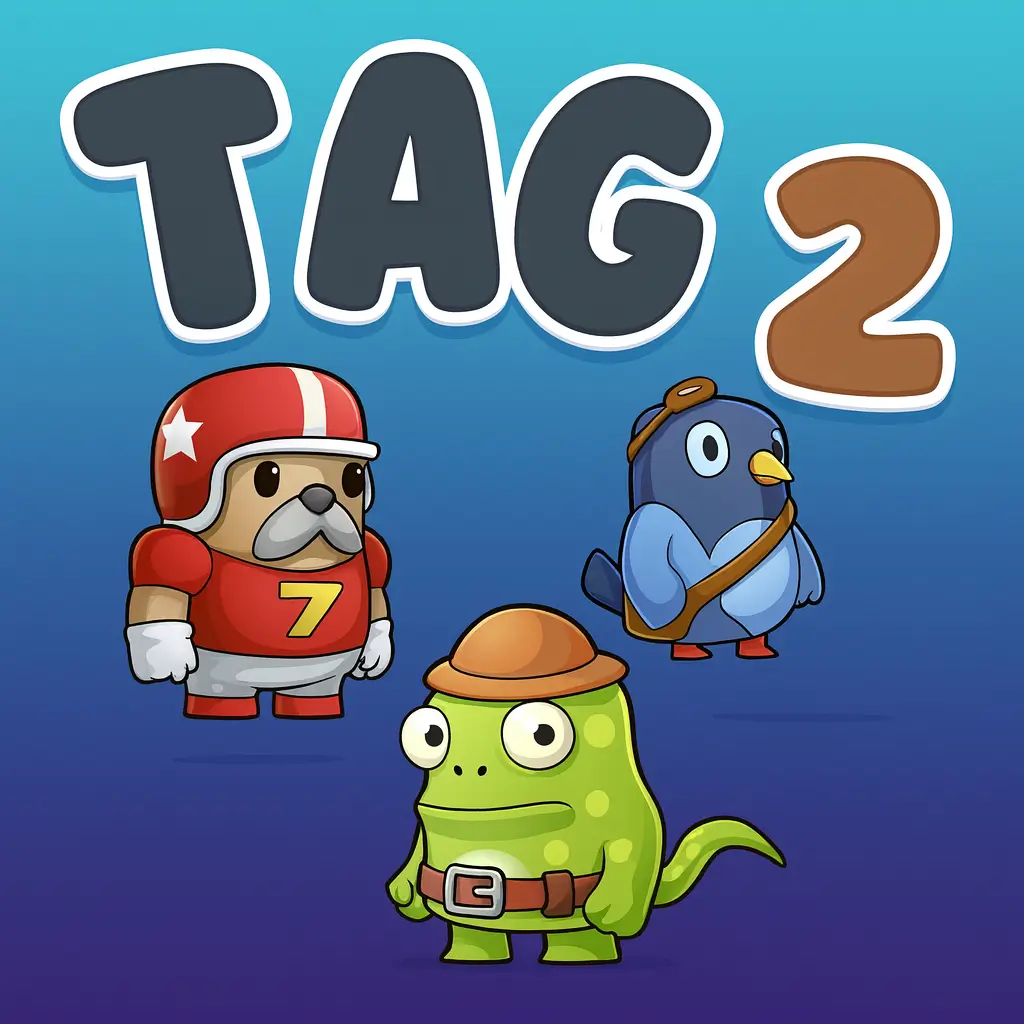
Tag 2 keeps things light and playful with a cast of cute, cartoon-style characters. Each one has a simple look kids can relate to, but their tiny differences in speed or jumping style make matches feel more fun and varied.
- Speedy Sprinter: The quickest runner in the game. Great for escaping with last-second dashes, but harder to control on narrow platforms.
- Bouncy Buddy: Loves to jump higher than the others. Perfect for players who enjoy hopping between platforms or dodging tags from above.
- Tiny Tank: A little slower, but has steady movement that makes him easier to control for beginners. Great for kids who like predictable handling.
- Shadow Runner: A quiet, speedy character with smooth animations. Ideal for quick tag swaps and sneaky escapes.
- Dizzy Dancer: Spinning idle animations make this character fun to watch. Slightly faster jump, perfect for playful players.
Customization
Tag 2 also includes light customization options that let kids add personality to their favorite characters. Players can change outfits, character colors, and small accessories to match their style—whether they prefer bright neon shades or cute pastel themes.
Different color palettes help kids easily spot their character during fast chases, especially in multiplayer rounds. Some cosmetic upgrades even come with fun animations, like sparkly jump trails or goofy dash effects. While there’s no gear or stat-based upgrades, these cosmetic changes make every match feel personal without making the game complicated.
These simple yet expressive options let kids enjoy a sense of identity and creativity while still keeping the gameplay fair, balanced, and easy for everyone.
Special Moves & Combos
Tag 2 keeps controls simple, but the game shines when players learn how to use special moves and smart combos. These moves aren’t big power-ups—they’re clever ways of using running, jumping, and dashing together to outplay other players. Kids who master these tricks can escape danger, tag faster, and turn close calls into epic wins.
- Speed Dash: A quick burst forward that helps you escape when the bomb is about to explode. Strategy: Use it only when danger is close, not randomly, so you always have it ready for the final seconds.
- High Hop: A boosted jump that lets you reach upper platforms or dodge incoming tags. Strategy: Jump right as you hit the edge of a platform for extra height and smoother escapes.
- Slide Move: A short, fast slide you can perform after running. Strategy: Great for slipping under another player trying to tag you—especially in crowded areas.
- Fake-Out Turn: Quickly switch directions to confuse the chaser. Strategy: Works best when you dash toward a wall, then flick the direction key at the last second.
- Platform Shuffle: Jump between tiers of platforms to stay unpredictable. Strategy: Don’t stay on the same level too long—switching levels often makes you harder to catch.
- Air Dash Combo: Jump first, then dash mid-air for a long-distance escape. Strategy: Use this when someone is only a step behind you—it creates instant distance.
- Corner Trap Tag: Push opponents toward corners or small platforms to make tagging easier. Strategy: If you’re “it,” guide them with slow, steady movement instead of chasing wildly.
- Group Chaos Combo: Run toward a group of players when you’re “it.” Strategy: More bodies = more chances to tag someone quickly before the bomb blows.
By mixing these moves together—dashing into a jump, faking directions, or using high platforms—kids can create amazing combos that make them nearly impossible to catch. Mastering these tricks is the key to becoming a Tag 2 pro.
Tips & Tricks
Becoming a Tag 2 champion takes more than running fast—it’s all about smart movement, clever timing, and knowing how to outplay everyone on the map. These kid-friendly tips help players stay calm under pressure, make better choices, and pull off smooth escapes or perfect tags.
- Control Your Speed: Don’t always run at full speed. Slowing down at the right moment helps you make tighter turns and avoid falling off platforms.
- Watch Player Patterns: Notice how others move. Many kids run in circles or panic in straight lines—use that to predict where they’ll go.
- Use Corners to Escape: Quick corner turns help you break line-of-sight and shake off a chaser.
- Move Toward Open Spaces: When you’re “it,” head toward crowded areas. More players mean easier tags.
- Jump Before You Dash: Jumping first adds extra distance to your dash, giving you a powerful getaway combo.
- Play the High Ground: Platforms above the action give you more ways to escape or attack downward for a quick tag.
- Keep the Bomb Moving: If you get tagged, don’t freeze. Tag back immediately to surprise opponents.
- Master Tight Spaces: Practice sliding and turning in small areas—these spots often become last-second tag zones.
- Use Fake Movements: Start running one way, then quickly switch directions. Fake-outs are one of the strongest tricks in the game.
- Stay Calm When “It”: Panicking wastes movement. Slow down, target someone close, and tag cleanly.
- Don’t Chase Forever: If someone’s too far, switch targets. Wasting time lets the bomb timer run out.
- Practice Platform Routes: Learn the layout of each arena so you always know where to jump next.
With these advanced tricks and steady practice, any player can rise from beginner to Tag 2 expert—ready to outrun explosions and pull off amazing last-second tags.
Platforms & Technology
Tag 2 is built to run smoothly on almost any modern browser, including Chrome, Firefox, Safari, and Edge. Whether kids play on a school Chromebook, a home laptop, or a tablet, the game loads quickly and feels responsive thanks to its lightweight design.
On desktop, players enjoy tighter control with keyboards, making movement and dashing more precise. On mobile and tablets, the touch controls feel simple and intuitive, giving younger players an easy way to jump and run without needing complex buttons.
Tag 2 is powered by HTML5 and WebGL, which means no downloads or plugins—just instant play right on gogamego.io. These technologies help the game run smoothly even on older devices while keeping colors bright and animations clear.
For the best performance, keep your browser updated and close unused tabs. If playing on mobile, switching to landscape mode and using a stable connection will make gameplay smoother and more enjoyable.
Can I Play Tag 2 Unblocked?
Yes! You can play Tag 2 unblocked instantly on gogamego.io. The game runs directly in your browser with no downloads, no ads, and no sign-ups, making it one of the easiest kid-friendly tag games to access anywhere.
Because Tag 2 is fully browser-based, students can enjoy it during free time at school, quick breaks at work, or relaxed play sessions at home. It works perfectly on Chromebooks, tablets, and PCs, even on networks that usually block gaming sites.
With fast loading, simple controls, and safe content, Tag 2 unblocked is a favorite choice for kids who want fun, stress-free action without waiting. Just open gogamego.io, click Play, and jump right into the chase!
Similar Games
Love the fast chases and party chaos in Tag 2? Here are more free, unblocked kids’ games on gogamego.io that bring the same quick-action fun, 2-player battles, and silly moments.
- Tag Unblocked – Classic tag as an online game. Run, dodge, and tag friends in fast rounds that work great on school Chromebooks and tablets.
- Poor Bunny – Hop, grab carrots, and dodge traps in solo, 2-player, or even 3-player mode on one device.
- House Of Hazards – Complete silly house tasks while friends trigger hilarious traps in this chaotic local multiplayer game.
- Basket Random – Two-button basketball with crazy ragdoll physics and random courts, perfect for quick 2-player matches.
- MineFun io – A safe sandbox world where kids mine, build, and explore together in a blocky online playground.
- Gun Mayhem 3 – Fast platform battles with power-ups and knockback arenas for intense 2-player duels.
- Fireboy and Watergirl 3 – A smart 2-player puzzle platformer where kids solve levels using teamwork and timing.
- Tank Trouble – Maze-style tank battles with simple controls and big explosions, great for quick shared-screen action.
- Melon Playground – A funny physics sandbox where melon characters bounce, crash, and react to every move kids make.
All of these games are free, kid-friendly, and unblocked on gogamego.io, making them perfect “next games” after Tag 2.
Game History & Updates
Original Release Date: The game was first launched in 2023 by developer ElPuB Studio, bringing the classic “tag and chase” fun into a browser-friendly format for kids.
Major Updates/Patches: Since its release, Tag 2 has seen updates that improved stability, optimized multiplayer performance, and added new cosmetic customization options. One key patch improved crash-resilience on tablets and Chromebooks; another expanded local multiplayer support from 2 to 4 players and added new playable arenas with fresh layouts and graphics.
Community Growth: Within months of going live on gogamego, Tag 2 became a favorite among school-break gaming groups and younger players seeking safe, quick fun. Word-of-mouth in classrooms and “play now” browser communities helped the game spread rapidly without heavy marketing.
Future Roadmap: Looking ahead, the developer plans to add themed seasonal arenas (for example, Halloween and winter maps), introduce custom challenge modes (such as “last-tag standing” or “tag-rush”), and implement in-game badges for players who complete certain milestones (e.g., “100 rounds survived” or “10 bomb passes in a row”). These upcoming features aim to keep Tag 2 fresh and engaging for returning players.
FAQ
Is Tag 2 free to play?
Yes! Tag 2 is completely free to play on gogamego.io. You don’t need to download anything or create an account—just click and start playing instantly.
Can I play Tag 2 unblocked at school?
Absolutely. Tag 2 is fully browser-based and works on most school Chromebooks and networks, making it easy to enjoy during breaks or free time.
Does Tag 2 support 2–4 players?
Yes, Tag 2 includes local multiplayer for up to four players on the same device. Just share the keyboard or touch controls and start the game together.
Is Tag 2 safe for kids?
Tag 2 is designed with kid-friendly graphics, simple gameplay, and no harmful content. It’s one of the safest choices for children who enjoy fast-paced games.
Can I play Tag 2 on mobile or tablet?
Yes. Tag 2 works smoothly on mobile browsers with easy touch controls, making it perfect for phones, tablets, and small screens.
Why is Tag 2 so popular?
Kids love the mix of speed, silliness, and fast chases. The short rounds, colorful maps, and easy controls make it a favorite for quick and exciting play sessions.
Are there different characters in Tag 2?
Yes, Tag 2 includes several cute characters with small differences in movement and animations so kids can find one that fits their play style.
Does Tag 2 get updates?
The developer releases small updates that improve performance, fix bugs, and sometimes add new arenas or cosmetic options.
Do I need a powerful device to play?
Not at all. The game uses lightweight HTML5 technology, allowing it to run smoothly even on older laptops and school Chromebooks.
Can I play Tag 2 without ads?
Yes. On gogamego.io, Tag 2 is available completely ad-free for a smooth and uninterrupted gaming experience.
Conclusion
Tag 2 delivers everything kids love in a quick, exciting, and easy-to-play browser game. From its silly bomb-tag chases to its colorful characters and fast multiplayer rounds, the game stays fun whether you’re playing solo or sharing the screen with friends. Its simple controls, smooth performance, and unblocked access make it perfect for school breaks, home play, or anytime you want a burst of fast action.
Because Tag 2 runs with no downloads, no ads, and no accounts, it’s one of the safest and easiest choices for young players. The mix of strategy, timing, and playful chaos keeps every round unpredictable, making it a game kids return to again and again.
If you’re ready to jump, dash, and laugh your way through explosive tag battles, now’s the perfect time to start. Head to gogamego.io, hit Play, and dive straight into the fast-paced fun of Tag 2!