
QWOP is one of those games that makes you laugh, try again, and say “just one more run.”
You control a runner using only four keyboard keys—Q, W, O, and P—and every move can turn into a smooth step or a funny fall. That’s what makes this classic running game so exciting and memorable for kids and casual players.
On gogamego.io, you can play QWOP online for free, directly in your browser. There’s no download, no signup, and no waiting time. Just click and start playing instantly.
Whether you’re at home or on a restricted network, QWOP unblocked lets you enjoy the game anytime. It’s perfect for quick play sessions, friendly challenges, and improving your coordination in a fun way.
Press play now, master the QWOP keys, and see how far your runner can go!
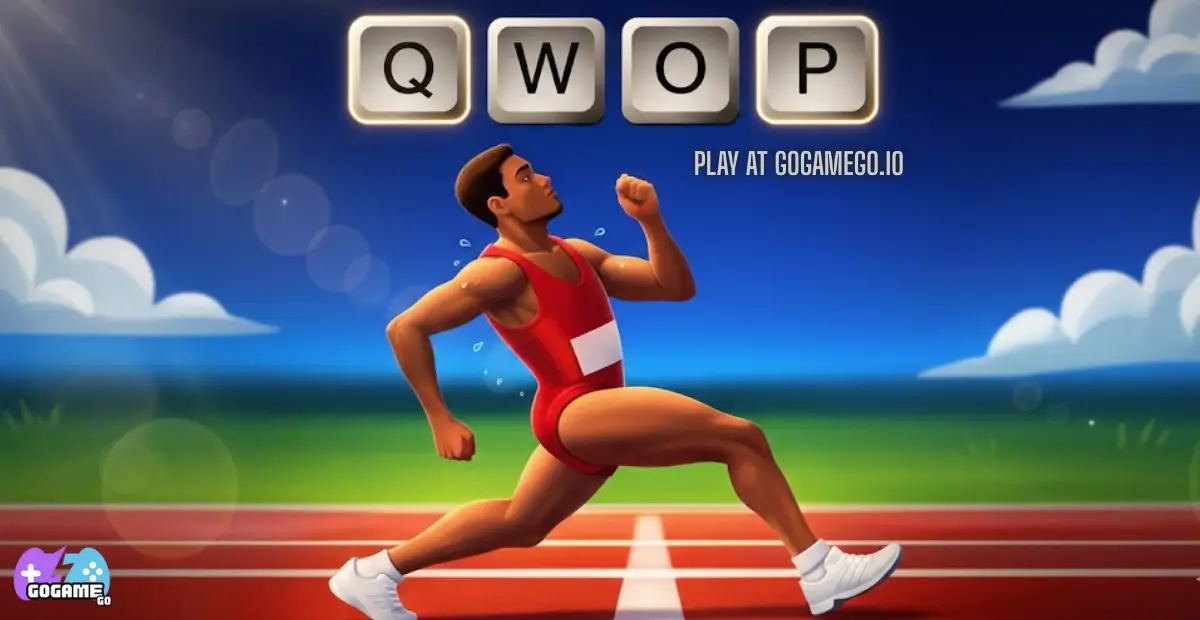
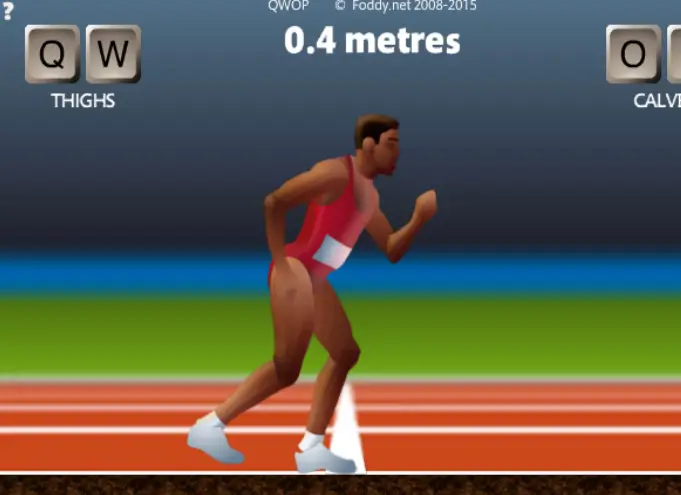
QWOP is a famous running game that looks simple but feels surprisingly tricky the moment you start playing. Instead of using arrow keys or buttons, players control a runner’s legs using just four keys: Q, W, O, and P. Each key moves a different part of the legs, turning every step into a fun challenge.
The game was created by , an independent game developer known for making clever games that test patience, timing, and coordination. QWOP was first released in 2008 as a browser game and quickly became popular online. Over time, it spread through videos, memes, and school computers, helping it stay relevant even years later.
What makes QWOP special is its unique physics-based movement. The runner doesn’t move automatically—you control every motion. This leads to funny falls, unexpected wins, and lots of laughs, especially for kids and casual players. Each short run feels different, which makes the game exciting to replay.
QWOP is trending again because it’s easy to access, works instantly in the browser, and is perfect for quick play sessions. Many players search for QWOP online or QWOP unblocked because it’s a great break-time game that doesn’t need downloads or updates.
Simple controls, funny moments, and endless retries are why QWOP remains a classic today.
QWOP is a physics-based running game where the goal is simple: run as far as you can without falling. The challenge comes from full control over the runner’s legs. Every step is manual, which turns even a short distance into a big achievement.
There are no enemies, timers, or complicated rules. Your main objective is to keep balance, build rhythm, and beat your previous distance. This makes the game perfect for kids, beginners, and players who enjoy skill-based browser games that reward practice.
Progression in QWOP is personal rather than level-based. There are no stages to unlock, but every run teaches you something new. The real reward is improving control, lasting longer on the track, and reaching new distance milestones that once felt impossible.
This simple but deep design is why QWOP stays fun even after many tries and why players keep coming back for “just one more run.”
Your goal is to move the runner forward by controlling each leg movement carefully. Pushing keys too fast or at the wrong time will make the runner fall.
There are no checkpoints or power-ups. If you fall, the run ends, and you start again from the beginning. This restart system keeps gameplay quick, light, and perfect for short play sessions.
Each run helps you learn timing, balance, and coordination. Over time, players naturally improve without needing tutorials or upgrades.
1-Player Controls (Keyboard):
QWOP is designed for single-player gameplay. There is no official 2-player mode, which keeps the focus on personal skill and progress.
Mobile / Touch Controls:
On touch devices, on-screen buttons replace keyboard keys. Tapping carefully instead of rapidly is the key to staying upright.
Mastering QWOP takes patience, but every improvement feels rewarding and fun.
QWOP keeps things simple and focused, which is a big reason why the game still feels fun and timeless. Instead of many complicated modes, it offers a single core experience that challenges skill, patience, and coordination.
Solo Mode is the main and only official way to play QWOP. In this mode, you control one runner and try to move as far as possible without falling. The difficulty comes from the physics-based controls, not from enemies or obstacles. There are no levels or checkpoints, but the real reward is personal progress. Each new distance reached feels like a win, especially after many failed attempts.
Multiplayer Mode is not available in the original QWOP game. There is no online matchmaking or competitive mode built into the game. However, many players still enjoy competing by comparing distances with friends or challenging each other to beat high scores.
Local Co-op is also not officially supported. QWOP is designed as a single-player experience, which keeps the controls simple and the challenge fair. That said, kids often enjoy taking turns, watching each other play, and sharing funny moments together.
Tournament or Seasonal Modes do not exist in QWOP. Instead, the game’s lasting appeal comes from self-challenges, speed runs, and personal best records shared online.
This pure focus on solo gameplay is what makes QWOP easy to jump into and endlessly replayable.
QWOP features a single official runner, but over time, players—especially kids—have given the athlete fun nicknames based on how they move and play. These aren’t separate selectable characters, but playful ways to describe different running styles.
QWOP does not include traditional customization like outfits, skins, gear, or upgrades. There are no colors to unlock, no power-ups, and no stat boosts.
This design choice is intentional. By removing upgrades and items, the game stays fair and skill-based. Every improvement comes from better timing, smarter movement, and practice—not from buying or unlocking advantages.
For kids, this keeps gameplay simple and focused. Everyone starts equal, and success feels earned. The only real “upgrade” in QWOP is player skill, which makes each new distance milestone exciting and rewarding.
This simplicity is part of what makes QWOP memorable and fun, even years after its release.
QWOP doesn’t have buttons for special attacks or power moves, but skilled players have discovered movement patterns that work like combos. These techniques help runners stay balanced, move faster, and survive longer on the track.
The key strategy is patience. These moves work best when used calmly and consistently. Rushing usually causes falls, while steady combos lead to personal best distances.
Mastering these techniques turns funny chaos into real progress—and that’s where QWOP becomes truly rewarding.
Getting better at takes patience, smart timing, and a calm mindset. These tips mix beginner-friendly advice with advanced techniques to help players go farther and fall less.
With practice, these tricks turn chaos into control. Every fall teaches something new, and every extra meter feels earned.
QWOP runs directly in modern web browsers, making it easy to play without downloads or installations. It works smoothly on popular browsers like Chrome, Firefox, Edge, and Safari, especially on desktop and laptop computers.
For gameplay, desktop is the best option. The keyboard-based controls are more precise and responsive, which is important for balance and timing. While QWOP can be played on mobile devices using touch controls, the experience is more challenging due to smaller screens and less accurate input.
Technically, QWOP was originally built using Flash, but many modern versions now run through browser-based emulation or HTML5-style wrappers that allow the game to remain playable today.
For the best performance, close extra browser tabs, use a physical keyboard, and play in full-screen mode. A stable frame rate helps keep movements smooth and easier to control.
This lightweight setup makes QWOP fast to load and perfect for quick play sessions.
Yes, you can play QWOP unblocked easily and safely on gogamego.io. The game runs directly in your browser, which means it works on most networks without needing special permissions.
Whether you’re at school, work, or relaxing at home, QWOP unblocked lets you jump into the game anytime. Since it doesn’t require downloads or installations, it’s less likely to be blocked by firewalls or restricted systems.
You can enjoy QWOP online for free with no downloads, no setup, and no interruptions. The game loads fast and plays instantly, making it perfect for quick breaks or short play sessions.
Just open your browser, press play, and start running. It’s simple, clean, and built for smooth, distraction-free fun.
If you like QWOP, you’ll probably enjoy these fun, fast, and sometimes wobbly games on gogamego.io. They’re great for kids who love running, parkour, physics, and quick challenges.
QWOP burst onto the internet in 2008, created by independent game designer Bennett Foddy. From the moment players tried controlling a runner with just four keys — Q, W, O, and P — the game became a quirky hit. Its unusual physics and humorous falls made it instantly shareable, especially as videos and memes spread across social media and forums.
While QWOP didn’t have traditional “updates” like modern games, its legacy grew through player creativity. Fans built guides, shared distance records, and created challenge videos that showcased their funniest or most skillful runs. Over time, versions of QWOP were adapted to run in modern browsers even after older technology like Flash started to disappear. This ensured the game stayed playable for new generations without downloads.
The community around QWOP is small but passionate. Many players compete to set higher distances, while others recreate the game’s silliness through GIFs and clips. Schools and friends often introduce it as a fun challenge during breaks, which keeps the game alive through word of mouth.
There’s no official roadmap with seasons or new modes, but QWOP lives on through browser support, online platforms like gogamego.io, and ongoing player interest. As long as people enjoy physics-based challenges and simple, funny gameplay, QWOP will remain a beloved classic that’s easy to revisit again and again.
is a physics-based running game where you control a runner using only four keyboard keys. The challenge comes from managing balance and movement one step at a time.
Yes, QWOP is completely free to play on gogamego.io. There are no hidden costs, subscriptions, or paid features.
In most cases, yes. Since QWOP runs directly in the browser and doesn’t require downloads, it often works on school and workplace networks.
No downloads are needed. Just open the game page, press play, and start running instantly.
You use the Q, W, O, and P keys to control different parts of the runner’s legs. Timing and short taps are more important than speed.
Yes. QWOP has no violence, no chat, and no inappropriate content, making it suitable for kids and younger players.
QWOP can work on mobile devices using touch controls, but it plays best on desktop with a physical keyboard.
No. The game is skill-based, so progress comes from practice and better control rather than unlocks or power-ups.
The unusual controls and realistic physics make every run unpredictable. Falling is part of the fun, and improving feels very rewarding.
QWOP proves that a simple idea can create unforgettable fun. With just four keys and a single runner, the game delivers laughs, challenges, and real skill-building moments for players of all ages. Its physics-based movement turns every step into a mini puzzle, making each run feel different and exciting.
One of the biggest benefits of QWOP is how easy it is to start. There are no downloads, no complicated menus, and no distractions. You can jump in, try again after every fall, and slowly see real improvement. This makes it perfect for kids, casual gamers, and anyone who enjoys quick browser games.
QWOP also stands out because it rewards patience and practice instead of speed or upgrades. Every new distance reached feels earned, which keeps players motivated to come back and beat their personal best.
Now it’s your turn. Open the game on gogamego.io, press play, and take your first steps on the track. Whether you fall right away or make it farther than expected, one thing is certain—you’ll want to try again. Start playing QWOP now and see how far you can go!