




Fnaf 5 is back with even more thrills, and you can dive into the adventure right here on gogamego.io — totally free, fully unblocked, and ready to play the moment you open the page.
This spooky-yet-kid-friendly chapter of the Five Nights at Freddy’s world brings new animatronics, hidden rooms, and heart-pounding moments that keep players talking. Its mix of mystery, quick reactions, and funny jump scares is exactly why kids love coming back for more.
With smooth online play on PC, Chromebook, tablet, or mobile, you’re just one tap away from starting your shift. Explore Sister Location, stay alert, and see how long you can survive each night.
Hit “Play” on gogamego.io and start your Fnaf 5 journey now — free, unblocked, and packed with all the excitement fans expect from the FNAF series.
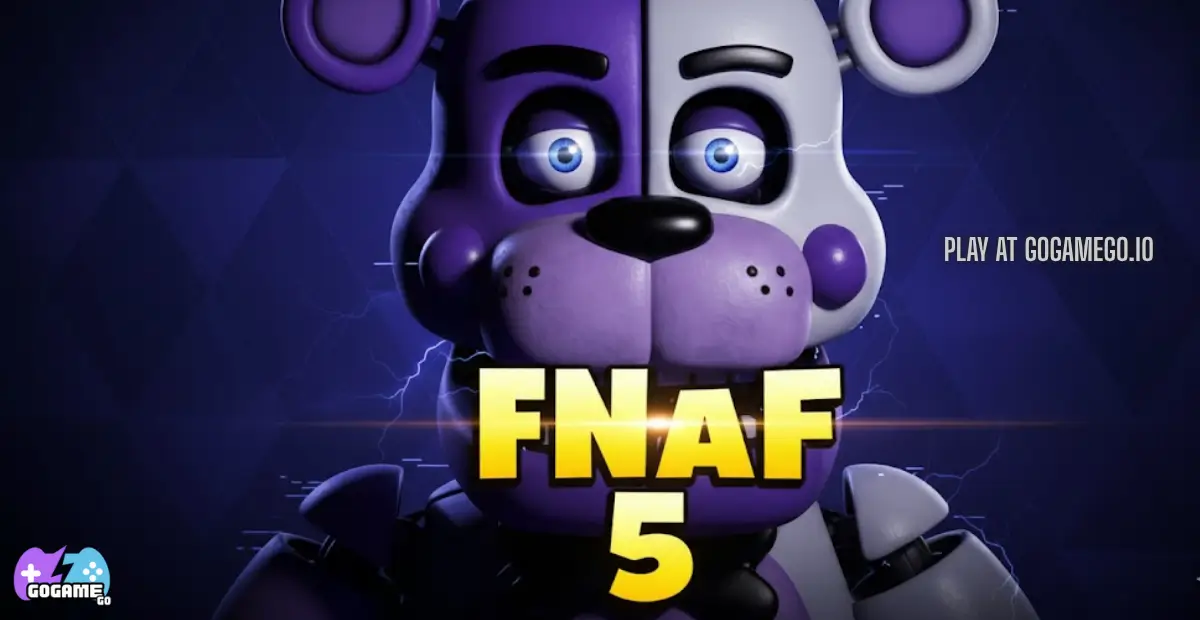
Fnaf 5, also known as *Five Nights at Freddy’s: Sister Location*, is a thrilling survival adventure that expands the classic FNAF formula with fresh mechanics, new animatronics, and a deeper story. Created by Scott Cawthon, a well-known indie developer celebrated for turning simple ideas into massive worldwide hits, this chapter brings players into a mysterious underground facility filled with high-tech stages, secret rooms, and unpredictable surprises.
Originally released in 2016, Fnaf 5 received continued updates, bug fixes, and quality improvements over time, helping it stay polished and enjoyable for new and returning players. Its shift from the traditional office-based gameplay to free movement through different locations made this entry stand out instantly.
The real magic behind Fnaf 5 is its unique blend of humor, tension, puzzles, and storytelling. Kids love the creepy-cute animatronics like Baby, Ballora, and Funtime Freddy, while older fans enjoy uncovering hidden lore and challenging night sequences. The game balances spooky moments with a fun, colorful art style, making it exciting without being too intense for young players.
Today, Fnaf 5 continues to trend because of its replayability, strong community, and endless streams, reactions, and fan theories. Its captivating characters and surprising twists make it one of the most talked-about games in the FNAF universe — and a must-play choice for anyone exploring scary-fun games online.
Fnaf 5 places you inside an underground facility where advanced animatronics perform for kids during the day but act very differently at night. Your mission is simple on paper: complete each shift safely by following instructions, solving tasks, and avoiding jumpscares. Each night introduces new challenges, from repairing animatronics to sneaking through dark tunnels and managing power systems.
The game uses a progression system where every night becomes harder, unlocking new areas, tougher tasks, and more secrets about the FNAF storyline. You’ll work through different rooms—like the Control Module, Ballora Gallery, and Parts & Service—each offering unique puzzles and dangers. Rewards come in the form of story clues, bonus challenges, and the satisfaction of surviving a scary shift.
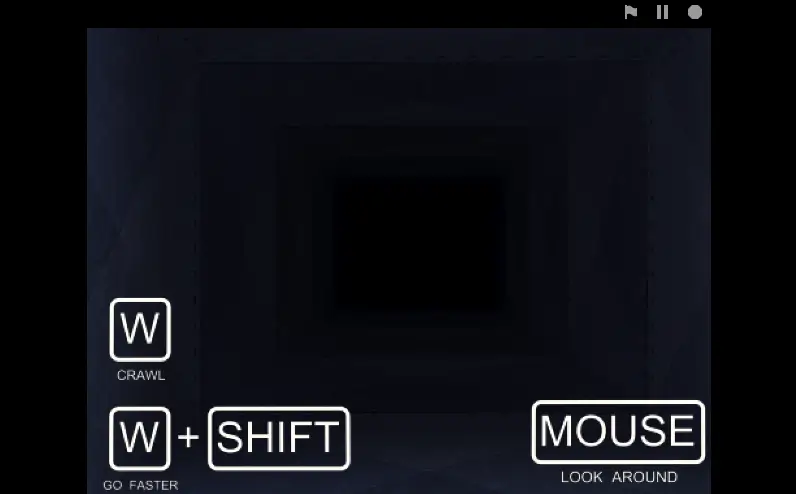
1-Player Controls (PC):
Touch Controls (Mobile/Tablet):
Fnaf 5 shines because it mixes mystery, adventure, and kid-friendly scares in a way that keeps players excited from the very first night. Each feature adds something special to the gameplay, making every session feel fresh, challenging, and full of surprises.
Fnaf 5 on gogamego.io is built to give every type of player—beginners, challenge-seekers, and curious explorers—a fun and spooky adventure. While the original Sister Location is a single-player story game, our online version highlights multiple ways to play, letting kids enjoy the experience at their own pace.
Solo Mode: This is the classic way to play. You move through different rooms, complete tasks, and survive each night while facing animatronics with unique patterns. The difficulty rises with every shift, rewarding players with new story clues, bonus challenges, and cutscenes. Kids love earning bragging rights by clearing the later, tougher nights.
Multiplayer Mode (Online Challenges): While the story itself is solo, gogamego.io adds a fun competitive twist through online scoreboards. Players can compare survival times, fastest puzzle completions, and night streaks. Matchmaking pairs you with other players’ ghost scores so you can try to beat their records.
Local Co-op (Pass & Play): For siblings or friends sharing one device, the Pass & Play mode makes things exciting. One player handles a task or part of a night, then passes the device to the next player when the mission changes. It teaches teamwork and makes the jumpscares even funnier when everyone’s involved.
Seasonal & Event Modes: During special periods, gogamego.io may feature themed challenges—speed-run nights, puzzle-only missions, or limited-time difficulty boosts. These seasonal events keep the game feeling new and encourage players to return for fresh rewards.
Fnaf 5 introduces a cast of animatronics that are both spooky and charming, each with their own personality and style. Kids love learning how each character behaves, which helps them plan their moves and survive longer.
While the original Sister Location focuses more on story and survival, the gogamego.io online version adds playful customization options to make the experience more personal for kids.
These customization features let players express themselves while making the gameplay feel smoother and more enjoyable.
Even though Fnaf 5 is mainly a survival and puzzle-based adventure, the gogamego.io version includes special action-style moves and combos that help players avoid danger, complete tasks faster, and survive tricky moments. These moves add more excitement for kids and encourage smart timing, quick reactions, and strategic thinking.
Mastering these moves and combining them smartly makes each night smoother and gives players a real sense of skill and progression as they advance through Fnaf 5 on gogamego.io.
Surviving Fnaf 5 on gogamego.io becomes much easier when you learn how the animatronics behave, manage your tools wisely, and stay alert during every shift. These expanded tips will help you play smarter, react faster, and enjoy the spooky fun without getting stuck on difficult nights.
Fnaf 5 on gogamego.io is built to run smoothly right inside your browser, with no downloads or plug-ins needed. The game works perfectly on Chrome, Firefox, Edge, and most modern browsers, making it easy for kids to jump in whether they’re at school or at home.
On desktop, players get a bigger screen and more precise control for repair tasks and room navigation. Mobile users enjoy simple tap-and-swipe controls, making the experience just as fun on tablets and phones. The game is powered by HTML5 and WebGL, which ensures fast loading, clear visuals, and stable performance across all devices.
For the best experience, keep your browser updated, close unnecessary tabs, and increase brightness slightly to spot movement in darker rooms. Whether you’re on a PC or touchscreen device, the game runs smoothly and keeps the spooky adventure exciting from start to finish.
Yes! You can play Fnaf 5 completely unblocked on gogamego.io. The game loads instantly in your browser, making it perfect for quick sessions at school, during breaks at work, or right at home. Because it uses modern web technology, you don’t need to install anything—just click and play.
Kids love that the game works even on restricted networks, and parents appreciate that it runs safely without downloads or risky files. Another bonus is the smooth, clean experience with no pop-ups or distracting ads to interrupt your gameplay.
Whether you’re sneaking through dark hallways, solving tasks, or staying alert for animatronics, Fnaf 5 runs fast, safe, and fully unblocked on any device. Just open gogamego.io, press play, and start your shift instantly.
If you love the spooky fun of Fnaf 5 online, you’ll find plenty of other scary-yet-kid-friendly games to explore on gogamego.io. All of these horror and adventure titles are free, browser-based, and fully unblocked at school, work, or home.
The game originally launched on October 7, 2016 for Windows, marking the arrival of the fifth main entry in the FNaF world. Five Nights at Freddy’s: Sister Location (often called “Fnaf 5”) took the series in a fresh direction with new mechanics and setting. :contentReference[oaicite:1]{index=1}
Shortly after launch, the developer released rapid patches—version 1.02 on October 8 addressed a bug in Night 2 and adjusted the difficulty of Night 4. :contentReference[oaicite:2]{index=2} Then in December of the same year a major update (1.1) added Custom Night mode along with new cutscenes and the Golden Freddy mode. :contentReference[oaicite:3]{index=3}
Over time the community around the game grew steadily. Fans created YouTube walkthroughs, reaction videos, and sketch-comedy based on its animatronics and lore. The mysteries of Ennard, Baby and the rental facility sparked theories and content which kept interest alive long after release. :contentReference[oaicite:4]{index=4}
Looking ahead, while no formal public roadmap is widely documented, the game remains supported via ports, updates for mobile versions and occasional bug-fixes. The active fan base keeps the momentum alive with mods, custom content, and user uploads, suggesting the title’s legacy will continue strong.
Yes. While it has spooky moments and jump scares, the graphics and story are kid-friendly. At gogamego.io, the gameplay is smooth, clean, and safe to play in a browser.
No downloads at all. Fnaf 5 runs directly in your browser using HTML5, so you can start instantly without installing files or apps.
Yes! The gogamego.io version is fully unblocked, making it easy to play on school Chromebooks or restricted networks.
Yes. “Fnaf 5” is the fan nickname for Five Nights at Freddy’s: Sister Location, the fifth main entry in the FNAF series.
Yes. Your browser automatically keeps track of nights and progress so you can return anytime and continue your shift.
Absolutely. The game works great on phones and tablets with tap-and-swipe controls designed for smaller screens.
Yes. Sister Location includes hidden paths and special endings that unlock depending on your choices and performance.
Kids love the mix of spooky fun, puzzles, mystery, and silly animatronics. The story is full of twists, and the gameplay keeps you alert.
Difficulty increases each night. Early levels teach the basics, while later ones challenge timing, listening skills, and quick thinking.
The main story is solo, but gogamego.io features competitive scoreboards and Pass-and-Play fun for group sessions.
Fnaf 5 on gogamego.io brings the perfect mix of spooky excitement, clever puzzles, and kid-friendly fun. With its memorable animatronics, engaging story, and room-to-room exploration, players stay hooked as they uncover secrets and survive each challenging night. The game runs smoothly on any device, loads instantly in your browser, and stays fully unblocked—making it easy to enjoy at school, at home, or anywhere you want a quick burst of adventure.
Kids love the jump scares, parents love the safe browser play, and fans everywhere enjoy the blend of mystery and strategy that makes Sister Location stand out in the FNAF series. Whether you’re trying to beat tough levels, explore new rooms, or learn the patterns of each animatronic, every shift feels exciting and fresh.
If you’re ready to test your courage, sharpen your skills, and jump into one of the most popular FNAF experiences online, click “Play” and start your Fnaf 5 journey now on gogamego.io. Your next night shift is waiting!