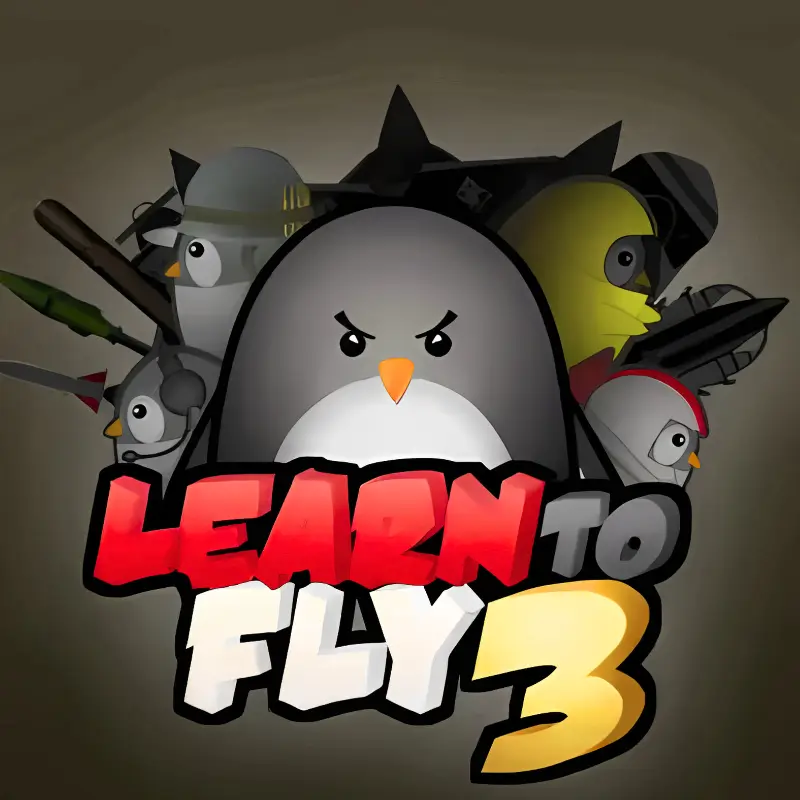
Learn To Fly 3
Similar Games




Description
Introduction
Ready to help a penguin fly to the stars? Learn to Fly 3 is the funniest and most exciting penguin launch game in the whole series.
Unlike the first two chapters, this adventure takes the challenge into space. Build rockets, upgrade wings, and test how far you can go. Kids love it because every flight feels like a brand-new mission.
You don’t need to download anything, press play, and start flying instantly on gogamego.io. Even better, Learn to Fly 3 unblocked means you can play free at school, at home, or anywhere you want.
Each launch gives you coins to buy boosters, faster engines, and crazy gadgets. The more distance you cover, the more powerful your penguin becomes. This loop keeps players smiling and always coming back for “one more try.”
With its mix of strategy, upgrades, and simple controls, Learn to Fly 3 online is one of the most popular browser games for kids worldwide. Start now and see if you can reach outer space before your friends do!

What Is Learn to Fly 3?
Learn to Fly 3 is the third chapter in the famous penguin launch series created by Light Bringer Games. Known for making fun and clever browser games, the studio turned a simple penguin adventure into one of the most beloved upgrade-style games for kids.
The game first appeared in 2016 as a sequel to the original Learn to Fly and Learn to Fly 2. Over the years, it has received small updates that kept it smooth, playable on modern browsers, and perfect for schools and casual gaming sites.
What makes Learn to Fly 3 online different from the earlier titles is its unique twist: instead of just sliding and gliding across the ice, the penguin builds rockets to reach outer space. Each flight brings coins, which can be spent on boosters, engines, and gadgets. It creates a satisfying loop of launch, upgrade, and launch again.
The charm lies in its mix of funny cartoon humor, easy controls, and smart progression. Kids love watching their penguin fly higher with every try, while older players enjoy optimizing upgrades and experimenting with flight distance strategies.
Even today, Learn to Fly 3 unblocked is trending on school networks and gaming platforms like gogamego.io, proving that a well-made penguin game can stay popular for years. It’s simple, addictive, and one of the best free online kids’ games to play right now.
Gameplay Overview
How to Play
The goal in Learn to Fly 3 is simple but super fun: help your penguin build a rocket and fly as far as possible into space. Each launch earns you coins, which can be spent on upgrades like engines, boosters, fuel tanks, and gadgets.
At the start, your penguin barely leaves the ground. But as you upgrade, flights last longer, speed increases, and you’ll reach new heights. The game is all about progression—every attempt takes you closer to unlocking better equipment and reaching the stars.
Kids love the challenge of seeing how far they can go, while older players enjoy testing different strategies to maximize distance and rewards.
Controls
For PC (1 Player): Use the arrow keys or A/D keys to tilt your rocket. Press the spacebar to activate boosters. The mouse can also be used in menus to select upgrades and start flights.
For 2 Players: The game is mainly single-player, but kids often take turns—one launches, the other picks upgrades. It makes Learn to Fly 3 online a fun pass-and-play challenge.
On Mobile: Tap the screen to control tilt and boosters. Simple touch controls make it easy for kids to play Learn to Fly 3 unblocked on tablets and phones.
Pro Tips
- Focus on fuel early: The more fuel you have, the longer each flight lasts.
- Upgrade engines before gadgets: Stronger engines give the best distance gains.
- Balance boosters: Too many boosters burn fuel quickly—find the right mix.
- Save coins for major upgrades: Sometimes waiting for a big purchase is smarter.
- Watch the tilt: Keep your rocket steady to avoid wasting fuel.
- Experiment with builds: Try different rockets, payloads, and gadgets for the best combo.
- Use practice launches: Short flights help test controls without wasting upgrades.
- Play unblocked at school: Progress saves locally, so you can pick up where you left off later.
Key Features
Learn to Fly 3 isn’t just another penguin game—it’s packed with features that make it fun, addictive, and perfect for kids and casual gamers. Each element keeps the action fresh and rewards players for experimenting.
- Rocket Building: Customize engines, boosters, and fuel tanks to design the perfect rocket for long-distance flights.
- Upgrade System: Earn coins after every launch and unlock stronger parts, creating a satisfying sense of progress.
- Funny Storyline: Follow the penguin’s dream to reach outer space with hilarious cutscenes and cartoon humor.
- Multiple Game Modes: Switch between story mode, payload challenges, and endless flights for endless replayability.
- Simple Controls: Easy keyboard and touch controls make it accessible for younger kids while still engaging older players.
- Unblocked Gameplay: Play Learn to Fly 3 online for free at school, home, or anywhere—no downloads required.
- Mobile Friendly: Smooth touch controls mean you can enjoy the game on tablets and phones, not just desktop.
- Rewarding Goals: Every flight feels like progress, with medals and milestones that encourage players to keep going.
These features combine strategy, humor, and accessibility, making Learn to Fly 3 one of the most popular browser upgrade games available today.
Game Modes
Learn to Fly 3 keeps players hooked by offering different ways to play. While the main focus is solo adventures, kids often create their own challenges with friends, making the game feel bigger than it looks.
Solo Mode: This is the heart of the game. Players launch their penguin, earn coins, and upgrade rockets to reach new heights. The difficulty grows with every attempt, rewarding persistence and smart upgrades. Milestones like reaching space or unlocking new payloads give kids a strong sense of achievement.
Multiplayer Mode: The game doesn’t include official online matchmaking, but players often compare scores with friends. Many kids play side-by-side on school computers or share their best launch distances, turning it into a friendly competition.
Local Co-op: On one device, kids take turns launching rockets and managing upgrades. This “pass-and-play” setup makes Learn to Fly 3 online surprisingly social. One player handles launches while the other strategizes upgrades, encouraging teamwork and laughter.
Tournament or Seasonal Modes: While not built into the game, communities sometimes run challenges—like “longest flight in 10 tries” or “fastest unlock of story mode.” These custom competitions add replayability and keep Learn to Fly 3 unblocked trending in schools and online groups.
Thanks to these flexible play styles, Learn to Fly 3 works both as a solo adventure and as a lighthearted game to enjoy with friends.
Characters & Customization
Characters
The main star of Learn to Fly 3 is, of course, the determined penguin. But the game also introduces a few supporting characters and variations that make each flight more fun.
- The Penguin Hero: The classic black-and-white penguin with a big dream—reach outer space!
- The Scientist: A quirky guide who provides upgrades and explains how rockets work.
- Payload Companions: Funny items like dummies or payloads that add challenge and humor to your launches.
- Shopkeepers: NPCs who sell rocket parts, engines, and gadgets, giving kids a reason to keep collecting coins.
- Hidden Characters: Some upgrades and story cutscenes reveal surprise characters that add extra laughs.
Customization
One of the most exciting parts of Learn to Fly 3 online is customizing your penguin’s journey. Kids can change rocket designs, upgrade engines, and even experiment with colors and payload types. Each change affects how the penguin flies, making strategy part of the fun.
Beyond rockets, the game also lets players tweak gadgets like wings, fuel boosters, and propulsion systems. Every upgrade changes the way your penguin launches, creating endless possibilities. This customization keeps Learn to Fly 3 unblocked fresh, as no two flights feel exactly the same.
With its mix of characters, humor, and gear options, the game gives players freedom to create their own perfect flying adventure.
Special Moves & Combos
In Learn to Fly 3, your penguin’s success depends on how well you combine upgrades and use smart moves during flights. Here are some powerful strategies to try:
- Rocket Boost Combo: Start with a strong engine, then trigger boosters mid-flight for a big burst of speed. This combo helps cover long distances quickly.
- Fuel Saver Move: Tilt the rocket gently instead of holding full thrust. This conserves fuel and keeps your penguin in the air longer.
- Payload Power-Up: Adding payloads increases rewards, but also weight. The trick is upgrading engines first to balance the extra load.
- Double Booster Timing: Activate one booster early, then save the second for when your rocket slows down. This staggered timing keeps momentum alive.
- Angle Mastery: Keeping the nose at a steady tilt helps reduce drag. A slight upward angle is usually the sweet spot for maximum distance.
- Upgrade Chain Combo: Focus on fuel tanks → engines → boosters in that order. This sequence creates the most efficient growth early on.
- Endurance Flight: Equip gadgets that improve stamina, like fuel boosters or stabilizers, to stay airborne for record-breaking launches.
- Emergency Save: Keep one booster unused until the very end—this can rescue a flight that seems about to crash too early.
These Learn to Fly 3 combos make every launch unique, giving players both strategy and excitement as they aim for space.
Tips & Tricks
Want to master Learn to Fly 3 and help your penguin reach space faster? These tips and tricks will make every launch more powerful and fun:
- Upgrade Fuel First: Longer flights give you more coins, so fuel is the best early investment.
- Engines Before Gadgets: Stronger engines give better distance than fun extras at the start.
- Balance Boosters: Too many boosters can waste fuel—aim for steady speed, not just bursts.
- Use Payloads Wisely: Extra weight means more rewards, but only if your rocket can handle it.
- Angle Control: A steady, slightly upward tilt helps reduce drag and extend flights.
- Save for Big Upgrades: Don’t spend coins on small boosts—wait and unlock powerful engines.
- Time Your Boosts: Activate boosters when momentum slows to keep climbing higher.
- Experiment With Builds: Mix rockets, fuel tanks, and gadgets until you find your best combo.
- Play Daily: Consistent play unlocks new parts faster and improves your launch skills.
- Try Practice Runs: Short flights are great for testing controls without wasting progress.
- Compare With Friends: Challenge friends at school or online to beat you
Platforms & Technology
Learn to Fly 3 is a modern browser game that works smoothly on most devices. It’s fully compatible with popular browsers like Chrome, Firefox, Safari, and Edge, you can play without downloads or installs.
On Desktop: The game runs best on PC or laptop, offering precise keyboard controls and faster performance for long flights.
On Mobile: Touch controls make it easy for kids to play Learn to Fly 3 online on tablets and smartphones. Progress saves locally, you can continue your journey anytime.
Technology: Built with HTML5 and WebGL, the game loads quickly, runs smoothly, and doesn’t need Flash. It ensures Learn to Fly 3 unblocked stays future-proof and playable across devices.
Performance Tips: For the best experience, close extra tabs, keep your browser updated, and use full-screen mode to enjoy distraction-free launches.
Can I Play Learn to Fly 3 Unblocked?
Yes! You can enjoy Learn to Fly 3 unblocked for free anytime on gogamego.io. That means no limits, no extra downloads, and no ads interrupting your flights.
Because it’s built in HTML5, the game works directly in your browser. Whether you’re at school, at home, or even on a break at work, you can launch your penguin into space with just one click.
Many kids search for safe, unblocked games that run on school computers. Learn to Fly 3 online is perfect for that—it loads quickly, saves progress locally, and keeps gameplay smooth without needing special software.
If you want fun, stress-free gaming, Learn to Fly 3 unblocked is the easiest way to play. Just press play and start flying—no waiting, no setup, only nonstop action!
Similar Games
If you enjoy Learn to Fly 3, you’ll love these other fun upgrade and launch games that keep the action going:
Learn to Fly 2: The direct prequel where the penguin first takes to the skies. Packed with icy slides, gliders, and clever upgrades.
Burrito Bison Launcha Libre: Launch a powerful bison into gummy bears, upgrade his strength, and smash your way through fun levels.
Kitten Cannon: A classic launch game where you fire a kitten from a cannon and see how far it can fly. Silly, simple, and addictive.
Flight: Fold a paper airplane and send it across the world, upgrading speed and flight distance with every throw.
Into Space: Build rockets step by step and blast off into the sky, upgrading your ship until you reach outer space.
Raft Wars: While not a launch game, it shares the same humor and strategy, with kids battling pirates using funny weapons on a raft.
These similar games combine upgrades, humor, and simple mechanics, making them perfect for kids who love Learn to Fly 3 online.
Game History & Updates
Learn to Fly 3 was officially released in 2016 by Light Bringer Games as the third entry in the popular penguin launch series. It followed the success of Learn to Fly (2009) and Learn to Fly 2 (2011), which already had a huge community of fans around the world.
When it first launched, Learn to Fly 3 online introduced a major twist—rockets and outer space missions instead of just icy glides. It gave the game fresh energy and made it one of the most played browser upgrade games of the time.
Over the years, the game has received small patches to improve HTML5 compatibility and ensure it runs smoothly in modern browsers without Flash. These updates kept Learn to Fly 3 unblocked and widely accessible, especially for school computers and mobile devices.
The community around the game has continued to grow, with players sharing strategies, speedruns, and high scores. Kids often challenge friends to beat their best distance, keeping the game alive long after release.
While Light Bringer Games has not confirmed an official Learn to Fly 4, fans still hope for a future sequel. Until then, Learn to Fly 3 remains the definitive chapter in the series, blending humor, upgrades, and endless replay value.
FAQ Section
Is Learn to Fly 3 free to play?
Yes! Learn to Fly 3 online is completely free on gogamego.io. No payments, no subscriptions. Click play and start flying.
Can I play Learn to Fly 3 unblocked at school?
Absolutely. Learn to Fly 3 unblocked runs directly in your browser, making it safe and easy to enjoy at school, home, or even during breaks at work.
Is Learn to Fly 3 safe for kids?
Yes. The game is family-friendly, with cartoon humor and simple mechanics that are safe for children of all ages.
Can I customize my penguin and rocket?
Players can upgrade rockets, boosters, payloads, and gadgets.
These customization options make every launch unique and let kids experiment with different builds.
Does Learn to Fly 3 work on mobile?
Yes. Thanks to HTML5 and WebGL, you can play Learn to Fly 3 on mobile devices with easy touch controls, as well as on desktop with a keyboard.
Do I need to download anything?
No downloads required! The game works instantly in your browser—no Flash, no apps, and no extra setup needed.
Can I save my progress?
Progress is saved locally on your device, and you can continue flights later. Playing on the same browser keeps all your upgrades intact.
Are there other games like Learn to Fly 3?
Yes! Titles like Learn to Fly 2, Into Space, and Burrito Bison offer similar upgrade-and-launch gameplay.
Conclusion
Learn to Fly 3 proves that even a little penguin can achieve big dreams. With its mix of rocket upgrades, funny storylines, and endless replay value, it remains one of the best browser games for kids.
From simple controls to deep upgrade strategies, every launch feels rewarding. Kids enjoy the humor and customization, while older players love chasing higher distances and unlocking new gadgets. Best of all, Learn to Fly 3 unblocked works anywhere—school, home, or on the go—with no downloads and no ads..
The game’s use of HTML5 and WebGL technology makes it smooth, fast, and accessible on both desktop and mobile devices. That means you can enjoy your penguin’s journey to space anytime, with just one click.
If you’re looking for a safe, free, and exciting way to play online, Learn to Fly 3 is the perfect choice. Join millions of players who already love this classic upgrade adventure and see how far you can fly.
Play Learn to Fly 3 now on gogamego.io and start your mission to reach the stars today!