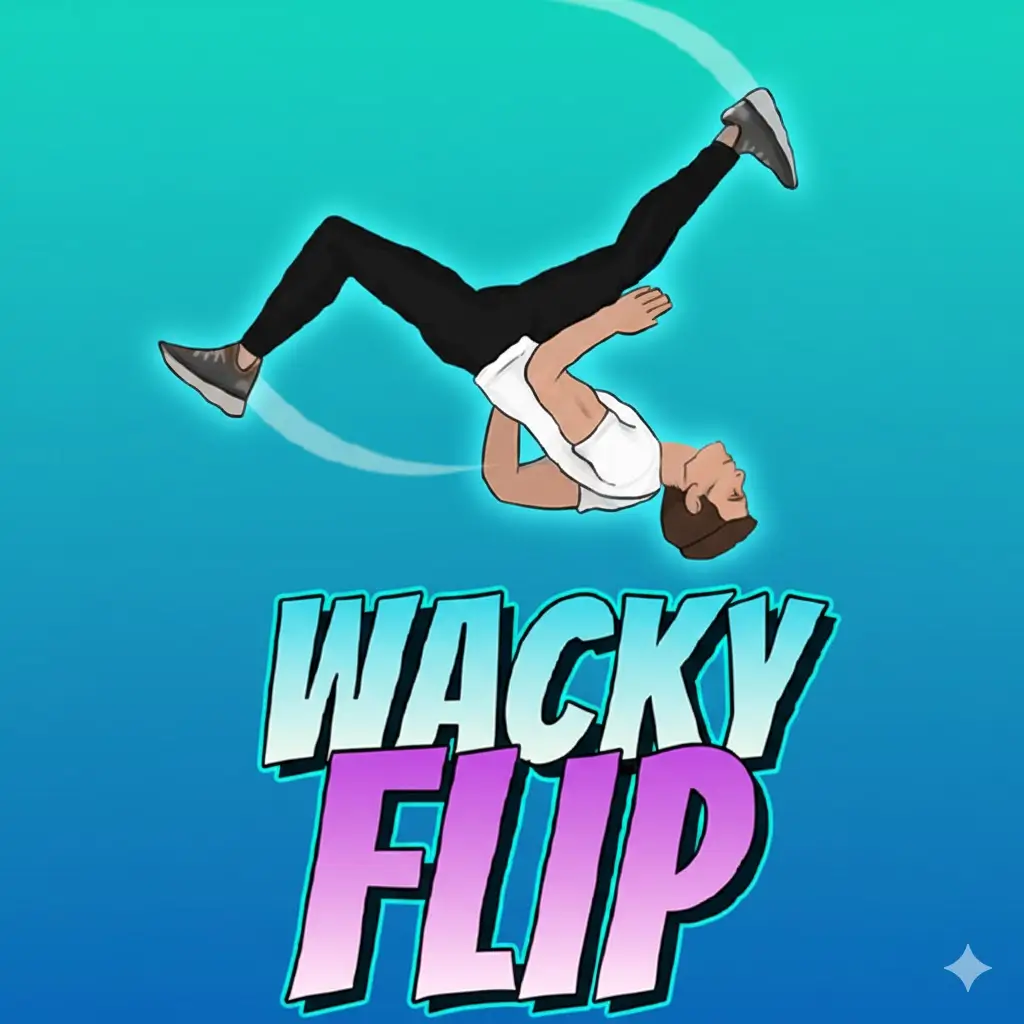
Wacky Flip
Similar Games






Description
Introduction
Get ready to jump, flip, and laugh out loud with Wacky Flip, the super-fun stunt game kids can’t stop playing. Every jump is a new surprise, and every flip is a chance to show off your timing skills.
In this exciting physics-based flipping game, you launch your character into the air, spin with backflips and crazy moves, and try to land perfectly. Smooth landings feel awesome, but even the funny fails are part of what makes Wacky Flip so addictive.
You can play Wacky Flip free and unblocked right in your browser on gogamego.io. No downloads, no waiting—just tap, flip, and play instantly on school computers, tablets, or at home.
With simple controls, colorful levels, and silly ragdoll action, Wacky Flip online is perfect for kids who love quick games, skill challenges, and nonstop fun.
Press play now on gogamego.io and see how many awesome flips you can land!
🎮 Wacky Flip – Game Snapshot
- Genre: Arcade, Physics, Skill, Casual
- Release Date: 2023
- Developer: Wacky Flip Studio
- Platforms: Web Browser (PC, Chromebook, Tablet)
- Modes: Single Player

What Is Wacky Flip?
is a fun and silly online flipping game made for players who love quick action and big laughs. The game was created by a small indie developer focused on simple browser games that are easy to play but hard to master. Their goal was clear: make a physics-based game that feels goofy, exciting, and friendly for kids.
Wacky Flip was first released in 2023 and has received small updates since then to improve performance, smooth controls, and add more stunt areas. Because it runs directly in your web browser, players can enjoy it instantly without downloads or sign-ups, which makes it perfect for school breaks and quick gaming sessions.
The unique appeal of Wacky Flip comes from its ragdoll physics. Every jump feels different. Perfect landings feel awesome, but funny crashes are just as entertaining. The one-button style controls make it easy for kids to learn, while timing flips and landing cleanly keeps the challenge alive.
So why is Wacky Flip trending right now? It’s free, unblocked, and easy to share with friends. Short gameplay rounds, funny moments, and skill-based flipping make it popular on gaming websites and classrooms alike. One jump turns into “just one more try,” and that’s what keeps players coming back.
Gameplay Overview
is all about timing, balance, and having fun with crazy flips. Your main goal is simple: jump, flip in the air, and land on your feet. But don’t be fooled—every jump feels different because of the game’s playful physics. One small mistake can turn a perfect flip into a hilarious crash.
As you play, you unlock new stunt spots and challenges. Each area asks you to perform better flips, land cleaner, and sometimes chain multiple tricks together. The more accurate your landings are, the higher your score goes. This makes Wacky Flip exciting for both beginners and skilled players who want to master every jump.
There’s no rush or pressure. You can retry jumps as many times as you want, which makes the game perfect for kids who like to learn through practice. Every level feels like a small goal, and landing a tough flip feels like a big win.
How to Play
To play, you charge your jump, launch into the air, perform flips, and try to land standing up. The game rewards good timing and smooth rotations.
- Jump from platforms and stunt spots
- Perform backflips, frontflips, and combo flips
- Land cleanly to score higher points
- Retry jumps to improve your skills
Progression happens naturally as you get better. New areas and harder challenges appear as you succeed, pushing you to flip smarter and land cleaner.
Controls
Single Player (Keyboard / Mouse):
- Hold click or spacebar to charge your jump
- Release to jump into the air
- Click or press space to flip
- Tap again to prepare for landing
Two Player:
Wacky Flip is mainly designed for single-player fun, but kids often take turns competing for the best score, making it feel like a friendly multiplayer challenge.
Touch Controls (Mobile & Tablet):
- Tap and hold to charge the jump
- Release to jump
- Tap to flip and tap again to land
Pro Tips
- Don’t rush the jump: Charging your jump properly gives you better control in the air.
- Watch your rotation: Too many flips can ruin a landing, so flip wisely.
- Practice timing: Landing at the right moment is more important than spinning fast.
- Start simple: Master basic flips before trying combos.
- Learn from crashes: Funny fails help you understand the physics better.
- Use short sessions: Playing in small bursts helps improve focus.
- Aim for clean landings: Standing landings always score better than messy ones.
- Have fun: Laughing at fails makes the game more enjoyable and less frustrating.
Key Features
stands out because it mixes simple gameplay with funny, skill-based challenges. Every feature is designed to be easy for kids to enjoy while still rewarding practice and creativity.
- Realistic ragdoll physics: Each jump reacts differently, making every flip feel fresh. This keeps the game exciting and helps players learn timing and balance.
- One-button controls: Simple tap-and-hold controls make it easy for beginners to start playing right away, with no confusing buttons to remember.
- Skill-based gameplay: Success depends on timing, not luck. Players improve naturally as they practice, which builds confidence and focus.
- Multiple stunt locations: Different platforms and jump spots add variety, so the game never feels repetitive.
- Instant browser play: No downloads or installs needed. Kids can play Wacky Flip online and unblocked at school or at home.
- Short play sessions: Each jump takes only a few seconds, making it perfect for quick breaks without losing progress.
- Funny fails and wins: Even crashes are entertaining, helping players relax and enjoy learning from mistakes.
Game Modes
focuses on simple, skill-based fun, and its game modes are built to keep kids entertained while encouraging improvement and friendly competition.
Solo Mode is the main way to play Wacky Flip. You jump, flip, and land across different stunt spots, with the difficulty slowly increasing as you improve. Early jumps are easy and forgiving, while later challenges need better timing and cleaner landings. The reward is all about score and progress—landing smooth flips unlocks new areas and gives players a clear sense of achievement.
Multiplayer Mode is not available as an online feature, but that doesn’t stop kids from competing. Many players enjoy comparing scores with friends, taking turns on the same device, and challenging each other to land the best flip or beat a high score. This keeps the experience social without needing matchmaking or accounts.
Local Co-op Play works the same way—players rotate turns and watch each other’s jumps. This setup is perfect for siblings or classmates, encouraging teamwork, cheering, and laughter. It also helps kids learn by watching how others time their flips.
At the moment, tournament or seasonal modes are not part of Wacky Flip. Instead, the game stays fun through replayability, skill mastery, and the joy of trying “just one more jump” to land the perfect flip.
Characters & Customization
keeps things fun and friendly with playful characters and light customization that kids love. Each character feels a little different, which adds personality to every jump and flip.
Characters
- The Rookie: A balanced beginner character with smooth jumps and easy control, perfect for learning the basics.
- The Daredevil: Jumps higher and spins faster, great for players who love risky flips and big air time.
- The Clumsy Star: Harder to control but extra funny when crashing, making every fail more entertaining.
- The Agile Kid: Faster rotations and lighter movement, ideal for clean landings and combo flips.
- The Power Jumper: Strong take-offs with heavier landings, rewarding careful timing and patience.
Each character helps players experiment with different play styles, keeping the gameplay fresh and exciting.
Customization
Customization in Wacky Flip is simple but rewarding. Players can unlock fun outfits, change colors, and try different visual styles that make their character stand out. These changes don’t make the game unfair—they keep it friendly while giving kids a sense of ownership.
- Color variations to personalize your character
- Outfits that add fun visual flair
- Flip styles that change how tricks look
As players improve, small upgrades unlock naturally, encouraging practice while keeping the focus on fun, creativity, and silly flips.
Special Moves & Combos
becomes even more exciting once you learn how to use special moves and chain them into smooth combos. These moves help you score higher, unlock new stunt spots, and pull off impressive landings that feel super rewarding.
- Backflip: The classic move. Easy to learn and great for beginners. Use it when you have medium jump height to keep landings stable.
- Frontflip: Spins faster than a backflip and works best on shorter jumps. Perfect when you need quick rotation control.
- Double Backflip: Two spins in one jump. Try this only with a fully charged jump, or you may over-rotate and crash.
- Combo Flip: Mixing flips in one jump boosts your score. Start with a backflip, then add a second spin once you feel the timing.
- Late Flip: Triggering a flip near the peak of your jump helps you land cleaner. This is great for tricky platforms.
- Perfect Landing: Not a spin, but a move on its own. Stop flipping at the right moment to land standing and earn bonus points.
- Recovery Roll: A soft landing after a messy flip. Use this to save runs when things go wrong.
The best strategy is to start simple and build up. Master basic flips first, then slowly add combos. Watching your character’s body position in the air helps you decide when to stop flipping and stick the landing.
In Wacky Flip online, smart timing beats fast spinning. Clean combos and safe landings will always score better than risky moves.
Tips & Tricks
may look simple, but smart play makes a huge difference. These tips help kids land better flips, score higher, and enjoy the game without frustration.
- Charge your jump fully: A stronger jump gives you more air time and better control for flips.
- Start with single flips: Master one clean backflip before trying doubles or combos.
- Flip at the peak: Trigger flips near the top of your jump for smoother landings.
- Watch body angle: Stop flipping when your character’s feet point toward the ground.
- Don’t over-spin: Too many rotations cause crashes, even from high jumps.
- Use safe landings: Sometimes landing steady is better than chasing a risky combo.
- Learn from fails: Funny crashes teach you how the physics react.
- Stay calm: Rushing makes timing worse. Slow, controlled moves win more points.
- Practice short sessions: Small play sessions improve focus and muscle memory.
- Adapt to platforms: Higher platforms allow combos, lower ones need quick flips.
- Challenge yourself: Try beating your own best score instead of rushing progress.
- Have fun: Laughing at mistakes keeps the game enjoyable and stress-free.
With good timing and patience, every jump in Wacky Flip becomes a chance to improve and pull off something awesome.
Platforms & Technology
is built to run smoothly on modern devices, making it easy for kids to jump in and play anywhere.
The game works perfectly on popular web browsers like Chrome, Edge, Firefox, and Safari. Since it’s a browser-based game, there’s no need to download or install anything. This makes Wacky Flip unblocked and accessible on school computers, laptops, and home PCs.
On desktop, players get more precise timing using a keyboard or mouse, which is great for advanced flips and high scores. On mobile and tablet, touch controls feel simple and intuitive, making the game easy to play on the go. Both versions offer the same fun experience, just with different control styles.
Wacky Flip uses modern HTML5 technology with lightweight physics and smooth animations. For best performance, close extra browser tabs and keep your browser updated. A stable internet connection helps ensure quick loading and responsive gameplay.
Can I Play Wacky Flip Unblocked?
Yes! can be played unblocked directly in your browser, making it a great choice for school, work breaks, or relaxing at home. Since the game runs online, you don’t need special permissions, downloads, or installations.
On gogamego.io, you can enjoy Wacky Flip unblocked with instant access. Just open the page, press play, and start flipping. This makes it perfect for school computers, Chromebooks, and shared devices where downloads are not allowed.
The game is also ad-light and distraction-free, so kids can focus on playing without pop-ups or interruptions. Because it’s browser-based, Wacky Flip loads fast and works smoothly on most networks.
Whether you’re at school, taking a quick break at work, or playing at home, Wacky Flip free and unblocked lets you jump in anytime and start having fun right away.
Similar Games
If you enjoy Wacky Flip and its funny physics, crazy jumps, and skill-based landings, you’ll probably love these kid-friendly games too. Each one is quick to start, easy to learn, and perfect for playing at school, at home, or during a short break on gogamego.io.
- Stickman Hook – Swing, flip, and fly through levels with smooth rope physics and perfect timing.
- Sausage Flip – A hilarious physics flipping game where every bounce can turn into a funny win (or fail).
- Short Life – A silly ragdoll platformer packed with tricky obstacles and surprise traps.
- Unicycle Hero – Balance on a wobbly unicycle while throwing items and trying not to crash.
- Mr Bullet 2 – A smart physics puzzle shooter where you aim, bounce shots, and clear levels.
- Flappy Bird – The classic tap-and-fly game that’s super simple, super hard, and super addictive.
- Funny Blade and Magic – Cartoon action with easy battles, fun enemies, and kid-friendly magic.
- Train Master – Control trains, collect passengers, and keep everything moving without crashing.
- Tic Tac Toe – A quick strategy classic that’s great for brain practice and friendly challenges.
Want more fun like Wacky Flip unblocked? Explore more free online games on gogamego.io and find your next favorite!
Game History & Updates
first launched in 2023, quickly gaining attention for its funny physics and simple yet addictive gameplay. From the very beginning, players loved how easy it was to jump into the game, perform flips, and laugh at both perfect landings and silly crashes.
Since its original release, Wacky Flip has received several updates to improve the overall experience. Early patches focused on smoother controls and more consistent physics so kids could better time their flips. Later updates added new stunt platforms and colorful backdrops to keep the game fresh and challenging. Each update listened to player feedback, making adjustments that kept the fun alive without overwhelming younger players.
The Wacky Flip community grew fast thanks to social sharing, classroom play, and kids comparing high scores with friends. Players often post funny clips of their best — or wildest — flips on social media, helping the game spread even further. This organic growth made Wacky Flip one of the go-to free games on popular gaming sites and on gogamego.io, where players enjoy it unblocked and instantly.
Looking ahead, there are hints of exciting additions in the future. Fans talk about potential new stunt stages, more character unlocks, and seasonal events that could add fresh challenges and surprises. While the developer hasn’t announced an official roadmap yet, the steady stream of improvements and community excitement suggests that Wacky Flip’s story is only just beginning.
FAQ
Is Wacky Flip free to play?
Yes, Wacky Flip is completely free to play on gogamego.io. You don’t need to pay, sign up, or download anything. Just open the game in your browser and start flipping right away.
Can I play Wacky Flip unblocked at school?
Yes. Wacky Flip unblocked works on most school networks because it runs in the browser. It’s a popular choice on Chromebooks and shared school computers.
Do I need to download Wacky Flip?
No downloads are needed. Wacky Flip is an HTML5 browser game, so it loads instantly without installing apps or files.
Is Wacky Flip safe for kids?
Yes. The game is kid-friendly, with cartoon graphics, no violence, and simple controls. It’s designed for fun and skill, not intense action.
Can I play Wacky Flip on mobile?
Yes. Wacky Flip works on phones and tablets using touch controls. It also runs smoothly on desktop computers using mouse or keyboard.
Is there multiplayer in Wacky Flip?
Wacky Flip does not have online multiplayer, but kids often play by taking turns and competing for high scores with friends.
Why do I keep crashing when I land?
Crashes usually happen when you flip too much or stop rotating too late. Try flipping at the peak of your jump and focus on landing with feet down.
Does Wacky Flip save progress?
Progress is usually saved during your session. Since it’s a quick-play browser game, it’s designed for short, fun play sessions.
Why is Wacky Flip so popular?
Wacky Flip is popular because it’s easy to learn, funny to watch, and challenging to master. Clean landings feel great, and even fails are fun.
Conclusion
Wacky Flip is the kind of game that proves simple ideas can be the most fun. With easy controls, funny physics, and skill-based gameplay, it gives kids a perfect mix of challenge and laughter. Every jump feels different, every landing matters, and even the crashes turn into moments worth smiling about.
Because it’s free, unblocked, and playable directly in your browser, Wacky Flip fits perfectly into short breaks at school, relaxed time at home, or quick gaming sessions with friends. No downloads, no complicated menus—just instant fun. The colorful design, kid-friendly style, and replayable challenges make it enjoyable for both new players and those aiming to master perfect flips.
If you’re looking for a game that builds timing, patience, and confidence while still being silly and exciting, Wacky Flip is a great choice. It’s easy to start, hard to put down, and always rewarding when you land that perfect stunt.
Start playing Wacky Flip now on gogamego.io and see how many awesome flips you can land today!