
Crazy chicken 3D
Similar Games






Description
Introduction
Get ready for big laughs and wild chicken chaos in Crazy Chicken 3D on gogamego.io!
This silly 3D chicken game is full of fast action, funny moments, and smooth gameplay that kids can enjoy instantly.
You can play Crazy Chicken 3D online for free right in your browser—no downloads, no installs, and no waiting.
Perfect for quick breaks or longer play sessions, just hit Play and jump straight into the fun.
🎮 Crazy Chicken 3D – Game Snapshot
- Genre: Arcade, Action, Funny Animal Game
- Release Date: 2023
- Developer: Official Developer Website
- Platforms: Web Browser (PC, Laptop, Tablet)
- Modes: Single Player
What Is Crazy Chicken 3D?
Crazy Chicken 3D is a fast, funny, and colorful 3D arcade game where silly action meets simple controls.
It’s made for instant fun, which is why kids love it—quick reactions, playful chaos, and light challenges that feel exciting without being stressful.
You don’t need complicated rules or long tutorials. Just press play and start having fun right away.
The game comes from an indie-style developer that focuses on casual browser games that load quickly and run smoothly on most devices.
That’s a big reason why Crazy Chicken 3D online is so popular—players can enjoy it in a web browser with no downloads.
Since its release in 2023, the game has seen small improvements like smoother performance and little gameplay tweaks to keep the experience fresh.
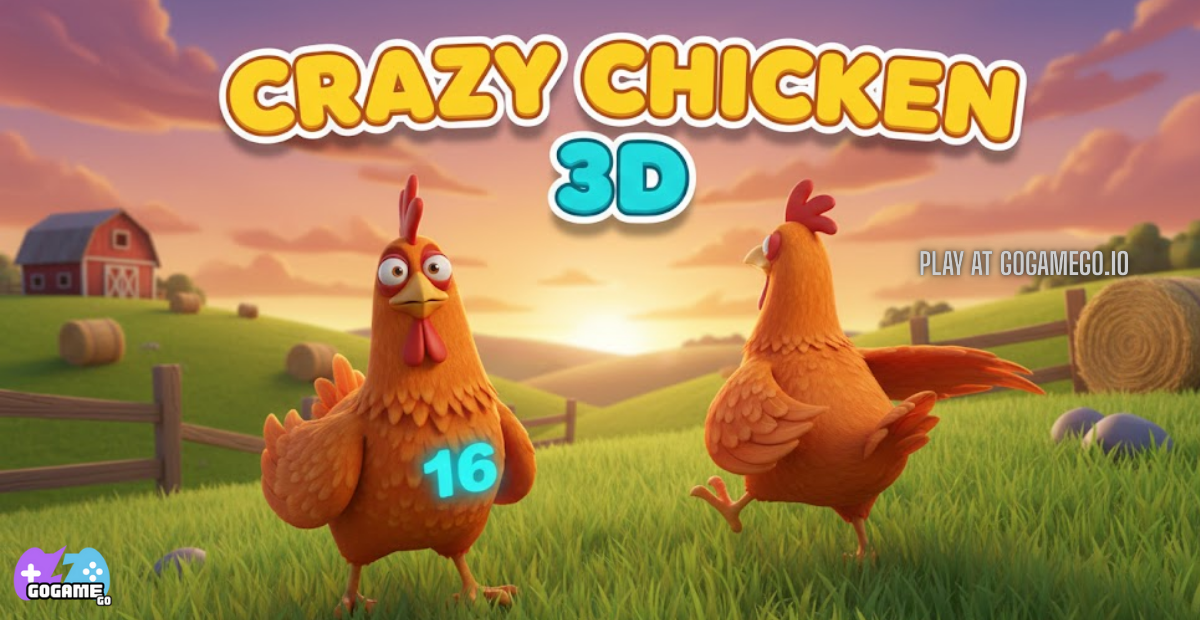
What makes it special is the mix of goofy chicken humor and bouncy 3D gameplay.
The bright, cartoon-style look makes every round feel fun, even when you lose.
So why is it trending? Many players are searching for free unblocked games, and this one is easy to start, easy to enjoy, and perfect for quick breaks.
On gogamego.io, it’s a top pick for kids who want a funny, kid-friendly 3D chicken game they can play instantly.
Gameplay Overview
Crazy Chicken 3D is a funny, fast-paced 3D arcade game where your main goal is simple: stay in the action, avoid danger, and outsmart the chaos.
Each round feels quick and exciting, so it’s perfect for kids who love short challenges and big laughs.
The game rewards smart movement and good timing, not complicated strategies.
As you play more, you’ll get better at spotting patterns, choosing safer paths, and making bold moves at the right moment.
How to Play
Your objective is to guide your chicken through the 3D area, survive longer, and finish the round goal (like reaching a safe spot, staying on the platform, or completing a mini challenge).
Most matches get harder over time: obstacles move faster, the space becomes trickier, and you’ll need quicker reactions.
The progression system is simple and kid-friendly—play rounds, improve your score, and aim for better results each time.
Depending on the version you’re playing, you may unlock new stages, increase difficulty, or earn rewards like fun visual upgrades or achievements for completing goals.
If you ever fail, don’t worry—Crazy Chicken 3D is made for quick restarts, so you can jump back in instantly and try again.
Controls
1-Player (Keyboard): Use WASD or Arrow Keys to move your chicken around.
Some versions also support Space for jumping or a special action, and Shift for sprinting if available.
2-Player (Local): If the game mode supports two players, Player 1 usually uses WASD, while Player 2 uses the Arrow Keys.
Extra actions (jump / dash) may use keys like Space for Player 1 and Enter or Right Shift for Player 2, depending on the build.
Mobile / Touch Controls: Tap-and-drag with your thumb to move, or use the on-screen joystick if it appears.
For actions like jump or dash, look for a big on-screen button near the bottom corners.
Pro Tips
- Start slow to learn patterns: In your first few rounds, focus on watching obstacle timing instead of rushing, so you understand what to avoid.
- Keep moving, but don’t panic: Staying still can be risky, but running randomly can be worse—move with purpose and choose safe paths.
- Use the camera angle to your advantage: If you can rotate or adjust your view, do it to spot obstacles early and plan your next steps.
- Aim for safe zones: Look for corners, open spaces, or calmer areas where fewer hazards hit at once.
- Time your turns: Many hits happen when players change direction too late—turn a little earlier to avoid getting clipped.
- Don’t follow the crowd: If everyone runs the same way, it can get crowded and chaotic—taking a different route is often safer.
- Practice quick resets: If you lose, restart right away and try again—fast repetition helps you improve super quickly.
- Watch for speed changes: When the round gets faster, switch your goal from “perfect play” to “smart survival.”
- Play in short bursts: Two or three quick rounds, then a short break—this keeps your reactions sharp and helps you win more.
Key Features
Crazy Chicken 3D is packed with fun, kid-friendly features that make every play session exciting and easy to enjoy.
- Colorful 3D Graphics: The bright, cartoon-style 3D world looks playful and friendly, helping kids stay engaged without feeling overwhelmed.
- Simple, Easy Controls: The controls are designed for quick learning, so new players can start playing confidently within seconds.
- Fast-Paced Arcade Action: Short, energetic rounds keep the game exciting and make it perfect for quick breaks or casual play.
- Funny Chicken Animations: Silly movements and reactions add humor, making even failed attempts fun instead of frustrating.
- Instant Browser Play: No downloads or installations are needed, allowing kids to jump straight into the game on gogamego.io.
- Kid-Safe Gameplay: The game avoids violence and complex mechanics, making it suitable for younger players and parents alike.
- Replay Value: Each round feels a little different, encouraging players to try again, improve skills, and beat their best runs.
All these features work together to make Crazy Chicken 3D a fun, safe, and highly replayable 3D arcade game for kids.
Game Modes
Crazy Chicken 3D offers multiple ways to play, so kids can enjoy the game solo, with friends, or in friendly competitive setups.
Each mode is designed to stay fun, simple, and exciting without adding confusing rules.
This variety helps keep the game fresh and encourages players to come back again and again.
Solo Mode
Solo Mode is the main way most players start playing.
You control one chicken and focus on surviving, avoiding obstacles, and completing round goals.
The difficulty increases gradually, which helps players improve their timing, movement, and decision-making.
Rewards usually come in the form of higher scores, progress to harder stages, or personal best records.
This mode is perfect for practice, relaxed play, and quick gaming breaks.
Multiplayer Mode
In versions that support online multiplayer, players can compete against others in real time.
Matchmaking is usually fast and automatic, placing you with players of similar skill.
This mode adds excitement by turning each round into a fun competition where reactions really matter.
Local Co-op
Local co-op lets two players share the same screen and play together on one device.
Each player uses their own controls, making it easy to set up at home.
This mode is great for siblings or friends because it encourages teamwork, laughter, and shared moments.
Tournament or Seasonal Modes
Some versions may include limited-time challenges or seasonal events.
These modes often feature special goals or tougher conditions, giving experienced players something new to aim for.
They also add replay value by rewarding consistent play and improvement.
Characters & Customization
Crazy Chicken 3D keeps the fun fresh by offering playful characters and simple customization options that kids can enjoy without confusion.
Characters
Each chicken character has its own personality, making the game feel lively and fun.
- Classic Chicken: A balanced starter character with smooth movement, perfect for beginners learning the basics.
- Speedy Chicken: Faster than the rest, great for players who like quick reactions and daring escapes.
- Tough Chicken: Feels heavier and more stable, helping players stay in control during chaotic moments.
- Jumpy Chicken: Higher jumps make it easier to dodge obstacles and reach tricky spots.
- Funny Chicken: Extra goofy animations and reactions that add humor, even when things go wrong.
Customization
Customization in Crazy Chicken 3D is simple, colorful, and kid-friendly.
Players can change outfits and colors to make their chicken stand out and feel unique.
Some versions allow fun visual upgrades like hats, skins, or effects that don’t affect gameplay balance.
As players progress, they may unlock small movement upgrades or special animations that reward practice and improvement.
This system lets kids express creativity while keeping the game fair, fun, and easy to understand.
Special Moves & Combos
Crazy Chicken 3D becomes even more exciting once you learn how to use special moves and smart combos.
These moves are easy to perform, kid-friendly, and designed to reward good timing rather than fast button pressing.
-
Quick Dash: A short burst of speed that helps you escape danger.
Strategy: Use it only when needed—saving it for tight situations can prevent sudden knockouts. -
High Jump: Lets your chicken leap over obstacles or enemies.
Strategy: Jump early instead of waiting until the last second to avoid mistiming. -
Spin Dodge: A fast turning move that avoids hits from the side.
Strategy: Perfect when obstacles come from multiple directions at once. -
Landing Bounce: A small bounce after landing that keeps momentum.
Strategy: Chain it with movement to stay fast without stopping. -
Corner Slide: Slides along edges to stay inside safe zones.
Strategy: Great for survival when space gets tight near the end of rounds. -
Quick Turn: Instantly changes direction.
Strategy: Use before obstacles speed up to stay in control. -
Dash + Jump Combo: Dash forward and jump right after.
Strategy: Helps clear large gaps or escape crowded areas quickly.
Learning when to use each move—and when not to—helps players survive longer, score higher, and enjoy the game even more.
Practice these combos in short rounds, and they’ll quickly become second nature.
Tips & Tricks
Mastering Crazy Chicken 3D is all about smart movement, good timing, and staying calm when things get crazy.
These tips help both new and experienced players survive longer and enjoy the game even more.
- Watch before you move: Spend the first few seconds observing obstacle patterns so you know where danger appears.
- Stay near open space: Crowded areas are risky—open zones give you more room to react and escape.
- Move with purpose: Random movement causes mistakes; small, planned steps work better.
- Use jumps early: Jumping sooner keeps you safe and avoids last-second panic.
- Save dash for emergencies: Dashing too often leaves you helpless when you really need it.
- Turn the camera wisely: Adjust your view to spot incoming obstacles sooner.
- Avoid the crowd: Other players attract danger—choose a quieter path when possible.
- Defensive positioning: Corners and edges can protect you if used carefully.
- Chain safe moves: Combine small turns with light jumps instead of risky big moves.
- Learn from losses: Each fail teaches timing and spacing—improvement comes fast.
- Play in short sessions: Breaks keep reactions sharp and reduce mistakes.
- Stay relaxed: Calm players survive longer and make smarter decisions.
Using these tips consistently will boost your survival time, improve scores, and make every round more fun.
Platforms & Technology
Crazy Chicken 3D is built to run smoothly on modern web browsers, making it easy to play without installing anything.
The game works well on popular browsers like Chrome, Edge, Firefox, and Safari, as long as they are up to date.
On desktop and laptop, players get more precise control using a keyboard, which is great for fast movement and quick reactions.
On mobile devices, the game uses touch controls that are simple and responsive, making it fun to play on phones and tablets.
Behind the scenes, Crazy Chicken 3D uses HTML5 and WebGL technology to deliver smooth 3D graphics directly in the browser.
For best performance, close other tabs, lower browser zoom if needed, and make sure your device has enough free memory.
This setup ensures fast loading times, stable frame rates, and a fun experience across different devices.
Can I Play Crazy Chicken 3D Unblocked?
Yes! You can play Crazy Chicken 3D unblocked directly in your browser with no extra steps.
On gogamego.io, the game is designed to load fast and work in many locations, making it playable at home, during breaks at school (where allowed), or even at work.
Because it’s a browser-based 3D game, there’s no download, no installation, and no setup required.
You just open the page, press play, and jump straight into the action.
The game also avoids annoying pop-ups, so kids can enjoy a clean, simple experience without distractions.
If you’re looking for a free online chicken game that’s quick, fun, and easy to access, Crazy Chicken 3D unblocked is a perfect choice.
Similar Games
If you like Crazy Chicken 3D, try these kid-friendly picks on gogamego.io. They’re fast, funny, and perfect for quick browser play.
- Crossy Road – Hop across roads and rivers with cute, classic arcade vibes.
- Chicky Farm – Build a cozy chicken farm, collect eggs, and grow your happy flock.
- Chicken Merge – Merge chickens to create stronger heroes and defend your team.
- Crazy Cattle 3D – More silly 3D animal chaos with bouncy, laugh-out-loud moments.
- Crazy Pig Simulator – Explore, cause harmless mischief, and enjoy goofy pig adventures.
- Tiger Simulator 3D – A kid-friendly 3D animal world with simple quests and exploration.
- Snow Rider 3D – Speed downhill, dodge obstacles, and chase high scores in 3D.
- Glitch Dash – A quick reflex runner with bright visuals and fast jumps.
- Tunnel Rush 2 – Fly through neon tunnels and dodge shapes with perfect timing.
- Slope 3 – Roll fast, stay balanced, and survive the wild 3D slope ride.
Game History & Updates
Crazy Chicken 3D first appeared in 2023, quickly catching attention as a fun, browser-based 3D arcade game made for quick and easy play.
From the beginning, the game stood out for its silly chicken animations, simple controls, and smooth performance on web browsers.
After launch, the developer focused on keeping the experience stable and enjoyable.
Early updates improved loading speed, fixed small bugs, and adjusted movement to make controls feel more responsive for younger players.
Later patches brought visual polish, smoother animations, and better compatibility across different browsers and devices.
These updates helped ensure that the game runs well on both desktop and mobile without changing its simple, kid-friendly feel.
As more players discovered Crazy Chicken 3D on free gaming platforms, the community started to grow.
Kids shared tips, compared scores, and returned often for quick gaming sessions, helping the game stay popular among casual arcade fans.
The growing interest also encouraged continued support, keeping the game fresh and reliable.
Looking ahead, future updates may include new stages, extra visual customization, and limited-time challenges.
These additions would give returning players new goals while keeping gameplay easy to understand.
With steady improvements and an active player base, Crazy Chicken 3D continues to evolve as a fun and reliable 3D chicken game.
FAQ
Is Crazy Chicken 3D free to play?
Yes, Crazy Chicken 3D is completely free to play on gogamego.io. You don’t need to pay, sign up, or download anything to enjoy the full game.
Can I play Crazy Chicken 3D unblocked at school?
The game is browser-based and works in many locations. It can be played at school, home, or work where gaming sites are allowed.
Do I need to download Crazy Chicken 3D?
No downloads are required. The game runs directly in your web browser, so you can start playing instantly.
Is Crazy Chicken 3D safe for kids?
Yes. The game is kid-friendly, with no violence, no harmful content, and simple controls designed for younger players.
What devices can I play it on?
You can play on PC, laptop, tablet, and most smartphones using a modern web browser.
Does Crazy Chicken 3D work on mobile?
Yes, the game supports touch controls on mobile devices, making it easy and fun to play on phones and tablets.
Is Crazy Chicken 3D multiplayer?
The main version is single-player, but some versions may include local co-op or multiplayer-style features.
Why is Crazy Chicken 3D so popular?
Players love its funny chicken animations, quick gameplay, and the fact that it’s free, unblocked, and easy to play.
Are there ads in the game?
The game experience is clean and simple, with minimal interruptions so players can focus on having fun.
Can I save my progress?
Progress is usually session-based, focusing on quick play and high scores rather than long-term saves.
Conclusion
Crazy Chicken 3D is a perfect mix of fun, simplicity, and fast-paced 3D action that kids truly enjoy.
With its colorful visuals, funny chicken animations, and easy-to-learn controls, the game delivers instant entertainment without stress or confusion.
It works smoothly on desktop and mobile, plays directly in the browser, and doesn’t require any downloads or complicated setup.
Whether you’re playing solo, competing with friends, or just looking for a quick game during a break, Crazy Chicken 3D fits every moment.
The game’s replay value, kid-safe design, and unblocked access make it a strong choice for players and parents alike.
On gogamego.io, you get a clean, smooth, and reliable way to enjoy this popular 3D chicken game anytime.
If you’re ready for laughs, quick challenges, and nonstop fun, now is the perfect time to jump in.
Press Play and start your Crazy Chicken 3D adventure today!