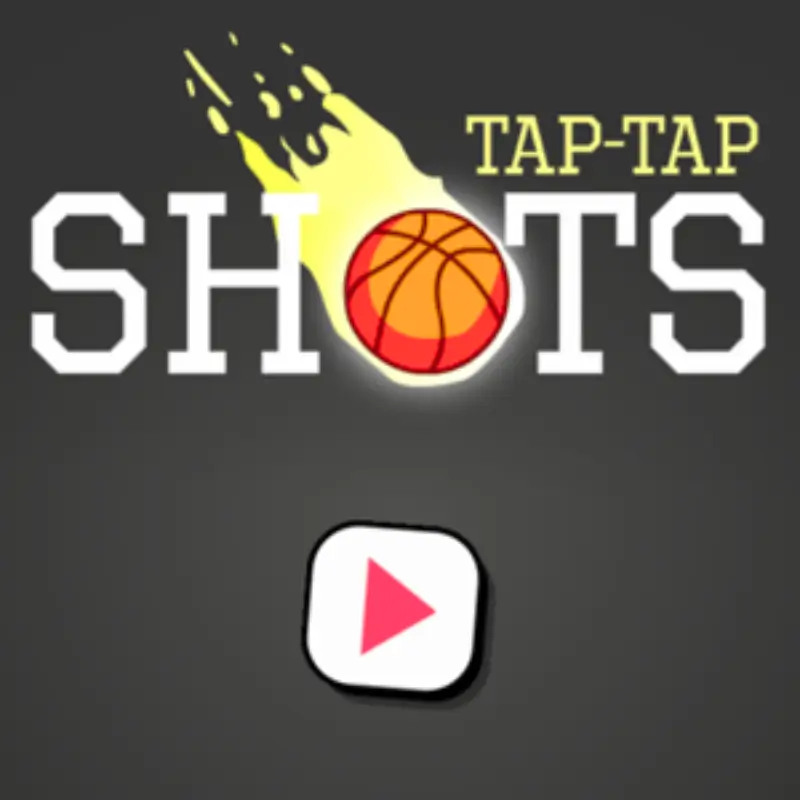
Tap Tap Shots
Similar Games


Description
Introduction
Ready to test your basketball skills without leaving your screen? Tap Tap Shots is a fast-paced basketball game where every second counts. With just a quick tap, you’ll send the ball flying toward the hoop. Miss it? The timer resets and the pressure builds—making every shot feel like a real court challenge.
This addictive arcade challenge has become super popular because it’s simple to learn but tricky to master. Kids love it because they can play anytime, anywhere—whether at school, at home, or on the go. Parents love it too, because it’s safe, fun, and totally free.
On gogamego.io, you can play Tap Tap Shots unblocked instantly. No downloads, no extra ads, just pure basketball fun that works smoothly on mobile and desktop. Each round feels different, pushing you to beat your own high score again and again.
If you’re searching for free basketball games online, this one is a slam dunk. Jump in now, tap to score, and see how long you can keep the streak alive!

What Is Tap Tap Shots?
Tap Tap Shots is a simple but super exciting basketball shooting game that has taken the online world by storm. Created by QKY Games, a developer known for making addictive and kid-friendly browser games, it first hit the web in 2018. Since then, it has stayed fresh with small updates that improve performance, making it just as fun today as when it launched.
The idea is easy to understand—tap the screen to make the ball jump and aim for the hoop. But here’s the twist: you’re racing against a timer, and the basket keeps moving higher and higher. That little change makes every shot feel intense, and that’s why players can’t stop trying “just one more round.”
What makes Tap Tap Shots unblocked extra special is its mix of endless arcade gameplay and real basketball vibes. There are no levels to clear, no complicated rules—just you, the hoop, and a countdown clock. Kids love the quick matches, while older players enjoy chasing higher scores.
It’s trending because it’s perfect for short breaks, whether you’re at school, at home, or on the bus. Add in the fact that it’s free to play online at gogamego.io, and you’ve got one of the most popular basketball games for all ages.
Gameplay Overview
How to Play
In Tap Tap Shots, the goal is simple: keep scoring before the timer runs out. Each time you make a basket, the hoop moves to a new position, usually a little higher. That means you need to adjust your rhythm and tapping speed for every shot.
There are no levels or long missions—this is an endless arcade basketball game. Your reward is beating your own high score and showing your friends how many baskets you can make in a row. The fun comes from chasing that next record and improving your timing.
Controls
On desktop, you only need one key: Spacebar. Tap it to bounce the ball higher. Time your presses carefully to guide the ball into the hoop. Simple, right?
For mobile and tablets, controls are just as easy. Tap the screen anywhere to launch the ball. The faster you tap, the higher the ball goes. Slow down to control your aim more carefully.
There isn’t an official 2-player mode, but kids often turn it into a friendly competition by taking turns. One player goes first, the other tries to beat that score—it’s like a mini basketball tournament on one device.
Pro Tips
- Tap quickly when the hoop is low and close.
- Slow your tapping when aiming for higher hoops.
- Don’t rush—accuracy is more important than speed.
- Watch the timer bar carefully; reset it with each score.
- Focus on rhythm, not just random tapping.
- Practice short taps instead of holding down keys.
- Challenge a friend to keep it competitive and fun.
- Stay calm—panicking usually leads to missed shots.
Key Features
- One-Tap Controls – The whole game works with a single tap, making it super easy for kids to play without complicated buttons. The benefit? Anyone can jump in and start scoring within seconds.
- Endless Arcade Fun – There are no fixed levels; the game keeps going as long as you keep scoring. This means unlimited chances to beat your high score and never-ending basketball excitement.
- Fast-Paced Timer – The countdown bar adds pressure to every shot. It makes each basket feel thrilling and helps kids build quick reaction skills.
- Mobile-Friendly Gameplay – Tap Tap Shots runs smoothly on phones and tablets. That means you can play at school, at home, or even while traveling.
- Simple Yet Challenging – Easy to start, hard to master. The moving hoops keep the challenge fresh, teaching players patience and timing.
- Unblocked & Free – On gogamego.io, kids can enjoy Tap Tap Shots unblocked instantly with no downloads, no paywalls, and fewer ads than big portals like Poki or CrazyGames.
- High Score Competition – The scoreboard system motivates players to keep improving. It’s perfect for friendly challenges with friends or siblings.
Game Modes
Tap Tap Shots may look simple, but it offers plenty of ways to enjoy basketball fun—whether you’re playing alone or competing with friends. Here’s a breakdown of the main modes players love.
Solo Mode
This is the core experience. You tap to shoot hoops against a ticking timer. The difficulty ramps up as the baskets move higher, forcing you to adapt your rhythm. The main reward is your personal best score—perfect for kids who love chasing records and improving little by little.
Multiplayer Mode
There isn’t an official online mode, but players often create their own “virtual multiplayer.” You and your friends can play at the same time on gogamego.io and compare scores. It feels like online matchmaking, only faster and without lag.
Local Co-op
At home or in class, Tap Tap Shots unblocked turns into a friendly local battle. One player takes a turn, then the next tries to beat that number of baskets. This simple co-op style makes it a fun party or classroom challenge.
Tournament Play
Some schools and gaming clubs run mini-tournaments. Players write down their top scores, and the winner earns bragging rights. Even though there’s no built-in seasonal mode, the community spirit makes Tap Tap Shots feel competitive and exciting.
Characters & Customization
Characters
Unlike story-based games, Tap Tap Shots doesn’t feature human characters. Instead, the real “star” is the basketball itself. Kids often give the ball a personality, making it feel like their own unique player on the court.
- The Rookie Ball – Simple and small, perfect for beginners just learning the tap rhythm.
- The Speedster – Represents fast tapping players who thrive under pressure.
- The Trickster – For those who make risky shots and love last-second saves.
- The Champion – The ball of high scorers, symbolizing endless practice and patience.
- The Chill Player – Represents kids who play calmly, focusing on accuracy instead of speed.
These “characters” aren’t coded into the game but help young players imagine different play styles, making each round more exciting.
Customization
While Tap Tap Shots doesn’t offer built-in skins or upgrades, players customize their experience in fun ways. On mobile, kids often change the background theme or screen brightness to match their style. Some pretend the ball has different colors or “powers” based on how they tap.
The true customization lies in personal strategy: fast tapping vs. steady rhythm, close baskets vs. long shots, or competitive vs. casual play. This freedom gives every player their own unique journey, even in a simple arcade basketball game.
Special Moves & Combos
Even though Tap Tap Shots is all about tapping to score, players invent their own “special moves” to add style and challenge. Here are some of the best tricks kids use to make every basket feel like a slam dunk.
- Rapid Fire Shot – Tap quickly to send the ball soaring higher. Great for reaching hoops placed far above the ground.
- Soft Bounce – Gentle taps keep the ball low and steady. Perfect when the hoop is just above the rim.
- Double Tap Combo – Two quick taps in a row create a smooth arc, helping the ball land cleanly inside the basket.
- Last-Second Save – Wait until the timer is almost empty, then launch a perfect shot. Risky but rewarding when it works.
- Rhythm Tapping – Keep a steady beat with your taps to improve accuracy. This move helps train timing for tougher hoops.
- High-Arc Trick – Aim for a tall jump that drops the ball straight into the hoop. It’s harder to pull off, but it looks awesome.
- Back-to-Back Swish – Focus on making two or more clean baskets in a row without hitting the rim. A real test of skill.
- Speed Challenge – Tap as fast as possible for multiple hoops in quick succession. Great for setting high scores and showing off to friends.
By mixing these combos, players keep Tap Tap Shots unblocked fresh and exciting. The secret is experimenting until you find the rhythm that matches your style.
Tips & Tricks
Want to push your high score even further? Here are the best Tap Tap Shots tips and tricks to help you play smarter, not harder.
- Start Slow – Get used to the tapping rhythm before chasing big scores.
- Watch the Timer – Keep an eye on the countdown bar; every basket resets it.
- Tap Lightly – Small taps give more control for close hoops.
- Use High Arcs – Aim for tall arcs when the hoop is far away.
- Stay Calm Under Pressure – Don’t panic when the timer is low; rushed taps often miss.
- Find Your Rhythm – Consistent tapping beats random mashing every time.
- Adjust for Hoop Position – Low hoops need fast taps, higher ones need careful timing.
- Practice Short Rounds – Even quick 2–3 minute sessions help improve accuracy.
- Compete with Friends – Challenge others on gogamego.io to stay motivated.
- Set Mini Goals – Aim for 5, 10, or 20 baskets in a row before going for record scores.
- Play on Mobile – Touchscreen tapping can feel smoother than keyboard play.
- Take Breaks – Rest your hands; coming back fresh often leads to better results.
Follow these strategies, and you’ll find yourself breaking records and enjoying Tap Tap Shots unblocked even more.
Platforms & Technology
Tap Tap Shots is built with HTML5 technology, which means it runs directly in your browser—no downloads needed. It’s compatible with popular browsers like Chrome, Safari, Firefox, and Edge, so that kids can jump in instantly from almost any device.
On desktop, the game uses simple spacebar controls, making it easy to play with just one hand. On mobile and tablets, tap controls feel smooth and responsive, letting you shoot hoops with just a finger tap. The experience is equally fun across both platforms.
Since it’s powered by lightweight HTML5 and WebGL, performance is excellent even on older computers or low-end phones. For the best results, close extra tabs or apps before playing. This keeps the game fast, lag-free, and perfect for long basketball streaks.
Can I Play Tap Tap Shots Unblocked?
Yes! You can enjoy Tap Tap Shots unblocked anytime and anywhere. Whether you’re at school, work, or just relaxing at home, the game runs directly in your browser without restrictions. No extra setup, no downloads, and no installs are required.
On gogamego.io, the game is available completely free, with fewer ads compared to big portals like CrazyGames or Poki. That means kids can focus on playing instead of being interrupted by pop-ups.
Since it’s built with HTML5, the game loads instantly on both desktop and mobile. You can tap to play during a short break, challenge friends after class, or enjoy a quick basketball session at home. Wherever you are, Tap Tap Shots unblocked is just one click away.
Similar Games
If you love the quick action of Tap Tap Shots, you’ll also enjoy these other basketball and arcade-style games. Each one brings its own twist while keeping the fun simple and fast.
- Basketball Stars – A 2-player basketball game where you can dunk, block, and outsmart your opponent. Great for kids who love competition.
- Dunk Shot – Flick the ball from hoop to hoop in this endless shooting challenge. Perfect for improving aim and timing.
- Street Ball Jam – Earn points with stylish dunks and combos in a fast-paced street basketball setting.
- Bouncy Dunk – Combine classic brick-breaker mechanics with basketball hoops for a fun and unique twist.
- Basketball Legends – Play as famous characters with special moves in an exciting 2-player showdown.
- Slam Dunk Basketball – Test your accuracy with a moving hoop that challenges your rhythm and control.
All of these titles are available free and unblocked on gogamego.io, so you can switch between them and enjoy endless basketball fun online.
Game History & Updates
Tap Tap Shots was first released in 2018 by QKY Games, a developer well-known for making simple yet addictive online titles. The game quickly spread across free gaming portals because of its one-tap controls and endless replay value, making it a hit with kids and casual players worldwide.
Since launch, the game has received performance updates to keep it smooth on both desktop and mobile. Improvements in HTML5 and WebGL technology helped it load faster, run on more devices, and deliver lag-free gameplay even on lower-end phones or school computers.
One of the biggest reasons for its popularity is its community growth. Players began sharing high scores online, challenging friends in classrooms, and even organizing mini-tournaments. This social side kept the game alive years after its release, proving how powerful a simple basketball challenge can be.
As for the future, QKY Games hasn’t announced a major sequel, but similar basketball games continue to expand on the idea. With its strong fan base and timeless arcade design, Tap Tap Shots will likely remain a favorite in the unblocked basketball games category for years to come.
On gogamego.io, kids can enjoy the most up-to-date version, optimized for browsers and ready to play instantly.
FAQ Section
Is Tap Tap Shots free to play?
Yes! Tap Tap Shots is completely free. You don’t need to download anything or pay to enjoy the game.
Can I play Tap Tap Shots unblocked at school?
Absolutely. On gogamego.io, you can play Tap Tap Shots unblocked from school or work without restrictions.
Who made Tap Tap Shots?
The game was created by QKY Games, a developer famous for making fun and simple browser games.
When was Tap Tap Shots released?
It first came out in 2018 and has stayed popular thanks to its addictive gameplay and smooth updates.
What is the highest score in Tap Tap Shots?
There’s no official record since it’s an endless game, but players often share scores of 200+ baskets online.
Can I play Tap Tap Shots on mobile?
Yes, it works perfectly on phones and tablets. Just tap the screen to shoot hoops.
Does Tap Tap Shots have multiplayer?
There isn’t a built-in online mode, but players compete by comparing high scores with friends.
How do I get better at Tap Tap Shots?
Focus on timing your taps, watch the timer, and aim for steady arcs. Practicing short sessions helps improve accuracy.
Is Tap Tap Shots safe for kids?
Yes, it’s a kid-friendly basketball game with no violence, making it great for children of all ages.
Conclusion
Tap Tap Shots proves that sometimes the simplest games are the most addictive. With its one-tap controls, fast timer, and endless arcade style, it delivers non-stop basketball fun that kids and adults can enjoy together. No complicated rules, no downloads, and no waiting—just pure focus on getting that next basket.
What makes this game shine is its flexibility. You can play a quick round during class breaks, compete with friends at home, or challenge yourself to beat your personal best on the bus. It’s lightweight, safe for kids, and completely free.
On gogamego.io, you’ll always find Tap Tap Shots unblocked and ready to go. Fewer ads mean more playtime, and the game runs smoothly on both desktop and mobile. That’s why it continues to trend as one of the best online basketball games.
So why wait? Jump into the court, tap to shoot, and see how many baskets you can score before the timer runs out. Start playing now on gogamego.io and make every shot count!